

Baba: English & Hindi Typing
Version:9.2.0
Published:2026-11-20
Introduction
If you're the kind of user who wants to build steady typing speed in both English and Hindi, Baba: English & Hindi Typing makes focused practice approachable and measurable.
Baba: English & Hindi Typing bundles keyboard drills, exam-style tests, and script options into a single Android utility aimed at anyone learning to type faster or preparing for timed assessments. The app separates practice into targeted row drills and full-sentence exercises, reports gross and net words-per-minute, and highlights mistakes so you can correct habits. It supports popular Hindi fonts and common layouts while keeping English practice simple with a standard QWERTY layout. Try short guided sessions during a coffee break or use longer drills when prepping for a typing test.
Getting Started with Baba: English & Hindi Typing
Install and open: Allow the app basic permissions, then switch to the practice module to begin exercises.
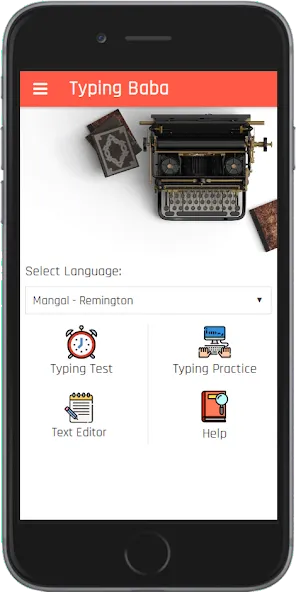
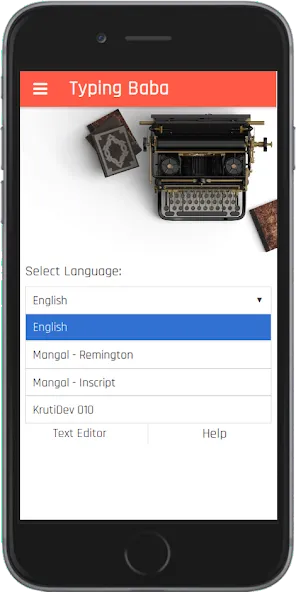
Choose your language: Pick English or Hindi practice; Hindi offers both KrutiDev and Mangal font options for different compatibility needs.
Select a layout: For Hindi typing select Remington or Inscript depending on your familiarity; English defaults to a familiar QWERTY arrangement.
Pick a drill level: Start with home-row or character drills, then move to word and sentence tests as accuracy improves.
Features of Baba: English & Hindi Typing:
Row-based drills: Practice focused sets for the home row, upper row, and other key areas so you can isolate trouble spots and build muscle memory.
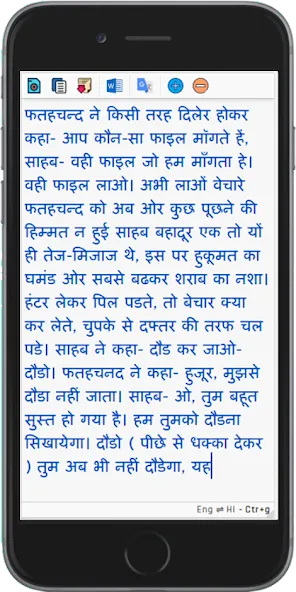
Hindi font and layout support: Switch between KrutiDev and Mangal fonts and use Remington or Inscript layouts to match common typing standards used in schools and offices.
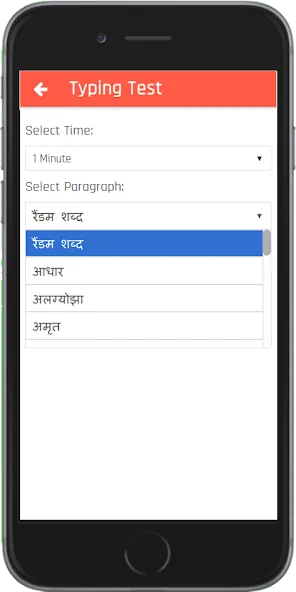
Exam-style speed tests: Timed tests use the standard five-characters-per-word rule to calculate gross and net WPM, mirroring formats seen in formal typing exams.
Detailed feedback: After each session view correct entries, wrong entries, gross speed, net speed, and accuracy percentages to track progress objectively.
Word and sentence drills: The app pulls frequently used words for practice so your sessions focus on text you are likely to type in real conversations or documents.
Pros & Cons:
- Supports English plus two Hindi fonts (KrutiDev, Mangal)
- Exam-style scoring with gross/net WPM and accuracy breakdowns
- Multiple layout options (Remington, Inscript) for Hindi learners
- Free-hand practice mode may not report full statistics in some cases
Final Words:
Baba: English & Hindi Typing is a straightforward training tool that suits students, office workers, and anyone preparing for timed typing tests; it organizes practice into clear drills and gives practical feedback to improve accuracy and speed. If you want a focused way to build competence in both scripts, give Baba: English & Hindi Typing a try and see which drills move your numbers up.
Show More
Information
Screenshots
Latest Update











Latest News
-
![Revealing the Launch Playlists and Cross-Progression for COD Warzone Mobile News]()
-
![March 2024 Free Redemption Codes for Honkai: Star Rail News]()
-
PUBG Mobile Teams Up with Bentley Motors: Luxury Cars, Exclusive Collectibles, and Beyond 2024-04-18
![PUBG Mobile Teams Up with Bentley Motors: Luxury Cars, Exclusive Collectibles, and Beyond News]()
-
![Monster Never Cry is now accessible on both Android and iOS mobile devices. News]()
-
V2.2 of the Farlight 84 update introduces an overhauled Season structure, fresh in-game currency, an 2024-04-16
![V2.2 of the Farlight 84 update introduces an overhauled Season structure, fresh in-game currency, an News]()
-
![Arrival of Genshin Impact 4.6 Update: 'Embers of Two Realms, Twilight of Crimson' News]()
-
April 2024 Clash of Clans Update: Unveiling a Fresh Companion, Enhanced Levels, Chat Tagging, and Be 2024-04-16
![April 2024 Clash of Clans Update: Unveiling a Fresh Companion, Enhanced Levels, Chat Tagging, and Be News]()






