

Yarrlist
Version:1.0
Published:2026-11-20
Introduction
Yarrlist is a compact, modern task manager that blends list-based planning with flexible tagging and smart reminders to boost daily productivity. It organizes short-term tasks, long-term projects, and collaborative lists into a single, searchable space with intuitive gestures and lightweight automation for quick planning.
What Yarrlist does best
At its core, Yarrlist focuses on keeping work and personal tasks uncluttered. The app separates items into lists and projects while letting you assign tags, priorities, and deadlines. Notifications and repeat rules are easy to set, and a minimal navigation model helps you switch contexts without losing focus.
Core features and tools
- List and project management: Create nested lists, subtasks, and milestones to represent work breakdowns or shopping plans.
- Tagging system: Add multiple tags per item to filter and combine views quickly.
- Smart reminders: Set location- or time-based alerts and recurring schedules with simple controls.
- Search and filters: Instant search, saved filters, and quick access to overdue items.
- Offline support and sync: Work offline and sync safely when a connection is available.
- Collaboration: Share lists with teammates or family and assign responsibilities.
How the workflow feels
The workflow in Yarrlist is designed for short cycles: capture, categorize, act, and archive. Capture is quick via a persistent add button or a widget. Categorization uses lists, tags and priority flags so you can produce contextual views like "Today," "Errands," or "Client follow-ups." Acting on tasks is encouraged by inline notes, attachments, and swipe gestures to mark progress or reschedule.
Customization and user control
Yarrlist offers several ways to tailor the experience. You can set default list behaviors, choose which fields appear when creating an item, and toggle compact or expanded list layouts. Themes and color accents are available to help visually segment work. Power users will appreciate keyboard shortcuts and configurable swipe actions for faster triage.
Interface and performance observations
The interface prioritizes clarity: clean typography, deliberate spacing, and a limited color palette keep attention on content. Animations are subtle and informative rather than distracting. Performance is smooth on most mid-range devices; large lists remain responsive because the app defers heavy work like syncing and indexing to background threads.
Integrations and export options
Yarrlist supports exporting lists as CSV or text, and it can import tasks from common formats to ease migration. Integrations with calendar apps allow deadlines to surface on your daily schedule. While direct two-way integrations are limited compared to larger suites, available APIs and share-sheet support cover most practical needs.
Tips for new users
- Start small: Begin with three lists—Inbox, Today, and Someday—to avoid over-structuring.
- Use tags sparingly: Limit tags to roles, contexts, or energy levels for meaningful filters.
- Build habits: Triage your inbox at a consistent time each day to keep the system current.
- Leverage recurring rules: Set up weekly or monthly repeats for maintenance tasks to reduce friction.
For teams, use shared lists selectively to avoid notification overload. Place collaborative work in dedicated lists and leave personal tasks private to preserve focus.
Installation and first run
Installing Yarrlist is straightforward: download from the store, sign in, and the initial setup guides you through creating your first list and enabling sync. During the first few days, expect prompts to fine-tune reminders and import options—these are helpful for adapting the app to your routine.
Why people adopt it
Many users pick Yarrlist because it strikes a balance between simple to-do apps and heavyweight project managers. It scales from single-person lists to collaborative workflows without forcing complex structures. The combination of fast capture, versatile tagging, and lightweight automation appeals to people who want control without constant configuration.
Overall, if you want a focused task manager that emphasizes quick input, customizable views, and reliable performance, Yarrlist is worth a close look. Its clear design and pragmatic feature set help turn scattered notes into actionable plans while staying unobtrusive in daily use.
Show More
Information
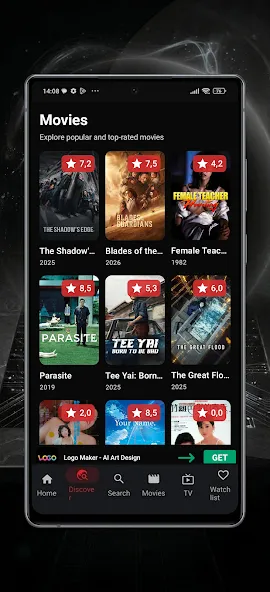
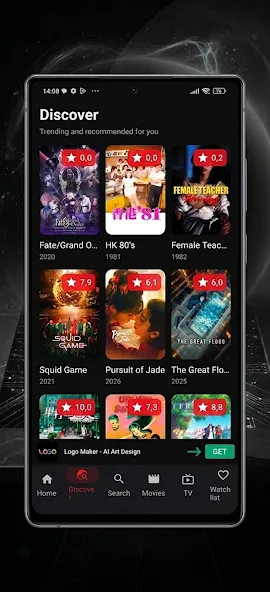
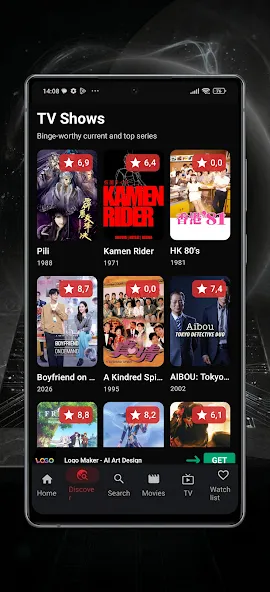
Screenshots

Latest Update












Latest News
-
![Revealing the Launch Playlists and Cross-Progression for COD Warzone Mobile News]()
-
![March 2024 Free Redemption Codes for Honkai: Star Rail News]()
-
PUBG Mobile Teams Up with Bentley Motors: Luxury Cars, Exclusive Collectibles, and Beyond 2024-04-18
![PUBG Mobile Teams Up with Bentley Motors: Luxury Cars, Exclusive Collectibles, and Beyond News]()
-
![Monster Never Cry is now accessible on both Android and iOS mobile devices. News]()
-
V2.2 of the Farlight 84 update introduces an overhauled Season structure, fresh in-game currency, an 2024-04-16
![V2.2 of the Farlight 84 update introduces an overhauled Season structure, fresh in-game currency, an News]()
-
![Arrival of Genshin Impact 4.6 Update: 'Embers of Two Realms, Twilight of Crimson' News]()
-
April 2024 Clash of Clans Update: Unveiling a Fresh Companion, Enhanced Levels, Chat Tagging, and Be 2024-04-16
![April 2024 Clash of Clans Update: Unveiling a Fresh Companion, Enhanced Levels, Chat Tagging, and Be News]()






