

Tea TV
Version:10.9.5r-release
Published:2026-11-22
Introduction
Tea TV is a lightweight Android application that gives quick access to a vast catalog of movies and television series. It aggregates high-definition streams, supports subtitles and casting, and includes search and filtering tools. The app is designed for easy browsing and smooth playback across phones and Android TV devices.
What Tea TV Offers
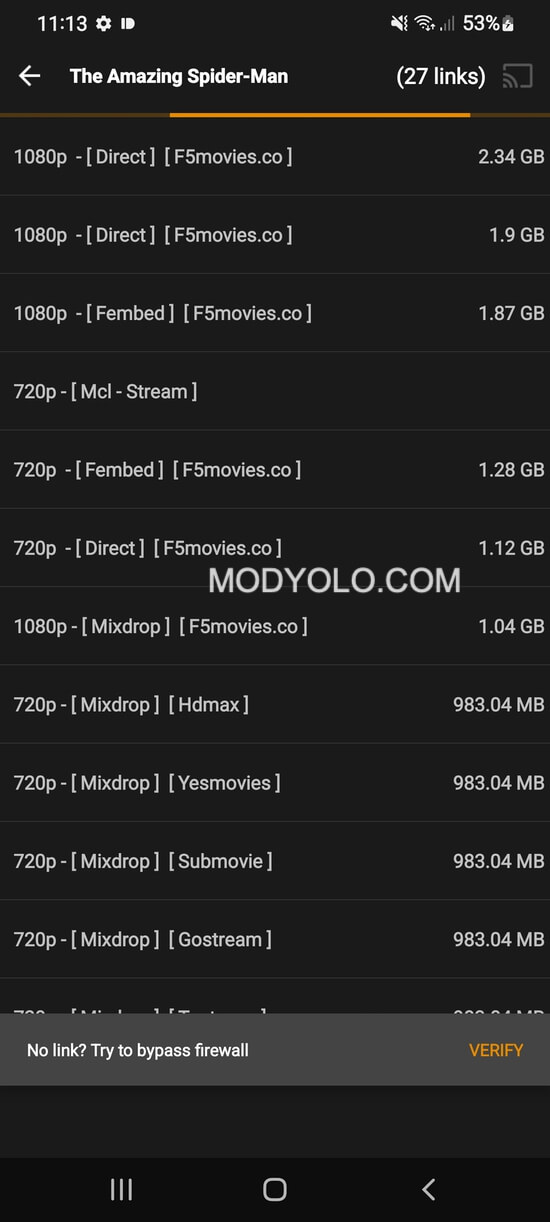
Tea TV bundles an organized library of current releases and classic titles. Users can browse by genre, year, popularity or language, and save favorites for faster access. The app links to multiple streaming sources so playback can continue if one stream experiences buffering. Built-in subtitle support and selectable playback quality make the viewing experience flexible.
Interface and Navigation
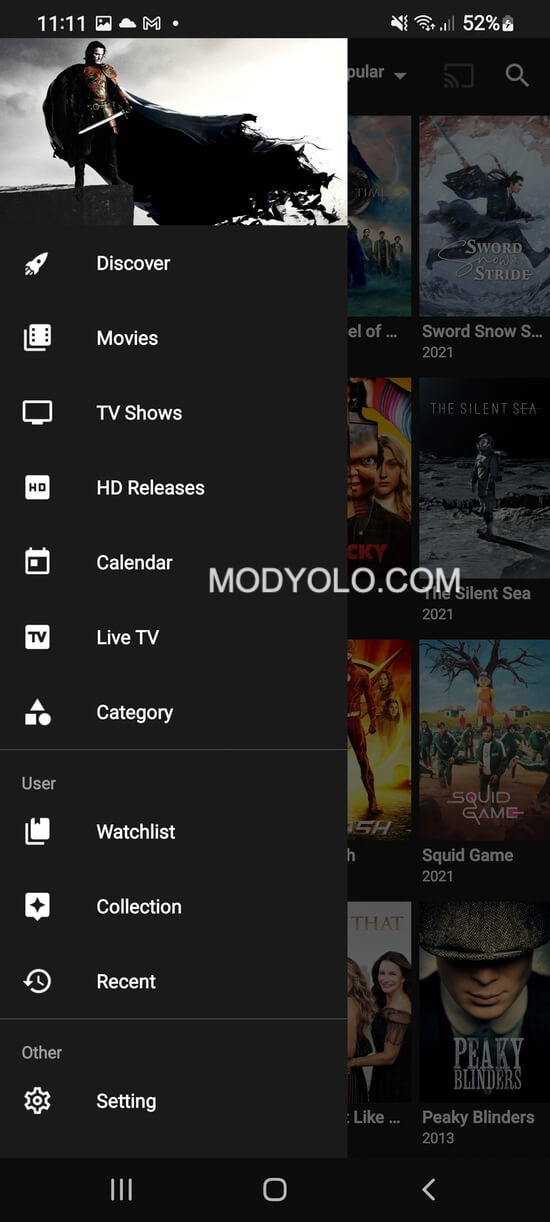
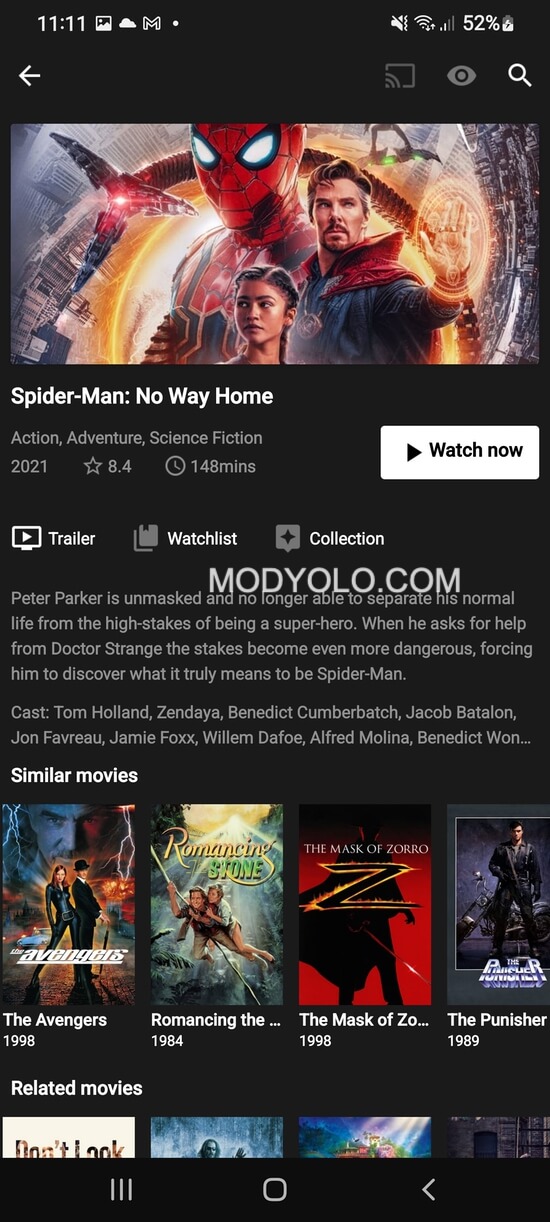
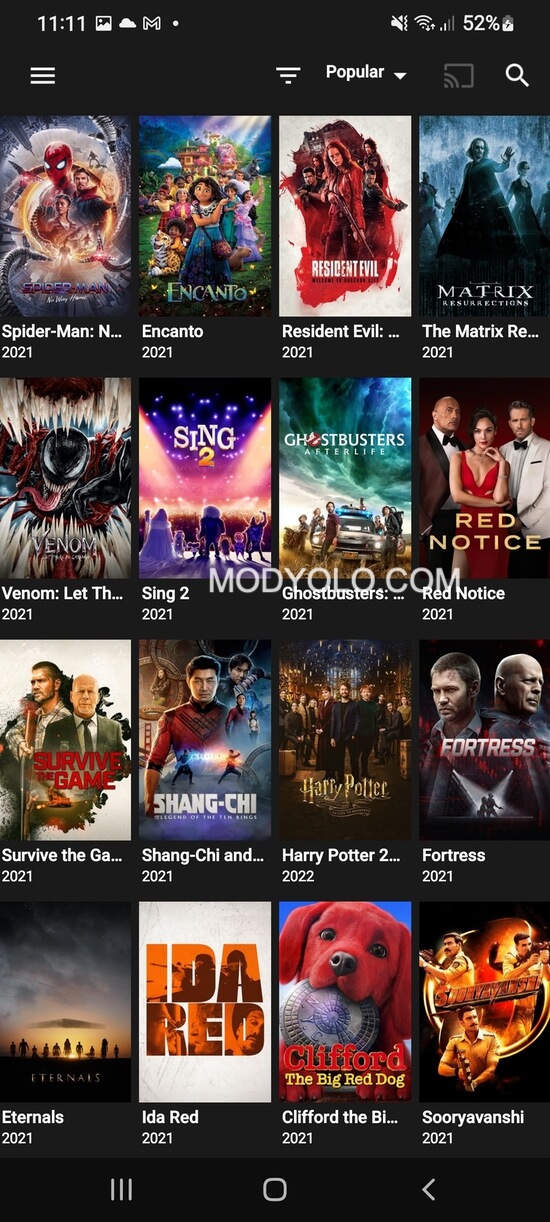
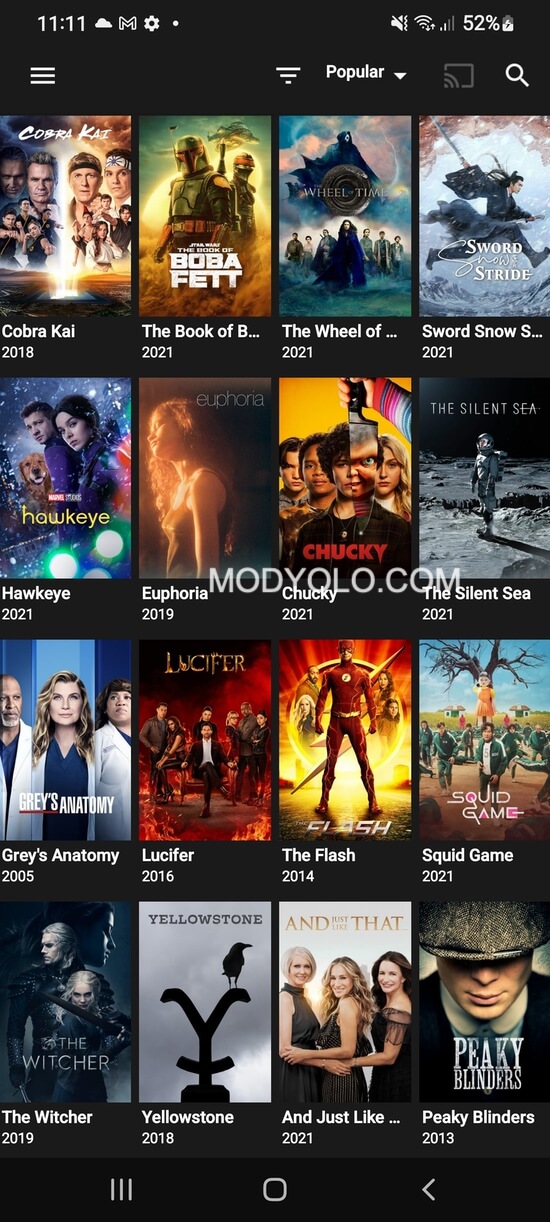
The interface focuses on simplicity: large thumbnails, clear metadata and an intuitive play button reduce friction when selecting content. Tea TV adapts to different screen sizes and includes a dedicated interface for Android TV boxes and remote control navigation. Search suggestions and filters help refine results quickly without deep menus.
Playback and Compatibility
The integrated player supports adaptive streaming, hardware acceleration, and external subtitle files. Users can cast directly to Chromecast devices and mirror playback to compatible smart TVs. Tea TV also performs well on mid-range devices by offering lower bitrate options and letting users change buffer settings to match network conditions.
Download and Offline Viewing
For users who need offline access, Tea TV includes a download manager that queues episodes and movies for later viewing. Downloads can be scheduled over Wi-Fi only, and the app shows storage usage per item so users can manage space. Resumable downloads help avoid starting over when a connection drops.
Personalization and Profiles
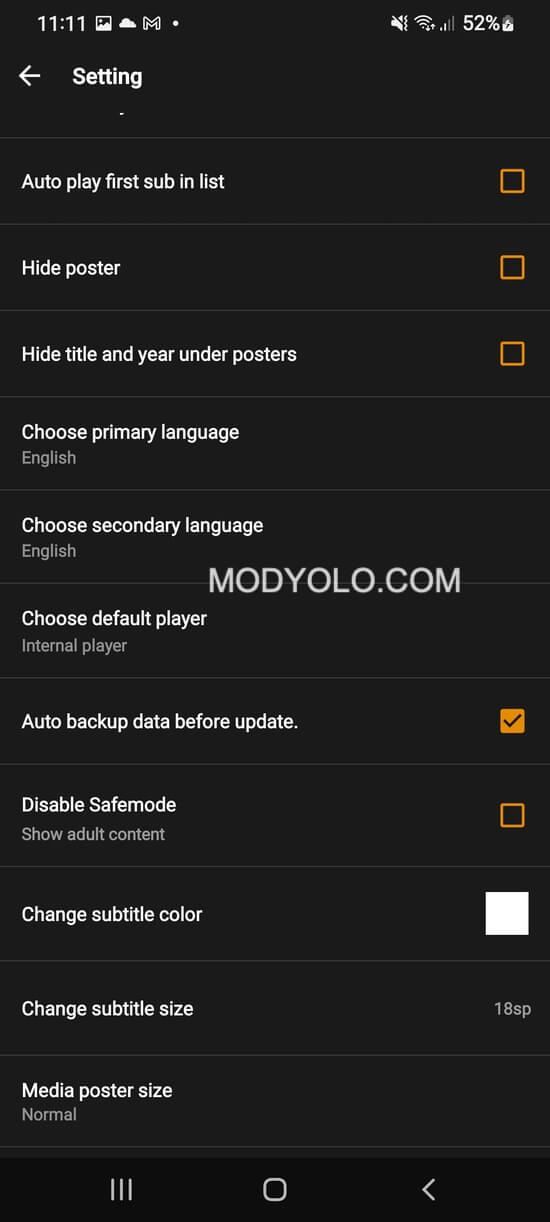
Profiles and watchlists keep track of progress across series and separate preferences for different viewers. Tea TV supports a favorites list, history, and custom playlists for binge-watching. The app also offers light and dark themes, adjustable subtitle size and color options to improve readability and comfort.
Safety, Updates, and Legal Notes
Tea TV receives regular updates to refresh content sources and improve playback stability. Users should verify local regulations regarding streaming and choose sources accordingly. The app provides options to clear cache, revoke app permissions, and keep data usage under control. Consider using a trusted network when streaming to reduce privacy risks.
Performance and Resource Use
Optimized for Android, the app minimizes CPU load during playback by using hardware codecs where available. Background data and update checks can be scheduled to preserve battery life. Tea TV includes adjustable buffer and connection timeouts to help reduce stuttering on slower networks.
How to Install and Get Started
Installation is straightforward for Android devices: download the APK from a reliable source, enable installations from unknown sources if necessary, and follow on-screen prompts. After launching, grant only the permissions required for playback and downloads. The setup wizard helps users choose preferred streaming quality and subtitle settings on first run.
Tips for Best Experience
- Use Wi-Fi for high-definition streams to avoid mobile data overages.
- Enable hardware acceleration in player settings for smoother video on capable devices.
- Keep the app updated so new content sources and bug fixes are applied.
- Manage downloads regularly to free storage space after watching.
Why Users Choose Tea TV
Users appreciate the combination of a broad catalog, flexible playback options and a responsive interface that scales from phones to Android TV boxes. Tea TV's search and subtitle features save time for viewers who want straightforward access to movies and episodes without complicated setup. With frequent updates and customization options, it remains a practical option for on-the-go and at-home streaming needs.
Show More
Information
Screenshots
Latest Update











Hot Tags
Latest News
-
![Revealing the Launch Playlists and Cross-Progression for COD Warzone Mobile News]()
-
![March 2024 Free Redemption Codes for Honkai: Star Rail News]()
-
PUBG Mobile Teams Up with Bentley Motors: Luxury Cars, Exclusive Collectibles, and Beyond 2024-04-18
![PUBG Mobile Teams Up with Bentley Motors: Luxury Cars, Exclusive Collectibles, and Beyond News]()
-
![Monster Never Cry is now accessible on both Android and iOS mobile devices. News]()
-
V2.2 of the Farlight 84 update introduces an overhauled Season structure, fresh in-game currency, an 2024-04-16
![V2.2 of the Farlight 84 update introduces an overhauled Season structure, fresh in-game currency, an News]()
-
![Arrival of Genshin Impact 4.6 Update: 'Embers of Two Realms, Twilight of Crimson' News]()
-
April 2024 Clash of Clans Update: Unveiling a Fresh Companion, Enhanced Levels, Chat Tagging, and Be 2024-04-16
![April 2024 Clash of Clans Update: Unveiling a Fresh Companion, Enhanced Levels, Chat Tagging, and Be News]()






