

Hola Launcher
Version:2.2.9
Published:2026-11-22
Introduction
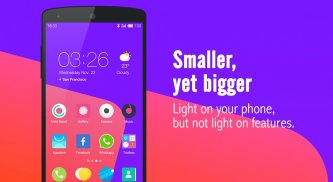
Scan, tweak, boost: Hola Launcher helps you refresh your Android home screen and keep things running smoothly with minimal fuss. The app combines a large library of themes and wallpapers with background monitoring tools, letting you personalize icons and widgets while keeping an eye on battery and performance. If you like to change the look of your phone often and want simple tools to clear memory and protect private apps, Hola Launcher provides both visual options and practical utilities in one place.
Getting Started with Hola Launcher:
Install and set your home screen: After installing, set Hola Launcher as your default launcher from system settings so your new themes and widgets take effect immediately.
Apply themes and widgets: Browse the built-in library, tap a theme or wallpaper, and apply it; widgets can be placed and resized on any home page to suit your workflow.
Use the performance controls: The launcher puts a boost button and quick battery readouts on the home screen so you can free RAM and check power stats without digging through menus.
Features of Hola Launcher:
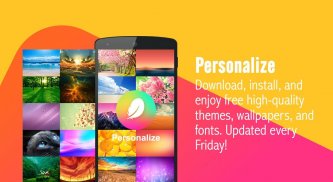
Extensive theme and wallpaper library: The app offers thousands of skins, icon packs and backgrounds across many styles so you can switch looks for seasons, holidays or personal taste.
Background app management: Hola Launcher detects non-essential apps running behind the scenes and lets you pause them to free memory and reduce drain on battery life.
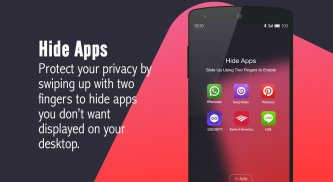
Privacy tools: Lock or hide selected apps and protect images or files from casual access when you hand your phone to someone else.
Adaptive charging and compact status bar: The launcher monitors charging behavior and shows a condensed status area with shortcuts to common tools, keeping your notification space tidy.
Tips and Tricks:
Keep a rotating home theme: Set up a few favorite themes and switch them weekly to keep the interface fresh without a lot of effort.
Use the left-screen feed for quick info: Turn the left-most page into a news or widget feed so you can glance at headlines and weather without opening apps.
Practical scenarios: Pause background apps before a long flight to save battery, and lock or hide personal apps when you let a friend borrow your device for a quick photo.
FAQs about Hola Launcher:
Will the booster affect important apps?
The booster targets background processes and suggests which apps to pause; you can review the list before taking action so critical services remain untouched.
Does using many themes slow my phone?
Applying a theme mainly changes visuals; performance impact is low, and Hola Launcher offers 3D effects optimized to minimize extra battery use.
Can I restore an app that I hid or locked?
Yes. Hidden and locked apps can be restored through the privacy settings inside the launcher once you enter your unlock method.
Conclusion:
Hola Launcher blends cosmetic customization with pragmatic tools for battery and memory management, making it a handy all-in-one launcher if you like to tweak appearance and control background activity. Features and layout may vary by device and version, so check compatibility and permissions after installing.
Show More
Information
Screenshots


Latest Update









Latest News
-
![Revealing the Launch Playlists and Cross-Progression for COD Warzone Mobile News]()
-
![March 2024 Free Redemption Codes for Honkai: Star Rail News]()
-
PUBG Mobile Teams Up with Bentley Motors: Luxury Cars, Exclusive Collectibles, and Beyond 2024-04-18
![PUBG Mobile Teams Up with Bentley Motors: Luxury Cars, Exclusive Collectibles, and Beyond News]()
-
![Monster Never Cry is now accessible on both Android and iOS mobile devices. News]()
-
V2.2 of the Farlight 84 update introduces an overhauled Season structure, fresh in-game currency, an 2024-04-16
![V2.2 of the Farlight 84 update introduces an overhauled Season structure, fresh in-game currency, an News]()
-
![Arrival of Genshin Impact 4.6 Update: 'Embers of Two Realms, Twilight of Crimson' News]()
-
April 2024 Clash of Clans Update: Unveiling a Fresh Companion, Enhanced Levels, Chat Tagging, and Be 2024-04-16
![April 2024 Clash of Clans Update: Unveiling a Fresh Companion, Enhanced Levels, Chat Tagging, and Be News]()






