

Free Adblocker Browser:Adblock
Version:96.1.3760
Published:2026-11-22
Introduction
Privacy-focused mobile browsers that put ad blocking and simple privacy controls front and center are becoming easier to find, and Free Adblocker Browser:Adblock is one of the clearer options on Android. The app combines a content blocker with privacy features and a built-in VPN to give you cleaner pages and reduced tracking while you browse. It also includes reading-friendly modes and a few customizations that make it useful for heavy readers, casual web surfers, and anyone tired of intrusive banners and pop-ups.
Wonderful Features of Free Adblocker Browser:Adblock
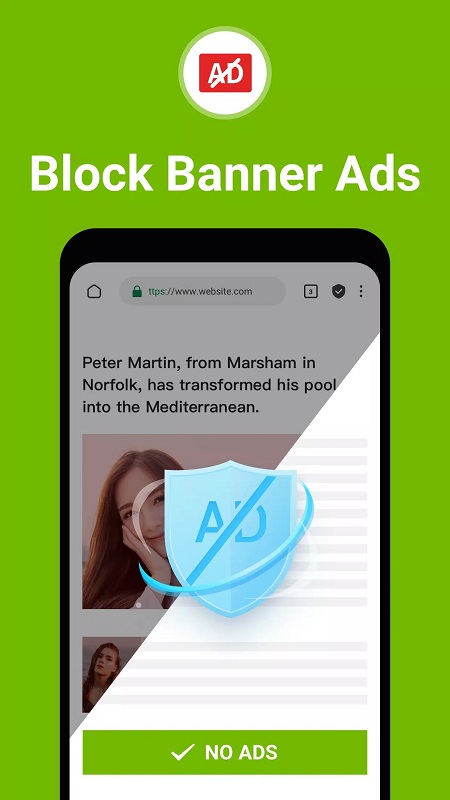
Ad and pop-up blocking: The browser filters out banners, pop-ups and many auto-playing ad units so pages look cleaner and feel less cluttered.
Tracker and cookie control: Built-in tracker blocking prevents common cross-site trackers and limits cookies that follow you around the web.
No-log VPN: A simple VPN is available inside the app to encrypt connections on public hotspots and avoid basic network snooping without keeping logs.
Reading and Comic modes: A distraction-free reader and a dedicated comic layout remove sidebars and unnecessary elements so long articles and webcomics are easier to enjoy.
Performance optimizations: With fewer third-party scripts loading, pages often render faster and use less data than they would in an unfiltered browser.
Types of Free Adblocker Browser:Adblock
Standard browsing: Use the regular tabbed interface for everyday surfing with ad blocking active by default.
Private/Incognito sessions: Open a private tab to avoid storing local history and search records; ideal when you need temporary sessions that don’t persist on the device.
VPN-enabled mode: Switch on the integrated VPN when you want an extra layer of network privacy on unfamiliar Wi‑Fi networks or while checking sensitive accounts.
Useful Tips of Free Adblocker Browser:Adblock
Customize filtering levels: If a site breaks, try lowering the block strength or whitelist that page briefly so essential content can load.
Use Comic mode for long waits: When you have several chapters to read while waiting at an airport or during a long queue, Comic mode keeps images and panels aligned for smoother reading.
Turn on VPN on public Wi‑Fi: Activating the built-in VPN at cafes and airports reduces exposure to casual network tracking and makes it safer to check email or banking sites.
FAQs of Free Adblocker Browser:Adblock
Will Free Adblocker Browser:Adblock make pages load faster?
Yes. By blocking many ads and third-party scripts, the browser cuts down on extra network requests and often shortens page load times compared with unfiltered browsing.
Can it save on mobile data?
Yes. Since images, video ads and rich media are common data consumers, blocking those elements reduces bandwidth use for routine browsing.
Is the built-in VPN reliable and private?
The app advertises a no-log VPN to protect traffic on public networks; for highly sensitive needs you may want to check the provider's privacy policy and consider a standalone audited VPN service.
Final Verdict
Free Adblocker Browser:Adblock is a practical browser for Android users who want calmer pages and extra privacy without juggling multiple add-ons; it speeds up common tasks and adds reading modes that improve long-form consumption. While it may not replace dedicated, audited privacy tools for high-stakes use, it’s a handy, user-friendly choice for everyday browsing and occasional VPN protection.
Show More
Information
Screenshots


Latest Update










Hot Tags
Latest News
-
![Revealing the Launch Playlists and Cross-Progression for COD Warzone Mobile News]()
-
![March 2024 Free Redemption Codes for Honkai: Star Rail News]()
-
PUBG Mobile Teams Up with Bentley Motors: Luxury Cars, Exclusive Collectibles, and Beyond 2024-04-18
![PUBG Mobile Teams Up with Bentley Motors: Luxury Cars, Exclusive Collectibles, and Beyond News]()
-
![Monster Never Cry is now accessible on both Android and iOS mobile devices. News]()
-
V2.2 of the Farlight 84 update introduces an overhauled Season structure, fresh in-game currency, an 2024-04-16
![V2.2 of the Farlight 84 update introduces an overhauled Season structure, fresh in-game currency, an News]()
-
![Arrival of Genshin Impact 4.6 Update: 'Embers of Two Realms, Twilight of Crimson' News]()
-
April 2024 Clash of Clans Update: Unveiling a Fresh Companion, Enhanced Levels, Chat Tagging, and Be 2024-04-16
![April 2024 Clash of Clans Update: Unveiling a Fresh Companion, Enhanced Levels, Chat Tagging, and Be News]()






