

DISH Anywhere
Version:24.2.30
Published:2026-11-22
Introduction
DISH Anywhere is a mobile streaming companion that lets subscribers watch live TV, on-demand shows, and recorded programs from their DISH account on Android devices. It enables remote scheduling, playback of Hopper recordings, and access to favorite channels while away from home, combining convenience with familiar channel navigation.
What DISH Anywhere offers
This app brings a range of viewing options to your phone or tablet. Whether you want to catch a live event, resume a show you started at home, or browse on-demand libraries, the app centralizes access and control. It’s designed to mirror many features available on your set-top box, with adjustments for mobile use.
- Live TV streaming: Watch channels included in your subscription in real time, wherever you have an internet connection.
- On-demand content: Browse movies, series, and special programming provided through your DISH entitlement.
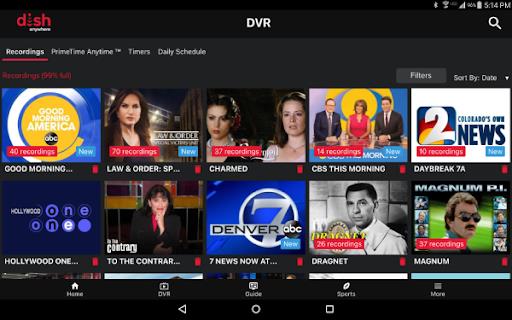
- DVR access: Play and manage recordings stored on your Hopper from the app.
- Remote scheduling: Set or modify recordings and receive notifications about upcoming programs.
Interface and navigation
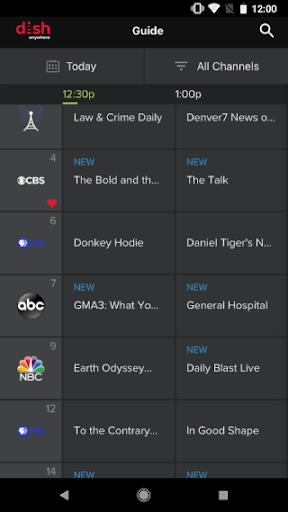
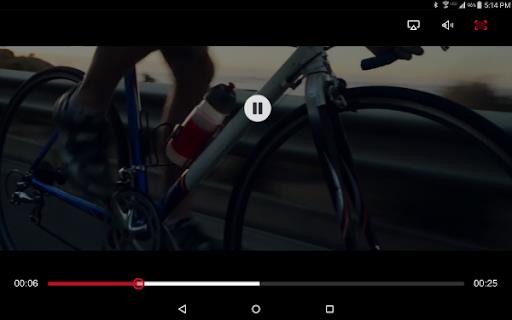
The user interface focuses on fast access to what you want to watch. Menus are grouped into Live, Recorded, and On Demand sections with a search bar for quick results. Playback controls include pause, rewind, and fast-forward with clear seek bars and chapter markers for supported programs. The design is optimized for touch interaction and quick channel surfing.
Managing recordings and remote control
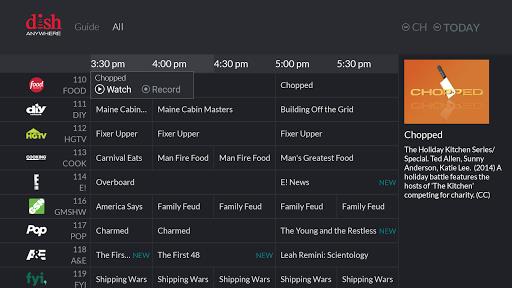
Using DISH Anywhere you can schedule new recordings from program guides or stop one you no longer need. If you own a Hopper, the app communicates with your home receiver to transfer instructions and stream recorded content remotely. The remote-control functionality also lets you change channels and adjust settings without being in front of your TV.
Performance and compatibility
Performance depends on network conditions and device capability. The app supports adaptive streaming, which adjusts video quality to match available bandwidth and reduces buffering. For the best picture, use a stable Wi-Fi connection or a high-speed mobile network. Casting support expands viewing to larger screens where available.
- Supported devices: Most modern Android phones and tablets; check the Play Store listing for minimum OS requirements.
- Network: Broadband is recommended for HD streaming; cellular use may consume significant data.
- Playback options: Quality levels adapt automatically, and some content may be restricted by rights or location.
Privacy, security, and parental controls
Account sign-in uses your DISH credentials and the app honors account-level preferences. Parental controls and PIN protection set on the main account extend to the mobile app, helping you manage what younger viewers can access. Keep your login secure and review account settings regularly to protect your profile.
Tips for a smoother experience
- Keep the app updated to benefit from stability and security improvements.
- Connect to Wi-Fi for long viewing sessions to conserve cellular data.
- Close background apps if you experience playback stutter or slow navigation.
- Use the search function for quick access to series episodes or specific movies.
Getting started
To begin, install the app from the Google Play Store, sign in with your DISH username and password, and grant necessary permissions for media playback and notifications. If you use a Hopper or DVR, ensure it is connected to the internet so remote scheduling and recorded playback work seamlessly. After initial setup, personalize favorites and explore the guide to make the most of your subscription.
Show More
Information
Screenshots
Latest Update










Hot Tags
Latest News
-
![Revealing the Launch Playlists and Cross-Progression for COD Warzone Mobile News]()
-
![March 2024 Free Redemption Codes for Honkai: Star Rail News]()
-
PUBG Mobile Teams Up with Bentley Motors: Luxury Cars, Exclusive Collectibles, and Beyond 2024-04-18
![PUBG Mobile Teams Up with Bentley Motors: Luxury Cars, Exclusive Collectibles, and Beyond News]()
-
![Monster Never Cry is now accessible on both Android and iOS mobile devices. News]()
-
V2.2 of the Farlight 84 update introduces an overhauled Season structure, fresh in-game currency, an 2024-04-16
![V2.2 of the Farlight 84 update introduces an overhauled Season structure, fresh in-game currency, an News]()
-
![Arrival of Genshin Impact 4.6 Update: 'Embers of Two Realms, Twilight of Crimson' News]()
-
April 2024 Clash of Clans Update: Unveiling a Fresh Companion, Enhanced Levels, Chat Tagging, and Be 2024-04-16
![April 2024 Clash of Clans Update: Unveiling a Fresh Companion, Enhanced Levels, Chat Tagging, and Be News]()






