

GOGO LIVE Streaming Video Chat
Version:3.8.3
Published:2026-11-22
Introduction
GOGO LIVE Streaming Video Chat is a mobile platform for live broadcasting and real-time interaction that connects creators and viewers worldwide. It combines one-tap streaming, live video chats, and virtual gifting to help people share moments, grow audiences, and host spontaneous shows directly from their phones.
Quick look at the experience
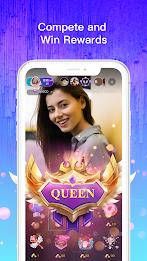
GOGO LIVE Streaming Video Chat centers on instant connection. Hosts can start a stream in seconds while viewers join, react, and send virtual gifts. The blend of public broadcasts and private live conversations makes it useful for social networking, fan engagement, and casual entertainment without a steep learning curve.
Key tools and capabilities
The app packs a set of features tailored to live content creators and social audiences. Highlights include low-latency streaming, a built-in chat feed, virtual gifting mechanics, and options for co-hosting. Broadcasters can apply filters, manage comments, and invite guests to join on-screen for collaborative sessions.
How the live system works
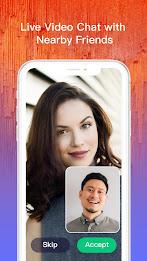
Starting a session involves selecting a camera, adding a title, and choosing visibility settings. Viewers tap into live rooms, use the chat to interact, and boost their favorites with gifts or rankings. For private conversations, hosts can switch to one-on-one or group calls, creating a more intimate space for fans or friends.
Interface and performance
Design focuses on quick access: a central stream window, chat overlay, and clear buttons for muting or sending gifts. Optimization aims to keep streams smooth on typical modern devices, with adaptive bitrate to handle varying network conditions. The UI keeps moderation tools accessible so creators can manage comments and block disruptive users on the fly.
Monetization mechanics and community tools
Virtual gifts are the primary revenue path. Viewers purchase coins and send gifts that translate into creator earnings. The platform may also include leaderboards and promotional features to highlight trending broadcasters. Community moderation tools, such as reporting and mute functions, help maintain a safer environment for creators and audiences.
Customization and broadcasting settings
Users can personalize channel names, stream thumbnails, and profile pages. Broadcasters can choose camera orientation, enable beautification filters, and toggle guest invites. These settings allow creators to craft a recognizable on-camera presence while keeping technical adjustments simple.
Tips for new users
- Set a clear title: A concise, descriptive title helps attract viewers searching for content.
- Engage early: Acknowledge first viewers and respond to comments to build momentum.
- Use gifts strategically: Offer shout-outs or special interactions for gift senders to encourage support.
- Test audio and lighting: Small improvements in sound and brightness make streams feel more professional.
- Schedule regular sessions: Consistent timing helps grow a loyal audience over time.
Privacy and safety considerations
GOGO LIVE Streaming Video Chat provides user controls for blocking, reporting, and restricting who can join private streams. Creators should review privacy settings before broadcasting and avoid sharing sensitive personal information. Viewers and hosts benefit from community guidelines that outline acceptable behavior and content boundaries.
Why people pick this platform
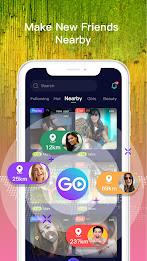
Many users appreciate the straightforward workflow for starting streams and the active engagement features like gifts and co-hosting. The app balances social discovery with practical moderation tools, making it appealing for both casual broadcasters and creators looking to grow an audience without complex production setups.
Getting started requires a quick signup and basic permissions for camera and microphone access. Once set up, anyone can explore trending rooms, follow favorite hosts, or start streaming within minutes. GOGO LIVE Streaming Video Chat aims to make live broadcasting approachable while giving creators enough control to shape their content and community.
Show More
Information
Screenshots




Latest Update










Hot Tags
Latest News
-
![Revealing the Launch Playlists and Cross-Progression for COD Warzone Mobile News]()
-
![March 2024 Free Redemption Codes for Honkai: Star Rail News]()
-
PUBG Mobile Teams Up with Bentley Motors: Luxury Cars, Exclusive Collectibles, and Beyond 2024-04-18
![PUBG Mobile Teams Up with Bentley Motors: Luxury Cars, Exclusive Collectibles, and Beyond News]()
-
![Monster Never Cry is now accessible on both Android and iOS mobile devices. News]()
-
V2.2 of the Farlight 84 update introduces an overhauled Season structure, fresh in-game currency, an 2024-04-16
![V2.2 of the Farlight 84 update introduces an overhauled Season structure, fresh in-game currency, an News]()
-
![Arrival of Genshin Impact 4.6 Update: 'Embers of Two Realms, Twilight of Crimson' News]()
-
April 2024 Clash of Clans Update: Unveiling a Fresh Companion, Enhanced Levels, Chat Tagging, and Be 2024-04-16
![April 2024 Clash of Clans Update: Unveiling a Fresh Companion, Enhanced Levels, Chat Tagging, and Be News]()






