
WatchMaker Watch Faces
Version:7.6.4
Published:2026-11-22
Introduction
WatchMaker Watch Faces is a powerful watch face editor and marketplace that lets you design, download, and install custom faces for Android smartwatches. It provides a layered editor, animated elements, complications, and a huge library of community-created designs to personalize your wearable quickly, with options for both beginners and advanced users.
Key features
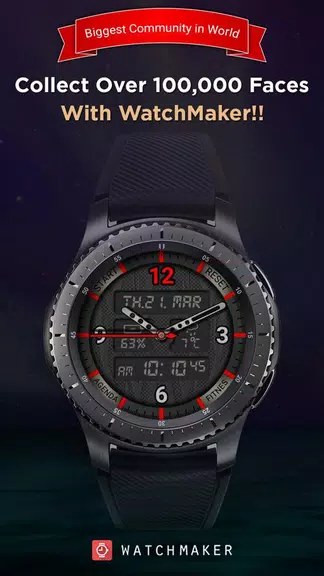
WatchMaker Watch Faces combines creative tools and a large catalog to turn a standard smartwatch into a personal accessory. Users get access to an extensive collection of ready-made faces, a timeline of animated presets, and a live preview that shows how a design performs on your wrist. The app supports complications and data fields for battery, steps, weather, and notifications so faces can display useful, real-time information.
Design and customization
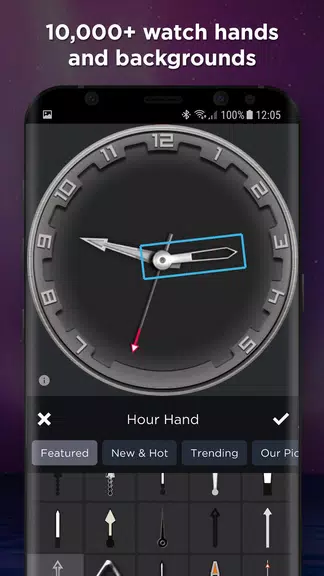
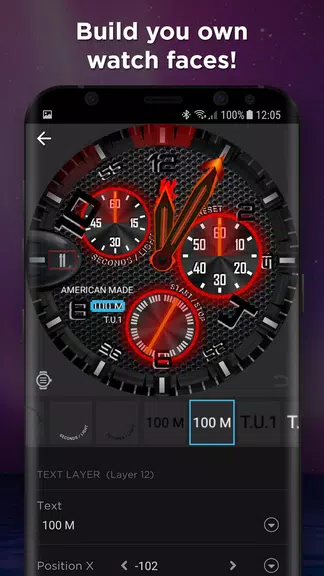
The built-in editor uses layers, masks, and scripting-like controls to manipulate images, text and animation. You can add rotating hands, animated backgrounds, and conditional elements that appear only when certain values change. For people who prefer not to start from scratch, the editor also offers templates and one-tap adjustments to change colors, fonts, and complication layouts. Advanced users will appreciate the ability to import custom graphics and fine-tune timing for smooth animated transitions.
User interface and workflow
The interface is organized to guide you through creation and deployment. A main gallery lets you browse categories, rate faces, and save favorites. The editor panel is separated into layers and properties, letting you toggle visibility, reorder elements, and set triggers. Publishing a face to your watch is streamlined: select the design, pair your device if necessary, and sync. Frequent autosave and version history reduce the chance of losing a project while you iterate on details.
Performance and compatibility
Performance depends on the complexity of a face and the hardware of your smartwatch. Lightweight faces with static elements run smoothly even on older devices, while faces that include many animated layers or high-resolution assets may consume more battery. WatchMaker Watch Faces is designed primarily for Android-powered watches and Wear OS devices; many users report successful installs on a wide range of models when pairing and permissions are configured correctly.
Community and content library
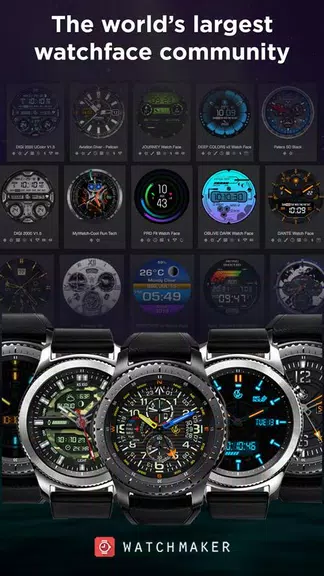
A major strength is the community library. Creators from around the world share thousands of designs covering minimalist analog looks, colorful digital layouts, and themed sets such as sports, retro, or professional. Search filters, tags, and popularity sorting make discovery easy, and community ratings help identify high-quality faces. If you like a design, you can favorite it, customize a copy, and then export or share your version with others.
How to install and sync
- Install the app from a trusted store and open it on your phone.
- Grant the necessary permissions for notifications and device access.
- Browse or design a face, then tap the sync or install option.
- Follow pairing prompts if your watch is not already connected.
- Use the live preview to confirm appearance and adjust settings as needed.
Tips for best results
Keep these practical tips in mind when working with WatchMaker Watch Faces: optimize images for watch resolution to save battery, limit the number of active animations, and use complications sparingly to maintain clarity. Test a face during daily activities to check visibility and responsiveness under different lighting conditions. Regularly update the app to benefit from performance improvements and new features.
Support and premium options
WatchMaker Watch Faces offers documentation and community forums where creators discuss techniques and troubleshoot compatibility issues. There are also optional premium features and asset packs that expand the available elements and templates. Whether you prefer quick downloads or creating intricate custom designs, the app provides the tools and ecosystem to craft watch faces that match your style and needs.
Show More
Information
Screenshots
Latest Update










Hot Tags
Latest News
-
![Revealing the Launch Playlists and Cross-Progression for COD Warzone Mobile News]()
-
![March 2024 Free Redemption Codes for Honkai: Star Rail News]()
-
PUBG Mobile Teams Up with Bentley Motors: Luxury Cars, Exclusive Collectibles, and Beyond 2024-04-18
![PUBG Mobile Teams Up with Bentley Motors: Luxury Cars, Exclusive Collectibles, and Beyond News]()
-
![Monster Never Cry is now accessible on both Android and iOS mobile devices. News]()
-
V2.2 of the Farlight 84 update introduces an overhauled Season structure, fresh in-game currency, an 2024-04-16
![V2.2 of the Farlight 84 update introduces an overhauled Season structure, fresh in-game currency, an News]()
-
![Arrival of Genshin Impact 4.6 Update: 'Embers of Two Realms, Twilight of Crimson' News]()
-
April 2024 Clash of Clans Update: Unveiling a Fresh Companion, Enhanced Levels, Chat Tagging, and Be 2024-04-16
![April 2024 Clash of Clans Update: Unveiling a Fresh Companion, Enhanced Levels, Chat Tagging, and Be News]()






