

郑州银行
Version:4.5.8.3
Published:2026-08-27
Introduction
郑州银行 is the official mobile banking application designed to let customers manage accounts, transfers, investments and everyday financial tasks from a single phone app. The interface focuses on quick access to deposit accounts, fund and precious metal investments, secure transfers and portfolio overviews while supporting a guest login so newcomers can explore basic functions before completing full certification. This introduction explains how the app organizes services, what controls and progression options are available, and what to expect in terms of security, accessibility and offline behaviour.
Key features and service structure
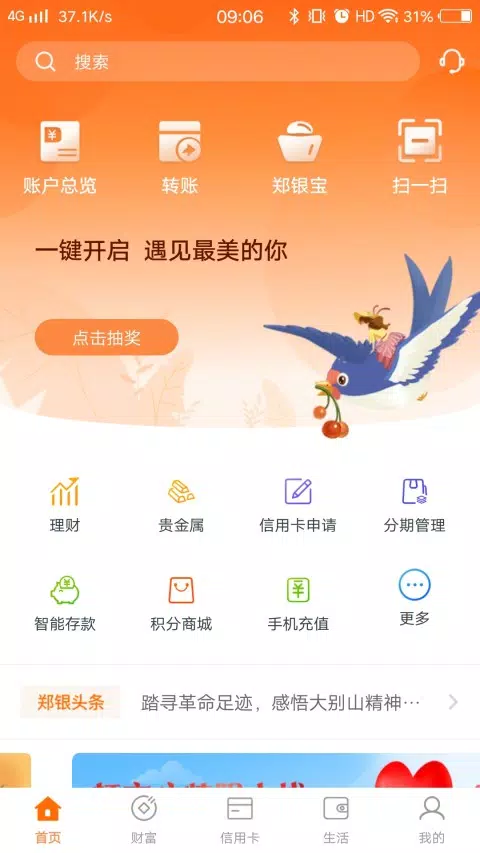
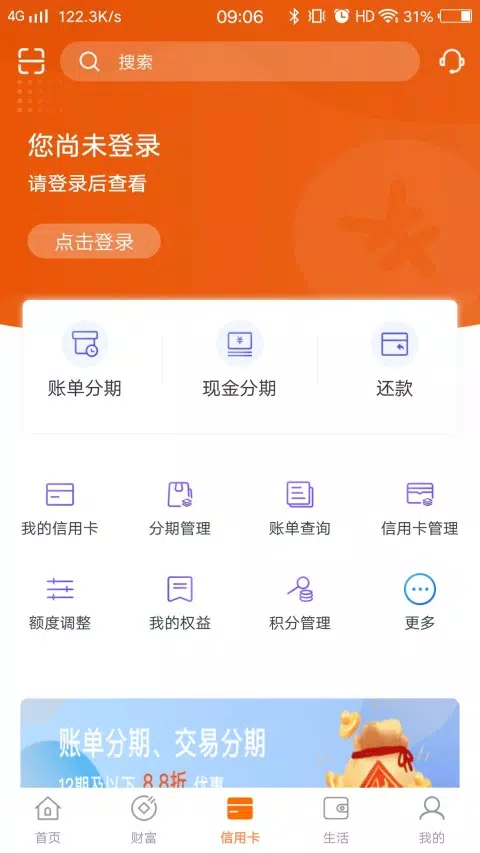
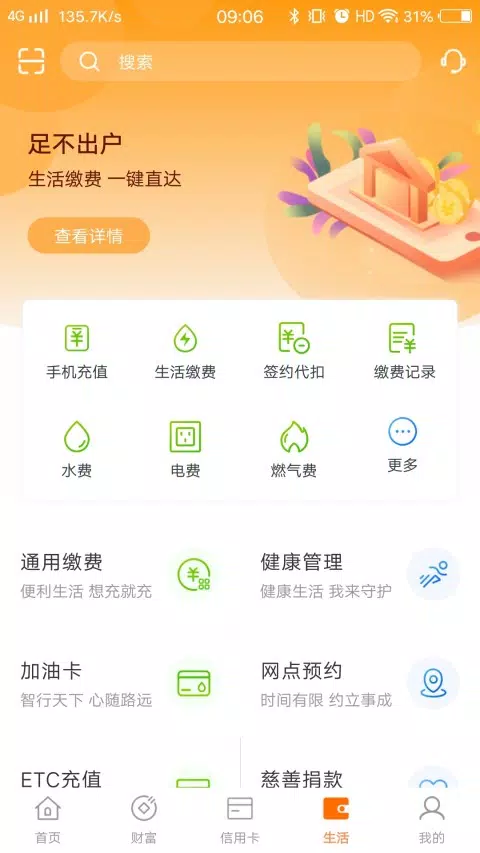
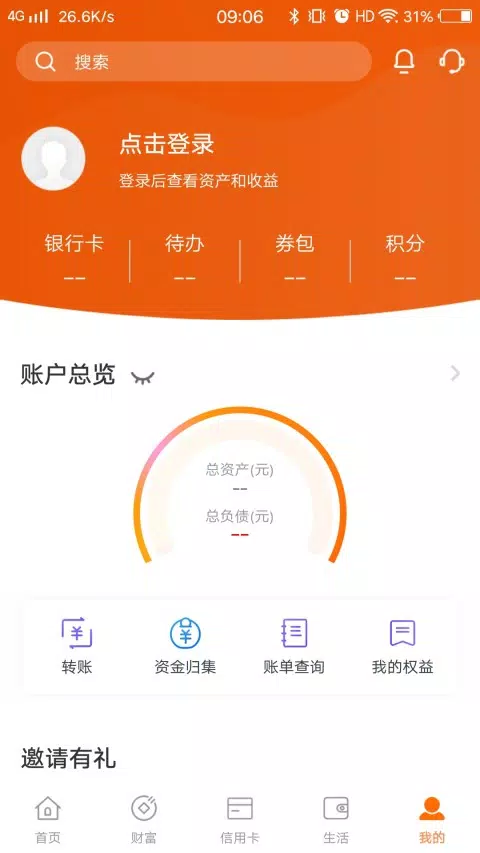
The app groups services into clear modules: account management, payments and transfers, wealth management (including funds and precious metals), and personal settings. Within each module you can view recent transactions, initiate transfers, set up scheduled payments and subscribe to wealth products. Portfolio tracking provides consolidated balances and performance trends so users can see holdings and recent returns at a glance. Guest access allows trialing common tasks such as balance checks and basic product browsing while full certification unlocks higher-value transactions and investment features.
Controls and navigation
郑州银行 uses a simple tab-based layout and an action bar for common tasks, with gesture-friendly elements for fast navigation. Primary controls include touch-tap selection, swipe-to-refresh on list views, and long-press for contextual actions like pinning an account or quickly copying an account number. Important flows present step-by-step screens with clear back and confirm options to reduce errors. The app also offers quick shortcuts for frequent actions such as transfer to saved payees and one-tap access to recent statements.
Account progression and verification
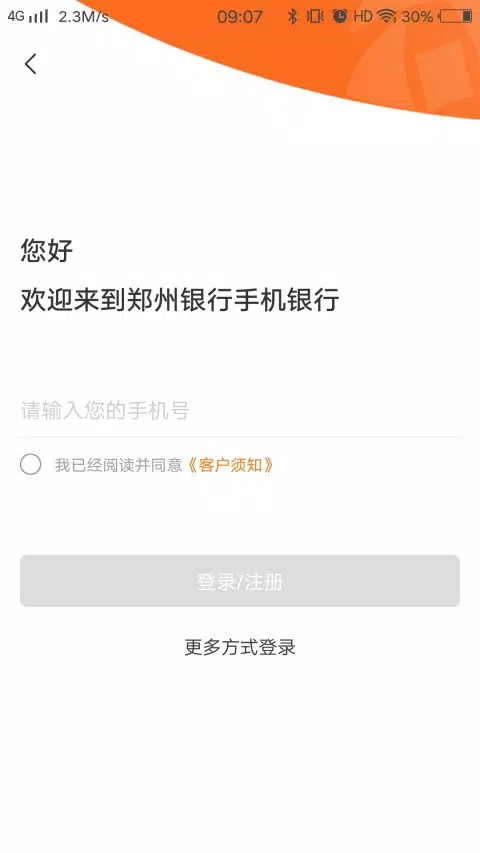
Onboarding supports a two-stage progression: a guest/general mode for exploration and a full certification mode for complete functionality. Guest users can register with a phone number to try the app; to perform high-value transfers, apply for certain wealth products, or make regulatory changes, users are guided through an online verification process. This progressive approach reduces initial friction while ensuring compliance and layered access control as identity and risk information are confirmed.
Security, risk assessment and challenge systems
Security is designed to balance convenience and protection. The app includes advanced biometric authentication options, device binding and transaction verification steps for sensitive operations. Wealth product access requires updated risk assessment questionnaires that align product access with a customer’s risk profile; the app prompts users to complete or refresh those assessments as needed. For critical transactions, multi-step confirmation and temporary challenge codes reduce fraud risk while keeping user flows understandable.
Customization, portfolio tools and notifications
Users can personalize the dashboard to prioritize accounts or products they use most and create watchlists for funds or precious metals. Asset management tools present recommended rebalancing suggestions and clearer breakdowns by product type, and users can set price or performance alerts to receive push notifications for thresholds they care about. Customizable statement views and export options make it easier to keep records for budgeting or tax purposes.
Visual style, accessibility and user experience
The visual design favors a light-toned, clean interface with high-contrast text and roomy tap targets to improve legibility and reduce input errors. Accessibility considerations include scalable fonts, screen reader compatibility for key flows, and simplified menus for users who prefer reduced complexity. Emphasis on clear labeling, consistent iconography and short instructional text helps both new and experienced users accomplish tasks quickly without unnecessary steps.
Offline behaviour and performance
While full transaction capabilities require a secure connection, the app caches recent account summaries and transaction histories so users can view basic information offline. When connectivity is restored, pending requests and synchronization occur automatically. Background updates are optimized to minimize battery impact and the app is designed to perform smoothly on mid-range devices, reducing wait times for list scrolling and report generation.
Replay value and long-term use
Regularly updated content such as market summaries, tailored asset management suggestions and periodic risk reassessments encourage repeated visits. Features like scheduled transfers, recurring investments and automated alerts create utility that users return to over time. Customer service access and guided help within the app help resolve setup or transaction questions quickly, improving retention.
Latest update
The current release improves usability and security: Zhengzhou Bank clarified asset management displays, added an online upgrade flow from the tourist/general version to autonomous certification, refreshed risk assessment questions, introduced guest login and polished a light-toned UI while rolling out advanced biometric authentication. If you want a mobile-first tool for everyday banking and straightforward investment tracking, try 郑州银行 and explore the guest mode to experience core features before upgrading your account.
Show More
Information
Screenshots
Latest Update
-
![Lines Gold Pro - Icon Pack APK]()
Lines Gold Pro - Icon Pack
-
![Remote Fire TV APK]()
Remote Fire TV
-
![Flight Dark Pro - Icon Pack APK]()
Flight Dark Pro - Icon Pack
-
![Ares Light: Pastel Icon Pack APK]()
Ares Light: Pastel Icon Pack
-
![getConf - Hidden Settings APK]()
getConf - Hidden Settings
-
![Dots Live Wallpaper - Battery APK]()
Dots Live Wallpaper - Battery
-
![Chroma - Icon Pack APK]()
Chroma - Icon Pack
-
![One UI Fluffy Icon Pack APK]()
One UI Fluffy Icon Pack
-
![Pixly Limitless Fluo Icon Pack APK]()
Pixly Limitless Fluo Icon Pack
-
![Compress Video - Resize Video APK]()
Compress Video - Resize Video
-
![Pixly Professional Dark APK]()
Pixly Professional Dark
-
![Tracker Detect Pro APK]()
Tracker Detect Pro












Latest News
-
![Revealing the Launch Playlists and Cross-Progression for COD Warzone Mobile News]()
-
![March 2024 Free Redemption Codes for Honkai: Star Rail News]()
-
PUBG Mobile Teams Up with Bentley Motors: Luxury Cars, Exclusive Collectibles, and Beyond 2024-04-18
![PUBG Mobile Teams Up with Bentley Motors: Luxury Cars, Exclusive Collectibles, and Beyond News]()
-
![Monster Never Cry is now accessible on both Android and iOS mobile devices. News]()
-
V2.2 of the Farlight 84 update introduces an overhauled Season structure, fresh in-game currency, an 2024-04-16
![V2.2 of the Farlight 84 update introduces an overhauled Season structure, fresh in-game currency, an News]()
-
![Arrival of Genshin Impact 4.6 Update: 'Embers of Two Realms, Twilight of Crimson' News]()
-
April 2024 Clash of Clans Update: Unveiling a Fresh Companion, Enhanced Levels, Chat Tagging, and Be 2024-04-16
![April 2024 Clash of Clans Update: Unveiling a Fresh Companion, Enhanced Levels, Chat Tagging, and Be News]()






