

Compress Video - Resize Video
Version:1.1.34
Published:2026-11-04
Introduction
Compress Video - Resize Video is a compact Android utility designed to reduce video file sizes while keeping visual clarity, offering a balance between speed and control for everyday use. The app surfaces common options such as resolution scaling and bitrate adjustment so you can quickly prepare clips for messaging or upload without a lengthy learning curve. Lightweight by design, Compress Video - Resize Video focuses on local processing and predictable results across many devices.
Efficient workflow and core controls
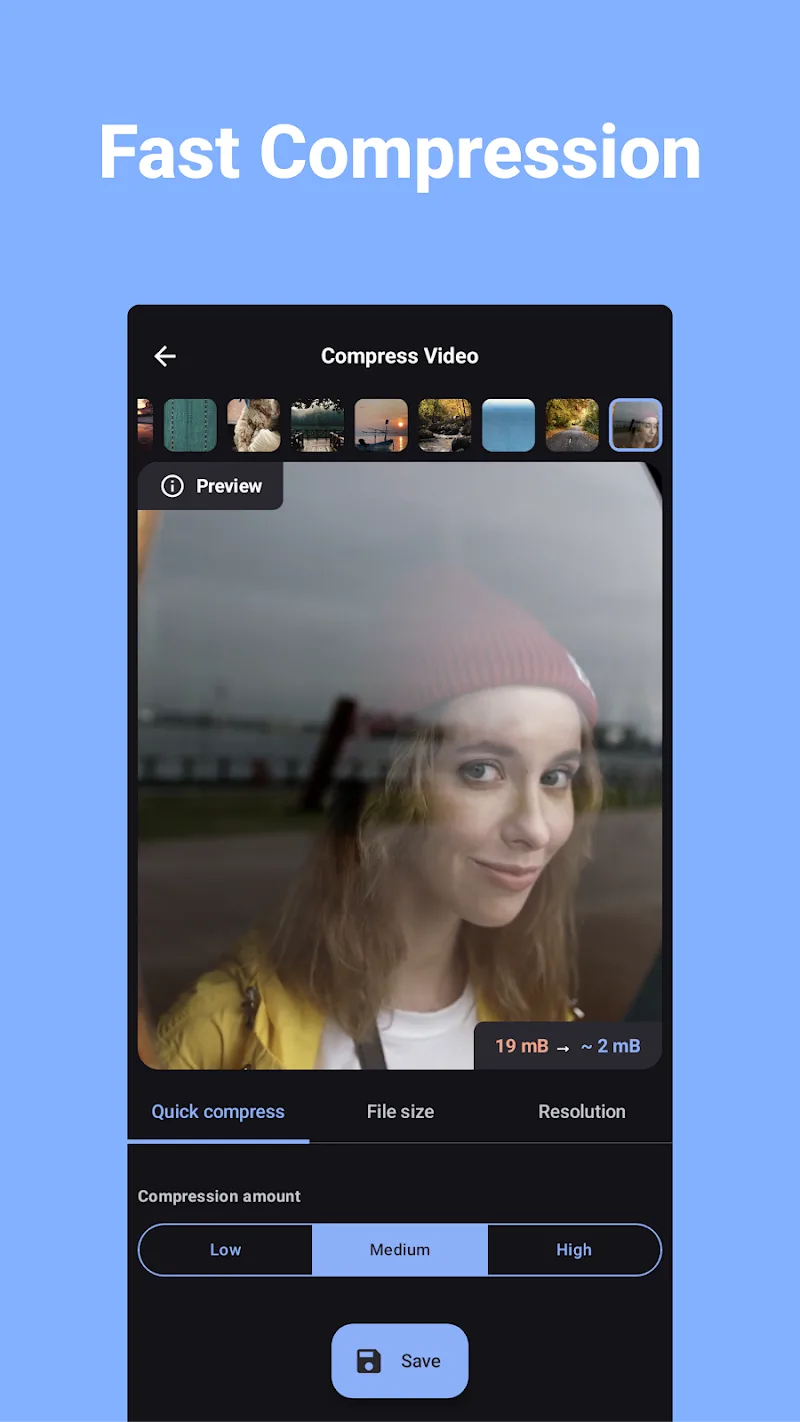
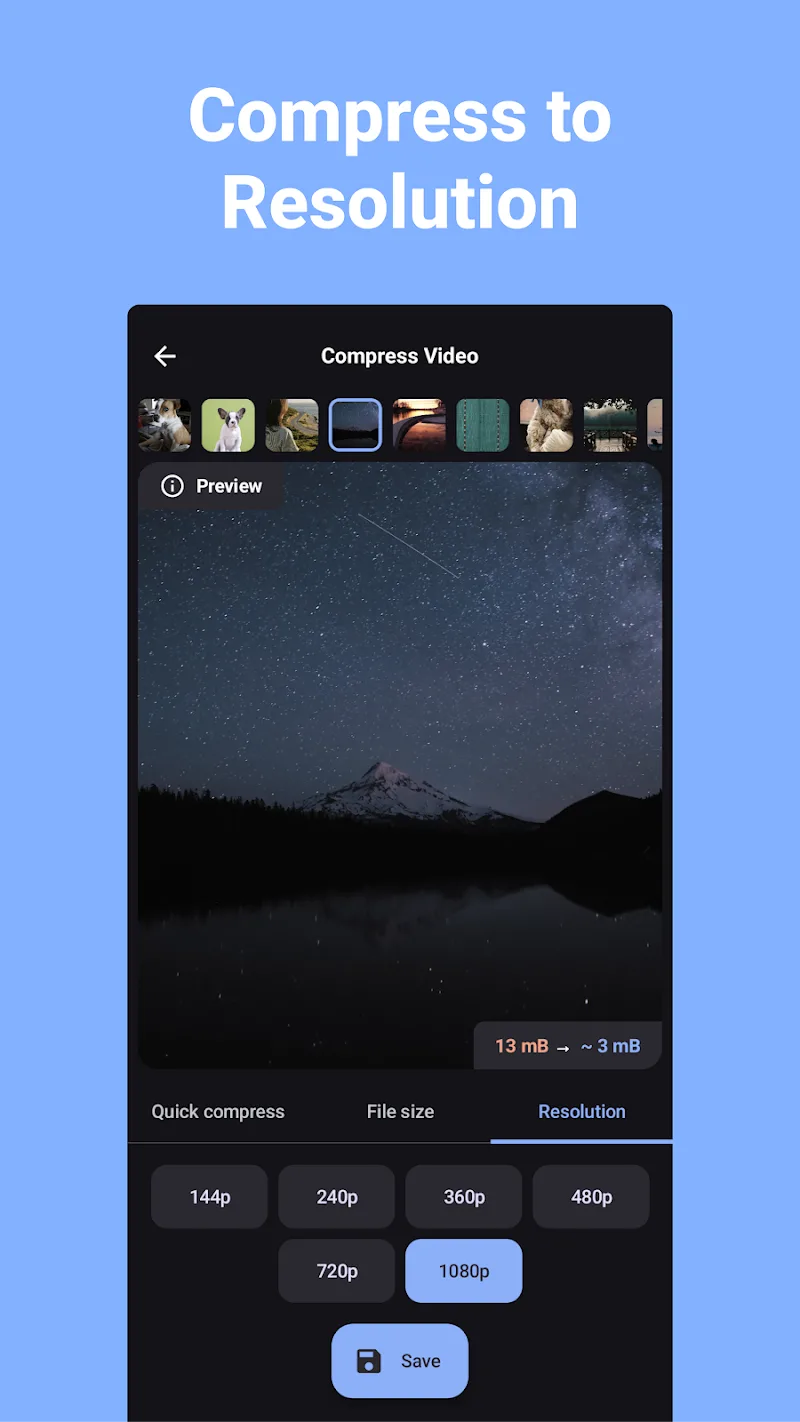
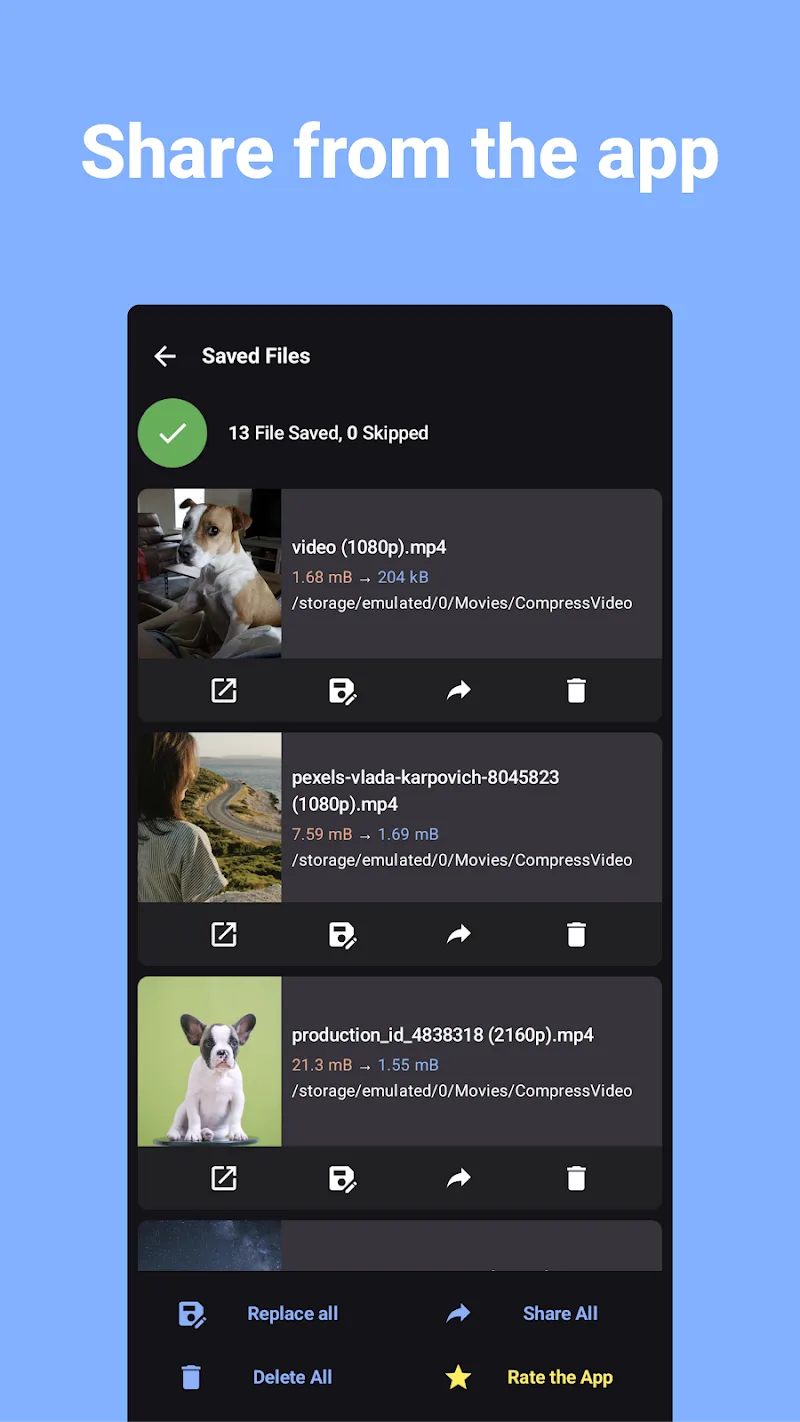
The interface centers on a small set of clear controls: pick videos from your device, choose a preset or open advanced settings, and start the queue. Resolution, bitrate, and frame rate sliders are labeled with practical recommendations so users understand trade-offs between size and quality. Progress indicators show both the current file and overall batch progress, and options let you replace the original or save a new copy to a chosen folder.
Presets, customization and progression
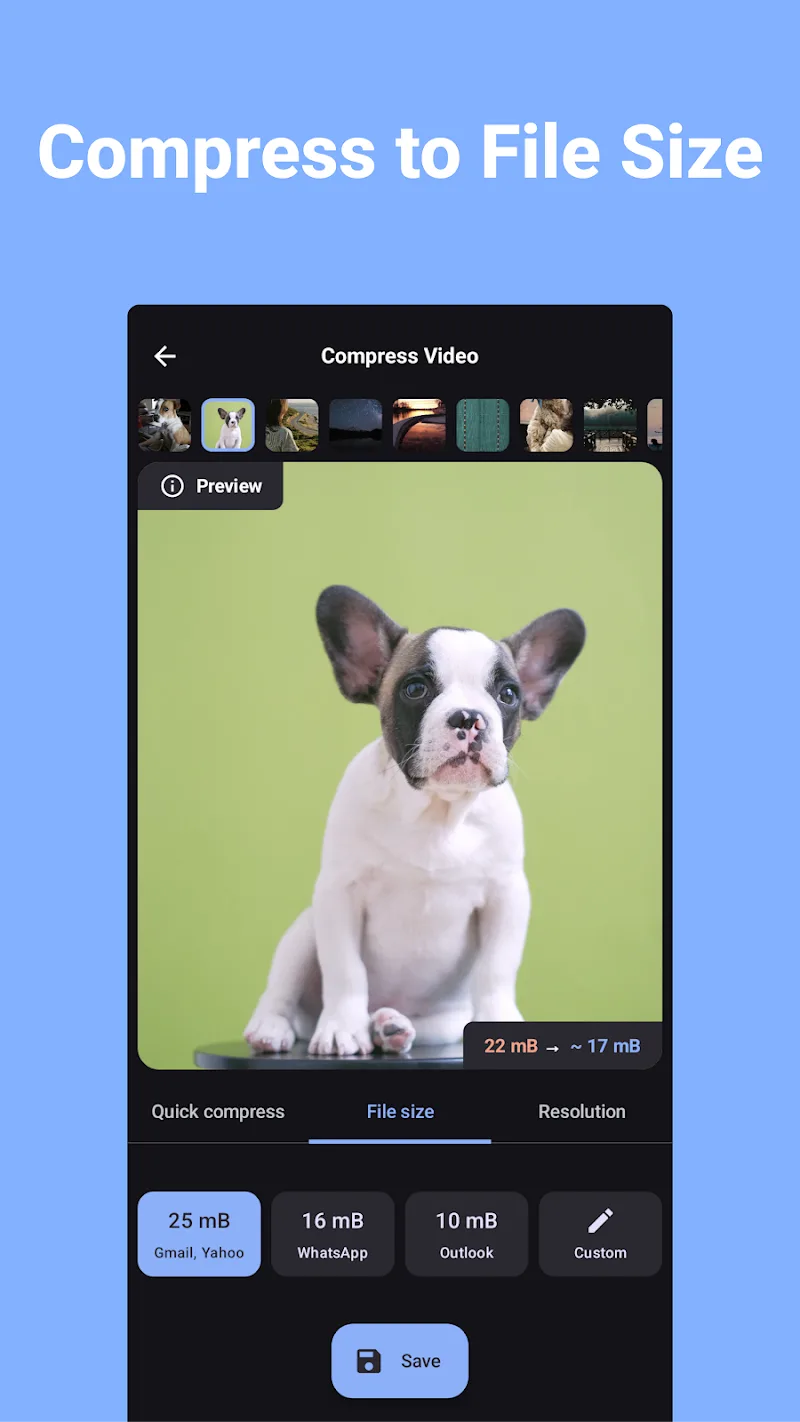
Built-in presets cover common scenarios such as social sharing, email-sized clips, and archive-friendly copies. For recurring workflows you can create and save custom profiles that store your preferred resolution, bitrate, and output format, which effectively creates a progression system for productivity: as you refine settings you save time on future jobs. This kind of profile management makes the app useful for creators who compress similar clips repeatedly, and it reduces trial-and-error over time.
Batch processing, job handling and level structure
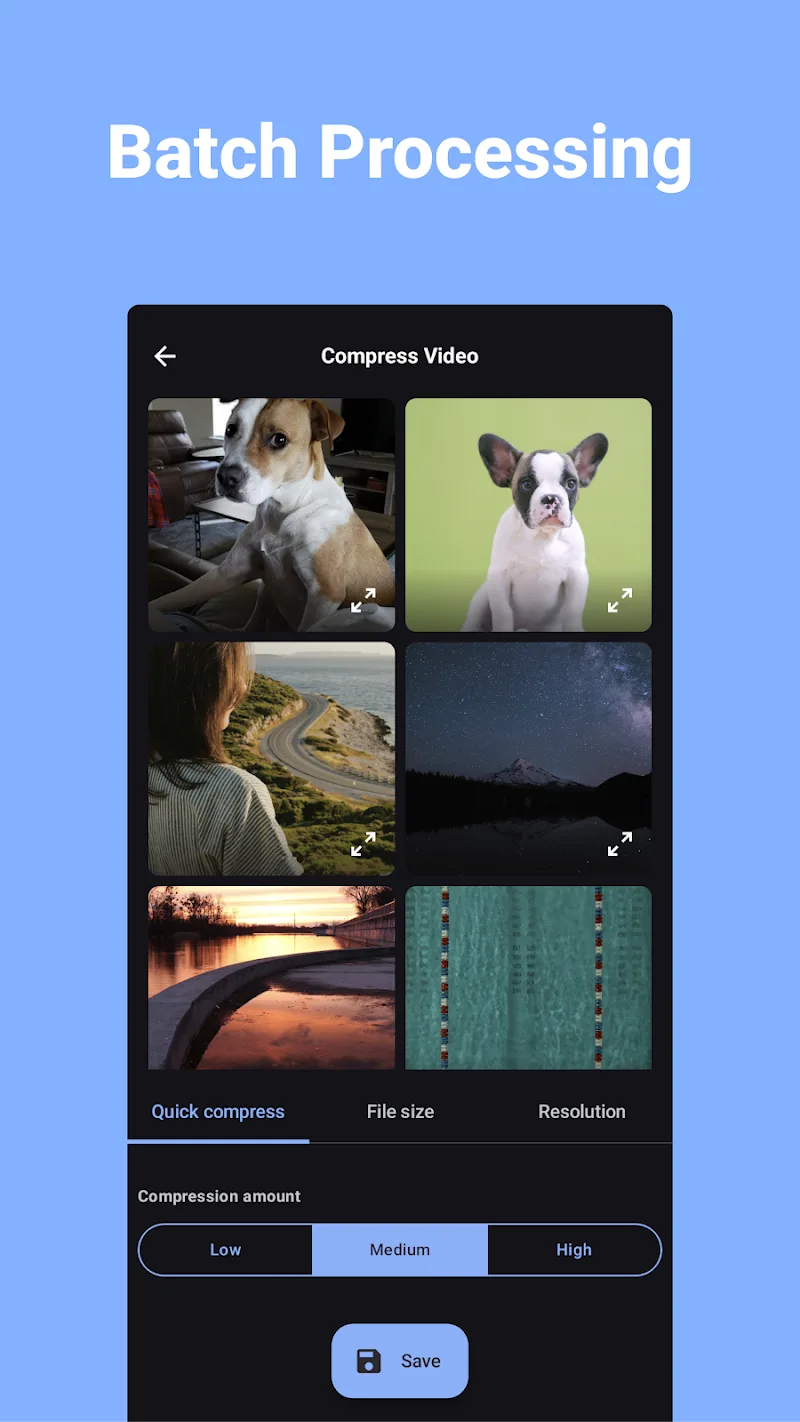
Batch processing is organized as a linear queue where each job passes through clear stages: analysis, transcoding or resizing, and finalization. The app prioritizes predictable resource use, breaking large batches into manageable units and displaying estimated completion times. You can pause, resume, or cancel a queue, and the app records the last used preset to speed up subsequent tasks. This structured approach helps users manage large libraries without losing track of pending files.
Performance, battery and offline behavior
The compression engine is optimized to balance speed and battery life; it selectively uses available CPU cores and avoids unnecessary background activity when power is low. Because all processing happens locally on the device, the app works offline and does not require an active network connection for core functions. Background processing is supported on many Android versions, but actual behavior can vary with manufacturer power management settings, which the app explains in its help screens.
Visual style and accessibility
The visual design favors clarity: a simple gallery view, readable labels, and a limited palette to reduce distraction during multi-step jobs. Controls are large enough for one-handed use on phones and the layout respects system font size settings to support accessibility. Inline help is available for each control so users can learn the implications of changes to bitrate, frame rate, and resolution without guessing; plain-language descriptions reduce the entry barrier for nontechnical users.
Compatibility and useful integrations
Compress Video - Resize Video supports common Android-friendly containers and codecs, including MP4 and MOV, and outputs files that play in standard media players and upload to popular platforms. The app preserves basic metadata such as orientation and timestamps when possible, and it attempts to keep audio quality consistent unless a user chooses to re-encode audio. Sharing is handled through the system share sheet so you can hand off compressed files to messaging apps or cloud services without extra steps.
Practical guidance and real-world tips
For best results, start with a preset that matches your target: choose social-sharing presets for quick uploads or higher-quality presets for archiving. Reducing resolution from 4K to 1080p typically yields a substantial file-size drop with little visual loss on small screens. Test new bitrates on short clips before committing to a whole folder and use the copy option until you confirm the compressed output meets expectations. These small habits make batch operations safer and more predictable.
Privacy, storage and user control
Privacy is straightforward: all compression happens on-device and the app requests only the storage permissions necessary to access and write video files. You decide where compressed files are saved, with an option to organize outputs into a dedicated folder, making it easier to transfer smaller files to cloud storage or external drives. The app does not upload videos to external servers by default.
Who benefits and everyday use cases
Photographers, social media contributors, and anyone with limited storage will find value in Compress Video - Resize Video because it streamlines routine tasks such as preparing clips for messaging, trimming upload times, and archiving footage. The combination of sensible defaults, custom profiles, and clear progress reporting makes repeated use efficient, turning what used to be a fiddly technical step into a small, manageable part of a content workflow.
Show More
Information
Screenshots
Latest Update











Latest News
-
![Revealing the Launch Playlists and Cross-Progression for COD Warzone Mobile News]()
-
![March 2024 Free Redemption Codes for Honkai: Star Rail News]()
-
PUBG Mobile Teams Up with Bentley Motors: Luxury Cars, Exclusive Collectibles, and Beyond 2024-04-18
![PUBG Mobile Teams Up with Bentley Motors: Luxury Cars, Exclusive Collectibles, and Beyond News]()
-
![Monster Never Cry is now accessible on both Android and iOS mobile devices. News]()
-
V2.2 of the Farlight 84 update introduces an overhauled Season structure, fresh in-game currency, an 2024-04-16
![V2.2 of the Farlight 84 update introduces an overhauled Season structure, fresh in-game currency, an News]()
-
![Arrival of Genshin Impact 4.6 Update: 'Embers of Two Realms, Twilight of Crimson' News]()
-
April 2024 Clash of Clans Update: Unveiling a Fresh Companion, Enhanced Levels, Chat Tagging, and Be 2024-04-16
![April 2024 Clash of Clans Update: Unveiling a Fresh Companion, Enhanced Levels, Chat Tagging, and Be News]()






