
Downtown Comics
Version:2.0
Published:2026-10-13
Introduction
Downtown Comics is a lightweight Android reader that organizes digital comics, manga, and graphic novels into a clean, searchable library. With quick load times and fluid page transitions, Downtown Comics simplifies reading on mobile while providing useful tools for tagging, bookmarking, and managing large collections.
App snapshot
Downtown Comics focuses on delivering a distraction-free reading environment with practical management features. It supports common comic formats, imports files from local storage or cloud services, and offers adjustable reading directions and zoom levels to suit different art styles and panel layouts.
Key functionality
- Format compatibility: Supports CBZ, CBR, PDF, ZIP, and scattered image folders for broad library inclusion.
- Library organization: Automatic metadata extraction, custom tags, series grouping, and nested collections make large archives manageable.
- Reader controls: Single-page, double-page, and continuous scroll modes with tap and swipe navigation.
- Cloud and local access: Seamless importing from device storage, SD cards, Google Drive, and WebDAV endpoints.
How reading works
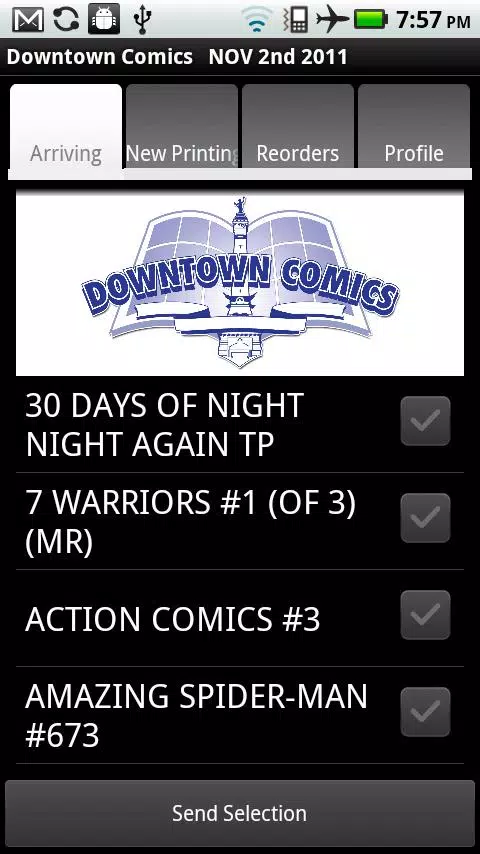
Once files are added, Downtown Comics scans and displays cover art for each entry. Tapping a title launches the reader, where the app maintains current reading position and remembers zoom preferences per title. Page rendering is optimized for mobile CPUs and includes pre-loading of adjacent pages to reduce stutter during fast swipes.
Customization and display options
Readers can tailor their experience using multiple interface choices. Select left-to-right or right-to-left progression for manga. Enable full-screen mode to hide controls, lock orientation per title, and choose from several fit modes (width, height, or best-fit). A night reading theme reduces eye strain, while contrast and brightness controls can be adjusted within the app for low-light environments.
Managing a collection
Downtown Comics includes tools for sorting and cleaning libraries. Use filters to show unread issues, incomplete series, or recently added items. Rename files in bulk, merge double entries, and export lists for backup. The tagging system is flexible, allowing genre, author, or custom labels—useful for quickly narrowing a large catalog.
Performance and UI design
The application emphasizes snappy navigation and minimal memory overhead. A lightweight interface keeps the focus on artwork: large thumbnails, smooth scrolling, and clear typography. The settings panel is concise, grouping advanced options under expandable sections to avoid clutter for casual users while remaining accessible to power users.
Sync and backup features
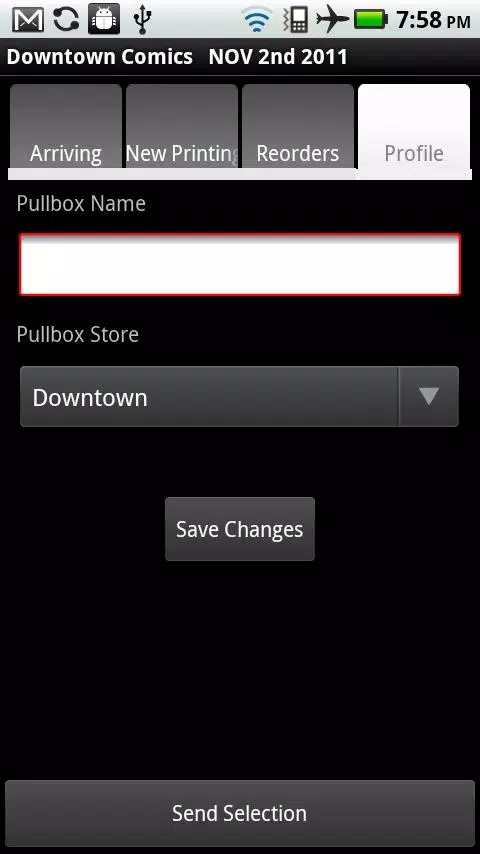
For users with multi-device setups, Downtown Comics supports manual and scheduled backups to cloud storage. Sync options enable transferring reading progress and metadata between devices. Developers include import/export formats compatible with other readers to ease migration without losing organization schemes.
Tips for newcomers
- Start by scanning a small folder to confirm metadata extraction works as expected.
- Create a few tags like "To Read" and "Favorites" to jumpstart sorting.
- Switch between single and double-page modes depending on artwork layout—double-page is ideal for widescreen spreads.
- Enable pre-loading in settings if you experience lag on older devices.
Why users pick Downtown Comics
Readers appreciate Downtown Comics for its balance of features and speed. It avoids overcomplicating routine tasks while offering enough depth for serious collectors. The ability to customize reading direction and store reading progress per title makes it a practical choice for mixed libraries containing Western comics and manga.
Installation and first run
Downloading Downtown Comics and granting storage permissions is sufficient to begin. After the initial scan completes, users can immediately open titles, edit metadata, or connect cloud accounts. The onboarding prompts suggest a few useful settings but keep the hands-on learning curve short.
For anyone maintaining a sizable digital comics library, Downtown Comics provides a focused reading platform with practical management tools, a responsive reader, and flexible import options—everything needed to keep comic collections organized and enjoyable on Android devices.
Show More
Information
Screenshots
Latest Update
-
![Lines Gold Pro - Icon Pack APK]()
Lines Gold Pro - Icon Pack
-
![Remote Fire TV APK]()
Remote Fire TV
-
![Flight Dark Pro - Icon Pack APK]()
Flight Dark Pro - Icon Pack
-
![Ares Light: Pastel Icon Pack APK]()
Ares Light: Pastel Icon Pack
-
![getConf - Hidden Settings APK]()
getConf - Hidden Settings
-
![Dots Live Wallpaper - Battery APK]()
Dots Live Wallpaper - Battery
-
![Chroma - Icon Pack APK]()
Chroma - Icon Pack
-
![One UI Fluffy Icon Pack APK]()
One UI Fluffy Icon Pack
-
![Pixly Limitless Fluo Icon Pack APK]()
Pixly Limitless Fluo Icon Pack
-
![Compress Video - Resize Video APK]()
Compress Video - Resize Video
-
![Pixly Professional Dark APK]()
Pixly Professional Dark
-
![Tracker Detect Pro APK]()
Tracker Detect Pro












Latest News
-
![Revealing the Launch Playlists and Cross-Progression for COD Warzone Mobile News]()
-
![March 2024 Free Redemption Codes for Honkai: Star Rail News]()
-
PUBG Mobile Teams Up with Bentley Motors: Luxury Cars, Exclusive Collectibles, and Beyond 2024-04-18
![PUBG Mobile Teams Up with Bentley Motors: Luxury Cars, Exclusive Collectibles, and Beyond News]()
-
![Monster Never Cry is now accessible on both Android and iOS mobile devices. News]()
-
V2.2 of the Farlight 84 update introduces an overhauled Season structure, fresh in-game currency, an 2024-04-16
![V2.2 of the Farlight 84 update introduces an overhauled Season structure, fresh in-game currency, an News]()
-
![Arrival of Genshin Impact 4.6 Update: 'Embers of Two Realms, Twilight of Crimson' News]()
-
April 2024 Clash of Clans Update: Unveiling a Fresh Companion, Enhanced Levels, Chat Tagging, and Be 2024-04-16
![April 2024 Clash of Clans Update: Unveiling a Fresh Companion, Enhanced Levels, Chat Tagging, and Be News]()






