

euphoria radio
Version:1.1
Published:2026-10-13
Introduction
euphoria radio delivers a focused, modern streaming experience that puts curated music stations and talk shows at your fingertips. The app blends lightweight design with reliable playback, easy playlist management, and offline caching options to suit daily commuters, background listeners, and audio explorers who want clean, uninterrupted listening.
What euphoria radio brings to your device
Built around simplicity and discovery, euphoria radio is designed for listeners who appreciate both curated channels and personal control. The app groups content into thematic stations, live broadcasts, and on-demand episodes so you can jump straight into a mood, genre, or program without browsing dozens of menus.
Key tools and standout features
- Curated channels — Professionally assembled stations for genres, moods, and trends that are updated regularly.
- Search and discovery — Smart search with filters for artist, decade, or program type to help you find new favorites fast.
- Offline caching — Download episodes and playlists for listening without an internet connection.
- Crossfade and gapless playback — Smooth transitions between tracks for uninterrupted listening sessions.
- Custom playlists — Build and edit playlists quickly with drag-and-drop ordering and easy sharing options.
How the app works in daily use
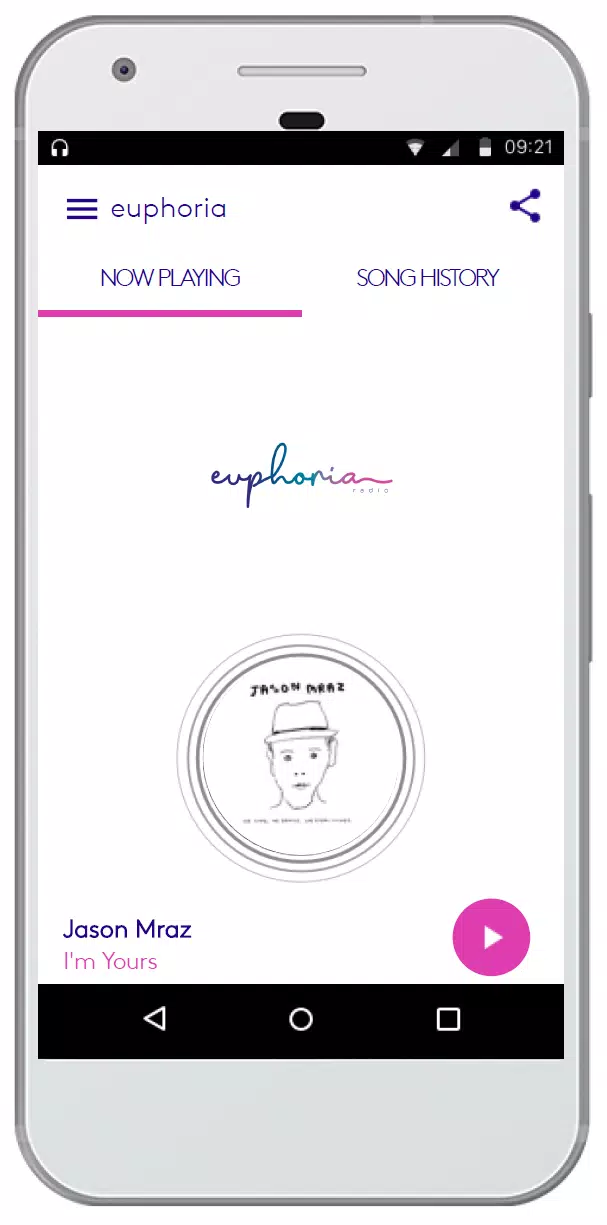
euphoria radio organizes content into a clear front page that highlights trending channels, recently played items, and recommendations based on your listening history. Tapping a station starts streaming immediately, while the player controls remain accessible from the notification shade and lock screen. Playback adapts to network conditions by switching quality to preserve continuity on slow connections.
Interface design and performance
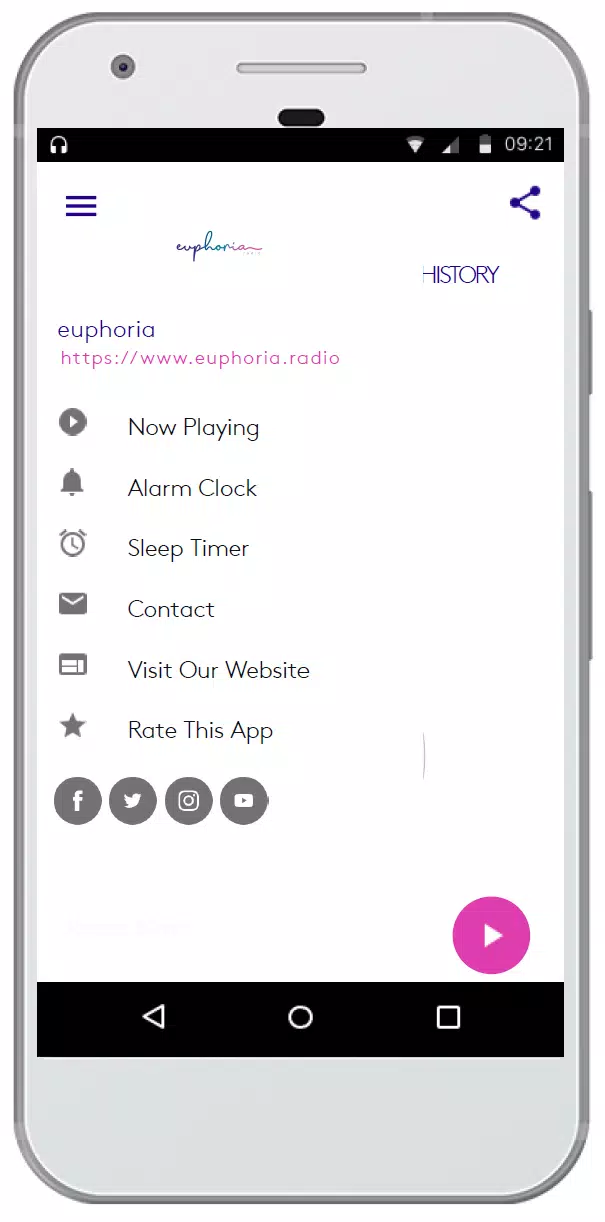
The visual design favors high-contrast typography and intuitive iconography, so actions like favoriting a track or scheduling a sleep timer take one or two taps. Performance is optimized for low memory usage: the app launches quickly, uses sensible battery-friendly networking, and minimizes background activity while still keeping notifications for active streams.
Customization and playback control
One of the practical strengths of euphoria radio is its range of personalization options. Users can create multiple playlists, reorder songs, and set explicit content filters. Advanced playback settings let you enable equalizer presets, adjust crossfade timing, and choose default streaming quality to manage data consumption.
Integration and workflow features
For hands-free listening, the app supports Android Auto and popular Bluetooth controls. It also integrates with smart home devices that accept cast or AirPlay-style traffic, enabling you to stream to speakers or a home theater setup. Play queue syncing keeps your active queue consistent across devices when you’re signed into the same account.
Practical tips for new listeners
- Create a starter playlist from the home recommendations to teach the app your taste quickly.
- Use offline caching before long commutes to avoid interruptions and reduce mobile data use.
- Enable the sleep timer when listening at night to save battery and avoid playing through the night.
- Adjust streaming quality to a lower bitrate when on cellular networks to preserve data allowance.
Why many users stick with it
Listeners appreciate euphoria radio for its balance of curated content and control. The blend of professionally curated stations and customizable playlists makes it easy to discover music while keeping familiar favorites accessible. Reliability and predictable behavior across different network conditions are frequently mentioned in user feedback.
Getting started and setup
Installation is straightforward from any app store: grant basic audio and storage permissions to enable caching and playback, sign in or continue as a guest, and then pick a few genres to jumpstart the recommendation engine. The onboarding tour highlights key controls and lets you import playlists or follow channels for instant updates.
Whether you want a simple ambient background or a platform to explore new music and shows, euphoria radio focuses on doing the essentials right: fast discovery, dependable streaming, and enough personalization to make each listening session feel tailored to you.
Show More
Information
Screenshots
Latest Update
-
![Lines Gold Pro - Icon Pack APK]()
Lines Gold Pro - Icon Pack
-
![Remote Fire TV APK]()
Remote Fire TV
-
![Flight Dark Pro - Icon Pack APK]()
Flight Dark Pro - Icon Pack
-
![Ares Light: Pastel Icon Pack APK]()
Ares Light: Pastel Icon Pack
-
![getConf - Hidden Settings APK]()
getConf - Hidden Settings
-
![Dots Live Wallpaper - Battery APK]()
Dots Live Wallpaper - Battery
-
![Chroma - Icon Pack APK]()
Chroma - Icon Pack
-
![One UI Fluffy Icon Pack APK]()
One UI Fluffy Icon Pack
-
![Pixly Limitless Fluo Icon Pack APK]()
Pixly Limitless Fluo Icon Pack
-
![Compress Video - Resize Video APK]()
Compress Video - Resize Video
-
![Pixly Professional Dark APK]()
Pixly Professional Dark
-
![Tracker Detect Pro APK]()
Tracker Detect Pro












Hot Tags
Latest News
-
![Revealing the Launch Playlists and Cross-Progression for COD Warzone Mobile News]()
-
![March 2024 Free Redemption Codes for Honkai: Star Rail News]()
-
PUBG Mobile Teams Up with Bentley Motors: Luxury Cars, Exclusive Collectibles, and Beyond 2024-04-18
![PUBG Mobile Teams Up with Bentley Motors: Luxury Cars, Exclusive Collectibles, and Beyond News]()
-
![Monster Never Cry is now accessible on both Android and iOS mobile devices. News]()
-
V2.2 of the Farlight 84 update introduces an overhauled Season structure, fresh in-game currency, an 2024-04-16
![V2.2 of the Farlight 84 update introduces an overhauled Season structure, fresh in-game currency, an News]()
-
![Arrival of Genshin Impact 4.6 Update: 'Embers of Two Realms, Twilight of Crimson' News]()
-
April 2024 Clash of Clans Update: Unveiling a Fresh Companion, Enhanced Levels, Chat Tagging, and Be 2024-04-16
![April 2024 Clash of Clans Update: Unveiling a Fresh Companion, Enhanced Levels, Chat Tagging, and Be News]()






