

Vitrola Gospel
Version:0x7f060017
Published:2026-10-13
Introduction
Vitrola Gospel is a dedicated music player focused on gospel songs and spiritual audio content, offering an easy-to-use interface for streaming, organizing, and enjoying faith-based music. The app delivers curated playlists, offline playback, and tools for managing collections so listeners can access uplifting tracks anytime, anywhere.
Core features and tools
Vitrola Gospel brings together a set of features tailored to users who want a simple, focused listening experience. The app includes high-quality streaming, a built-in search for artists and hymns, playlist creation, and options to download songs for offline use. Smart recommendations suggest related worship tracks and emerging gospel artists based on listening history.
- Curated playlists for different moods—praise, worship, meditation, and choir selections.
- Offline downloads so you can listen without an internet connection.
- Crossfade and gapless playback for a smooth listening transition between tracks.
- Custom playlist management with drag-and-drop ordering and quick edits.
Interface and user flow
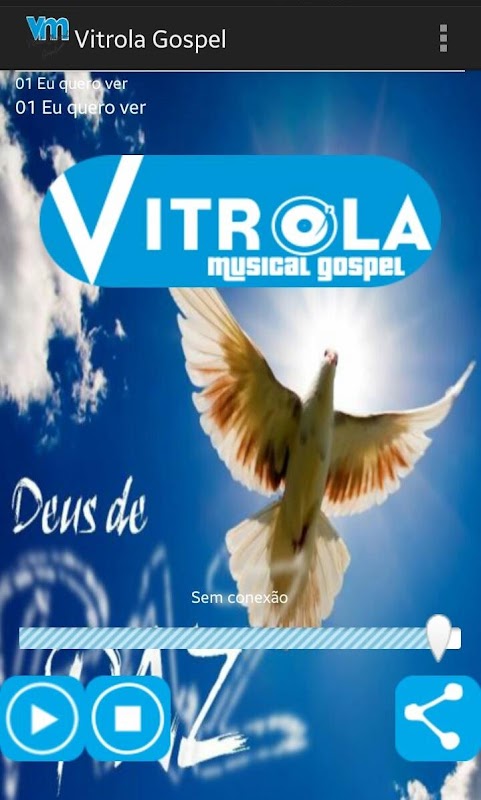
The design prioritizes clarity: large cover art, readable typography, and simple controls make navigation effortless. Home recommendations are grouped by theme and new releases, while the bottom navigation provides quick access to Library, Search, Playlists, and Settings. Controls are reachable with one hand, and visual cues show download and favorite status for each track.
Music library and content variety
Vitrola Gospel features both contemporary gospel and traditional hymns, spanning solo artists, choirs, and instrumental worship. The library is organized into genres, collections, and editorial playlists to help listeners discover new songs without getting overwhelmed. Metadata is cleanly presented with album details, composer credits, and release dates when available.
Playback experience and personalization
Playback options include standard, shuffle, and repeat modes. Users can personalize the experience by creating themed playlists, favoriting tracks for quick access, and setting playback quality to balance data usage and audio fidelity. Sleep timer and background playback support make the app suitable for overnight listening and multitasking.
Offline mode and data management
Offline functionality allows entire playlists or individual songs to be downloaded and managed in a dedicated section. Downloads can be set to occur only over Wi-Fi to preserve mobile data. A storage indicator helps users monitor space used by music files and provides easy controls to remove downloads when freeing up space is required.
Accessibility and language options
The app includes adjustable font sizes and clear contrast for readability. Navigation labels are concise and accessible for screen readers, while local language options and regional gospel mixes help users connect with music from different cultural backgrounds. This attention to accessibility improves usability for a wide audience.
Performance and compatibility
Vitrola Gospel is optimized to run smoothly on a broad range of Android devices. The app minimizes battery drain during playback and supports background audio without interrupting ongoing tasks. Frequent updates improve stability and introduce new library additions, ensuring compatibility with recent Android versions and device form factors.
Security and privacy considerations
Privacy is handled transparently: permission requests are limited to essentials like storage for downloads and network access for streaming. Data used to improve recommendations is anonymized, and users can clear listening history or opt out of personalized suggestions within the settings menu.
Getting started with Vitrola Gospel
Getting started is straightforward: install the app, sign in or continue as a guest, and explore curated playlists on the home screen. Use the Search tab to find specific songs or artists, tap the download icon to save content for offline listening, and build playlists from tracks you enjoy. Regularly check the New Releases section for fresh gospel tracks and live recordings.
Vitrola Gospel presents a focused platform for anyone seeking uplifting gospel music with practical features for both casual listening and dedicated worship sessions. Its blend of curated content, personalization, and reliable offline playback makes it a useful addition to a devotional audio routine or everyday music collection.
Show More
Information
Screenshots
Latest Update
-
![Lines Gold Pro - Icon Pack APK]()
Lines Gold Pro - Icon Pack
-
![Remote Fire TV APK]()
Remote Fire TV
-
![Flight Dark Pro - Icon Pack APK]()
Flight Dark Pro - Icon Pack
-
![Ares Light: Pastel Icon Pack APK]()
Ares Light: Pastel Icon Pack
-
![getConf - Hidden Settings APK]()
getConf - Hidden Settings
-
![Dots Live Wallpaper - Battery APK]()
Dots Live Wallpaper - Battery
-
![Chroma - Icon Pack APK]()
Chroma - Icon Pack
-
![One UI Fluffy Icon Pack APK]()
One UI Fluffy Icon Pack
-
![Pixly Limitless Fluo Icon Pack APK]()
Pixly Limitless Fluo Icon Pack
-
![Compress Video - Resize Video APK]()
Compress Video - Resize Video
-
![Pixly Professional Dark APK]()
Pixly Professional Dark
-
![Tracker Detect Pro APK]()
Tracker Detect Pro












Hot Tags
Latest News
-
![Revealing the Launch Playlists and Cross-Progression for COD Warzone Mobile News]()
-
![March 2024 Free Redemption Codes for Honkai: Star Rail News]()
-
PUBG Mobile Teams Up with Bentley Motors: Luxury Cars, Exclusive Collectibles, and Beyond 2024-04-18
![PUBG Mobile Teams Up with Bentley Motors: Luxury Cars, Exclusive Collectibles, and Beyond News]()
-
![Monster Never Cry is now accessible on both Android and iOS mobile devices. News]()
-
V2.2 of the Farlight 84 update introduces an overhauled Season structure, fresh in-game currency, an 2024-04-16
![V2.2 of the Farlight 84 update introduces an overhauled Season structure, fresh in-game currency, an News]()
-
![Arrival of Genshin Impact 4.6 Update: 'Embers of Two Realms, Twilight of Crimson' News]()
-
April 2024 Clash of Clans Update: Unveiling a Fresh Companion, Enhanced Levels, Chat Tagging, and Be 2024-04-16
![April 2024 Clash of Clans Update: Unveiling a Fresh Companion, Enhanced Levels, Chat Tagging, and Be News]()






