

SonicOS
Version:1.0.1
Published:2026-10-14
Introduction
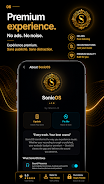
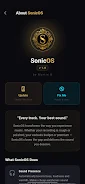
SonicOS is a lightweight Android system utility that streamlines performance, battery life, and navigation with a minimal launcher and optimization tools. It bundles a fast cleaner, app manager, customizable quick settings, and privacy controls to help users keep devices responsive and organized without intrusive permissions or complex setup.
Overview of the experience
SonicOS presents a compact toolkit for everyday Android maintenance. It targets users who want faster app launches, steadier battery drain, and clearer storage management. The interface favors clarity over clutter: big icons, direct toggles, and concise status readouts make routine tasks quick to complete. The app feels like a curated suite rather than a grab-bag of disconnected utilities.
What the core tools do
The app groups its functionality into distinct modules so you can use only what you need. The Cleaner finds cache and temporary files, the App Manager reveals storage and permission details, and the Battery Optimizer suggests background restrictions where appropriate. Each module includes short descriptions and suggested actions, reducing guesswork for users who are not deep into Android settings.
Notable features that matter
- One-tap optimization: a fast scan that closes idle processes and frees RAM without terminating essential services.
- Custom quick settings: rearrange toggles for Wi-Fi, Bluetooth, display modes, and more right from the SonicOS dashboard.
- Granular app control: view storage, permissions, and battery usage per app and apply limits selectively.
- Lightweight launcher: optional replacement home screen focused on speed and minimal animations.
- Privacy guard: monitor background access and get alerts for apps using sensitive permissions.
How the system optimizes performance
SonicOS uses a combination of cache cleaning and conservative process management to improve responsiveness. Instead of forcibly killing core services, it targets redundant background tasks and stale cache entries. The result is often smoother multitasking and fewer cold starts. The battery module analyzes wakelocks and recommends which apps to restrict; you can apply changes automatically or review them manually.
Customization and personalization
Customization is a practical focus rather than purely cosmetic. You can tune animation scale, choose compact or spacious layouts, and set which quick actions appear on the main screen. The optional launcher component includes icon packs and a grid size selector, so users migrating from heavier launchers get a familiar workspace without performance costs.
Interface and responsiveness
The design emphasizes legibility. Contrast and typography are chosen for clear at-a-glance reading. Buttons are large enough for comfortable one-handed use. Compared to similar utility suites, SonicOS feels fast because screens load quickly and transitions are trimmed down. Reporting windows include short, actionable recommendations rather than long technical logs.
Tips for new users
- Run the initial scan and review suggested optimizations before applying them.
- Use the launcher trial mode to test comfort with the layout before making it permanent.
- Enable battery recommendations for a week to let the app learn usage patterns.
- Check the privacy guard regularly after installing new apps; some permissions can be reverted without breaking functionality.
Beginners will appreciate the clear prompts and undo options. Advanced users can dig into per-app rules and automation tasks for fine-grained control.
Why people pick this tool
Users choose SonicOS when they want practical improvements without overhauling their device. It combines visible gains—like reduced app stutter and cleaner storage—with low friction setup. The modular approach lets users adopt individual features gradually, which is ideal for those wary of aggressive system cleaners.
Getting started and compatibility
Installation is straightforward via standard app distribution channels. The permissions requested are explained inline during setup, helping users understand why they are needed. SonicOS supports most modern Android versions and scales well across phones and tablets; memory footprint stays modest even with multiple modules enabled.
If you need a streamlined way to keep an Android device running smoothly while retaining control over privacy and app behavior, SonicOS delivers a practical set of tools with a clean interface and sensible defaults. Try it in small steps and tailor each module to match your daily habits.
Show More
Information
Screenshots
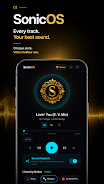
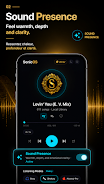
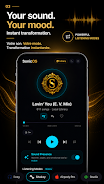
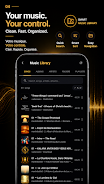




Latest Update
-
![Lines Gold Pro - Icon Pack APK]()
Lines Gold Pro - Icon Pack
-
![Remote Fire TV APK]()
Remote Fire TV
-
![Flight Dark Pro - Icon Pack APK]()
Flight Dark Pro - Icon Pack
-
![Ares Light: Pastel Icon Pack APK]()
Ares Light: Pastel Icon Pack
-
![getConf - Hidden Settings APK]()
getConf - Hidden Settings
-
![Dots Live Wallpaper - Battery APK]()
Dots Live Wallpaper - Battery
-
![Chroma - Icon Pack APK]()
Chroma - Icon Pack
-
![One UI Fluffy Icon Pack APK]()
One UI Fluffy Icon Pack
-
![Pixly Limitless Fluo Icon Pack APK]()
Pixly Limitless Fluo Icon Pack
-
![Compress Video - Resize Video APK]()
Compress Video - Resize Video
-
![Pixly Professional Dark APK]()
Pixly Professional Dark
-
![Tracker Detect Pro APK]()
Tracker Detect Pro












Latest News
-
![Revealing the Launch Playlists and Cross-Progression for COD Warzone Mobile News]()
-
![March 2024 Free Redemption Codes for Honkai: Star Rail News]()
-
PUBG Mobile Teams Up with Bentley Motors: Luxury Cars, Exclusive Collectibles, and Beyond 2024-04-18
![PUBG Mobile Teams Up with Bentley Motors: Luxury Cars, Exclusive Collectibles, and Beyond News]()
-
![Monster Never Cry is now accessible on both Android and iOS mobile devices. News]()
-
V2.2 of the Farlight 84 update introduces an overhauled Season structure, fresh in-game currency, an 2024-04-16
![V2.2 of the Farlight 84 update introduces an overhauled Season structure, fresh in-game currency, an News]()
-
![Arrival of Genshin Impact 4.6 Update: 'Embers of Two Realms, Twilight of Crimson' News]()
-
April 2024 Clash of Clans Update: Unveiling a Fresh Companion, Enhanced Levels, Chat Tagging, and Be 2024-04-16
![April 2024 Clash of Clans Update: Unveiling a Fresh Companion, Enhanced Levels, Chat Tagging, and Be News]()






