

Audio Convert Text Transcribe
Version:1.0.117
Published:2026-10-15
Introduction
Audio Convert Text Transcribe is a compact mobile tool that converts spoken audio into clear, editable text quickly. Designed for meetings, lectures and voice notes, the app delivers fast transcription, supports multiple file formats and offers basic editing features so users can turn recordings into searchable, shareable documents on the go.
Key features and capabilities
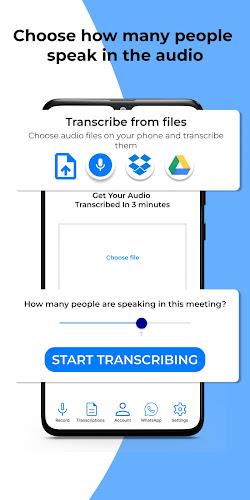
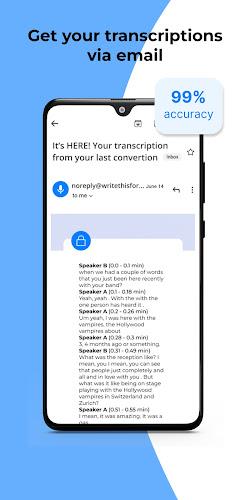
At its core Audio Convert Text Transcribe focuses on reliable speech-to-text conversion with a small, efficient footprint. Core features include real-time transcription from the microphone, batch processing of audio files, support for popular formats and an on-device editor for quick corrections. Users also get timestamped transcripts, speaker identification for short meetings and export options to common document types.
How the transcription engine operates
The app uses a hybrid approach to balance speed and accuracy. Short recordings can be processed directly on the device to preserve privacy and minimize latency, while longer files can be uploaded for cloud-assisted recognition when higher accuracy is needed. Language models adapt to accents and industry vocabulary over time, improving results as you use the tool more frequently.
User interface and typical workflow
Designed for simple, repeatable workflows, Audio Convert Text Transcribe presents a clean timeline view of recordings with playback controls and editable text aligned to audio timestamps. Tap a word to jump to that moment in the audio. The interface groups recent transcripts, favorites and shared files in separate sections so locating past notes is fast. A single-button record and a clear import menu keep the learning curve minimal.
Supported files and platform compatibility
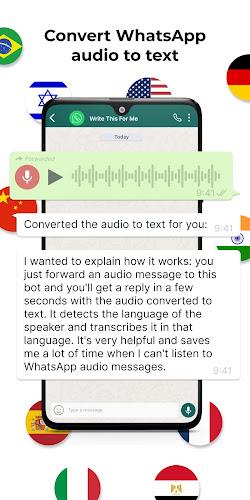
The app accepts common audio files such as MP3, WAV, M4A and AAC and can handle voice notes exported from messaging apps. It is built to run well on a range of Android devices, from budget phones to tablets, with adaptive processing settings that scale to available RAM and CPU. Cloud features are optional and work with major storage providers for easy syncing.
Editing, export and collaboration
Once a transcript is produced, users can correct text, add highlights and insert tags for quick retrieval. Exports include plain text, SRT subtitle files for video, and DOCX for further editing. The app also supports sharing to email and messaging apps, and can publish transcripts to cloud folders for team access. Collaboration tools let multiple reviewers comment on the same transcript without altering the original file.
Performance, accuracy and optimization tips
Accuracy depends on recording quality, background noise and speaker clarity. For best outcomes, use the built-in noise suppression, keep the microphone close to the speaker and choose the higher-accuracy mode for critical recordings. The app offers a low-power processing mode for longer transcriptions on older devices, prioritizing battery life over speed when needed.
Privacy and data handling
Privacy controls in Audio Convert Text Transcribe let you choose between local-only processing and cloud-assisted conversion. When cloud processing is enabled, files are encrypted during transfer and temporarily stored according to the app's retention policy. Users can clear transcripts and recordings at any time, and the settings screen provides straightforward controls to manage permissions and data sharing.
Getting started quickly
Begin by granting microphone and storage permissions, then try recording a short test clip to see real-time transcription in action. Import an existing voice memo to explore batch conversion. Regularly review the app's help tips to learn keyboard shortcuts and export options. For teams, configure cloud sync and shared folders to streamline workflow when multiple people need access to the same transcripts.
Who benefits most from this tool?
Journalists, students, content creators and meeting organizers will find Audio Convert Text Transcribe useful for turning spoken material into searchable notes. The combination of fast local processing, optional cloud accuracy and practical export formats makes it a flexible choice for everyday documentation needs without adding complexity.
Show More
Information
Screenshots


Latest Update
-
![Lines Gold Pro - Icon Pack APK]()
Lines Gold Pro - Icon Pack
-
![Remote Fire TV APK]()
Remote Fire TV
-
![Flight Dark Pro - Icon Pack APK]()
Flight Dark Pro - Icon Pack
-
![Ares Light: Pastel Icon Pack APK]()
Ares Light: Pastel Icon Pack
-
![getConf - Hidden Settings APK]()
getConf - Hidden Settings
-
![Dots Live Wallpaper - Battery APK]()
Dots Live Wallpaper - Battery
-
![Chroma - Icon Pack APK]()
Chroma - Icon Pack
-
![One UI Fluffy Icon Pack APK]()
One UI Fluffy Icon Pack
-
![Pixly Limitless Fluo Icon Pack APK]()
Pixly Limitless Fluo Icon Pack
-
![Compress Video - Resize Video APK]()
Compress Video - Resize Video
-
![Pixly Professional Dark APK]()
Pixly Professional Dark
-
![Tracker Detect Pro APK]()
Tracker Detect Pro












Latest News
-
![Revealing the Launch Playlists and Cross-Progression for COD Warzone Mobile News]()
-
![March 2024 Free Redemption Codes for Honkai: Star Rail News]()
-
PUBG Mobile Teams Up with Bentley Motors: Luxury Cars, Exclusive Collectibles, and Beyond 2024-04-18
![PUBG Mobile Teams Up with Bentley Motors: Luxury Cars, Exclusive Collectibles, and Beyond News]()
-
![Monster Never Cry is now accessible on both Android and iOS mobile devices. News]()
-
V2.2 of the Farlight 84 update introduces an overhauled Season structure, fresh in-game currency, an 2024-04-16
![V2.2 of the Farlight 84 update introduces an overhauled Season structure, fresh in-game currency, an News]()
-
![Arrival of Genshin Impact 4.6 Update: 'Embers of Two Realms, Twilight of Crimson' News]()
-
April 2024 Clash of Clans Update: Unveiling a Fresh Companion, Enhanced Levels, Chat Tagging, and Be 2024-04-16
![April 2024 Clash of Clans Update: Unveiling a Fresh Companion, Enhanced Levels, Chat Tagging, and Be News]()






