
Web Video Caster Receiver
Version:2.0.0
Published:2026-10-15
Introduction
Web Video Caster Receiver lets you stream video, images, and audio from a browser or device directly to a smart-TV or DLNA receiver. It simplifies casting local and online media, with controls for playback and subtitles, making it straightforward to enjoy web videos on larger screens without complex setup.
Overview of the app
Designed for users who want to move web content from small screens to living room displays, Web Video Caster Receiver focuses on reliable playback and broad device compatibility. The app supports popular receiver types, discovers devices on your network, and handles both local files and links to streaming sources. It’s aimed at users who prefer simple workflows rather than deep technical configuration.
Key tools and supported devices
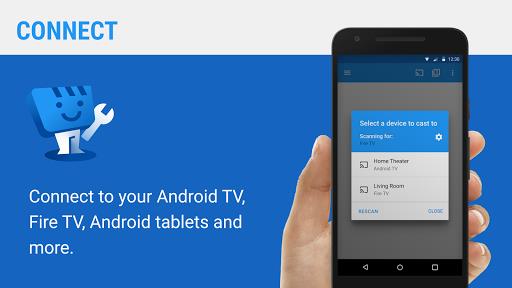
Web Video Caster Receiver works with Chromecast, DLNA/UPnP receivers, Fire TV, and many smart TVs. It detects devices automatically and gives on-screen feedback during connection and playback. For networks with multiple devices, the app lets you switch targets quickly without restarting the stream.
Core features that matter
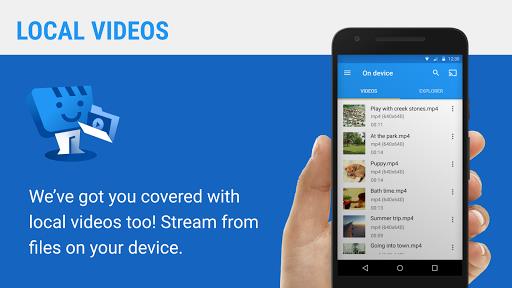
- Multiple source types: Cast browser tabs, local video files, and direct media links.
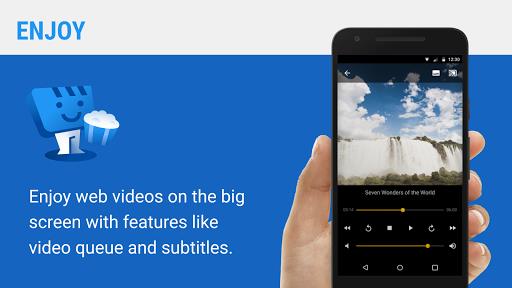
- Subtitle handling: Load external subtitle files or enable native subtitle streams when available.
- Playback controls: Seek, pause, resume, and change playback speed from the sender device.
- Queue management: Build a playlist and rearrange items on the fly.
- Background operation: Continue casting while using other apps or when the screen is locked.
How it works in daily use
Start by opening the app and selecting a target device that appears in its discovery list. Then choose a URL or a local file to stream. The receiver negotiates the best available stream and either plays it natively on the target device or instructs the device to pull the media directly. This approach minimizes battery and network overhead on the sending device.
Interface and performance
The interface prioritizes clarity: large connection status, visible playback buttons, and a playlist panel. Performance depends on network quality and the receiver’s capabilities. When transcoding is necessary, the app can hand off or suggest alternatives so playback remains smooth. Users with robust Wi-Fi see the best results, especially with high-bitrate files.
Customization and settings
Web Video Caster Receiver includes options to tailor streaming behavior. Choose default subtitle languages, set a preferred bitrate cap, and pick whether the app should automatically reconnect after drops. Advanced users can adjust device discovery timeouts and set preferred file associations for a more personalized setup.
User experience tips
- Place your router centrally to reduce buffering when casting large files.
- Use direct media links whenever possible; they reduce the need for real-time transcoding.
- Load subtitles before casting to avoid timing mismatches.
- Update receiver firmware for best compatibility with modern codecs.
Why people pick this receiver app
Many users choose Web Video Caster Receiver for its straightforward setup and broad device support. The ability to handle both local files and web-hosted streams makes it versatile. For households that mix Android phones, tablets, and different brands of TVs, this app provides a single, consistent casting experience.
Getting started quickly
Installation is simple: download the app from a reliable source, grant necessary network permissions, and let it scan for devices. Once a receiver is selected, test with a short clip to confirm audio and subtitle sync. Regularly checking for app updates helps maintain compatibility as streaming protocols evolve.
Final thoughts and practical use cases
Web Video Caster Receiver is suited for watching web-hosted clips on a big screen, sharing home videos during gatherings, and presenting media in small meetings. It balances ease of use with essential controls and customization, so users who want dependable casting without a steep learning curve will find it useful.
Show More
Information
Screenshots
Latest Update












Hot Tags
Latest News
-
![Revealing the Launch Playlists and Cross-Progression for COD Warzone Mobile News]()
-
![March 2024 Free Redemption Codes for Honkai: Star Rail News]()
-
PUBG Mobile Teams Up with Bentley Motors: Luxury Cars, Exclusive Collectibles, and Beyond 2024-04-18
![PUBG Mobile Teams Up with Bentley Motors: Luxury Cars, Exclusive Collectibles, and Beyond News]()
-
![Monster Never Cry is now accessible on both Android and iOS mobile devices. News]()
-
V2.2 of the Farlight 84 update introduces an overhauled Season structure, fresh in-game currency, an 2024-04-16
![V2.2 of the Farlight 84 update introduces an overhauled Season structure, fresh in-game currency, an News]()
-
![Arrival of Genshin Impact 4.6 Update: 'Embers of Two Realms, Twilight of Crimson' News]()
-
April 2024 Clash of Clans Update: Unveiling a Fresh Companion, Enhanced Levels, Chat Tagging, and Be 2024-04-16
![April 2024 Clash of Clans Update: Unveiling a Fresh Companion, Enhanced Levels, Chat Tagging, and Be News]()






