

Intune Company Portal
Version:5.0.6198.0
Published:2026-10-15
Introduction
Intune Company Portal lets employees access corporate apps, resources and IT services from most networks while keeping device and company data secure. Designed for organizations that use Intune, the Intune Company Portal is the client you enroll with your work account to browse and install company applications, manage device settings, and get help from your IT team. Users will want this app to simplify access to business tools on a personal or managed device, maintain compliance with corporate policies, and enable features such as remote wipe and password management when required.
Key Features
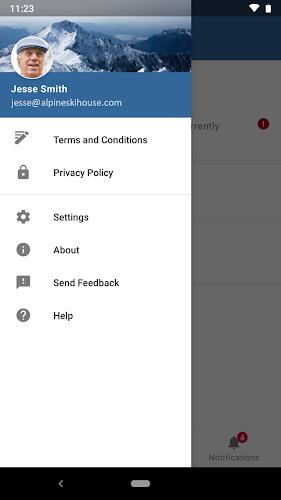
⭐ Enroll your device with a work account to gain access to corporate resources and approved apps.
⭐ Browse and install company applications directly through the portal.
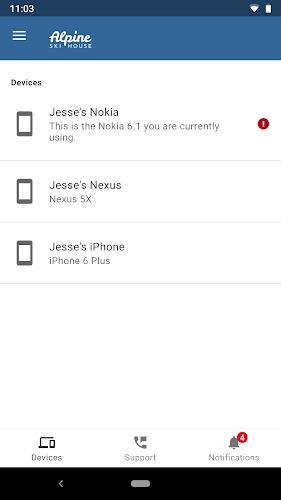
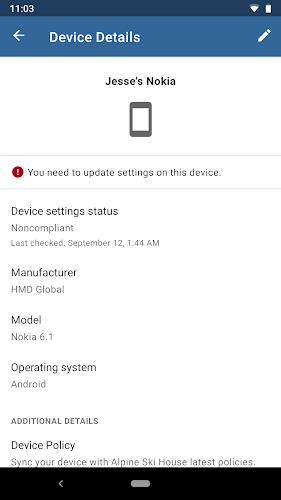
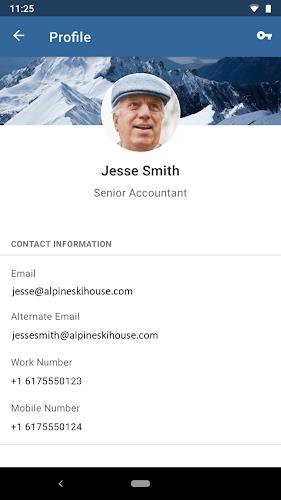
⭐ View and manage enrolled devices, including compliance status and device settings.
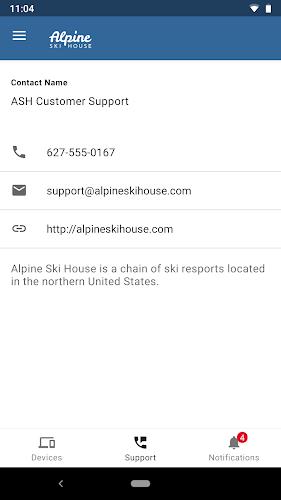
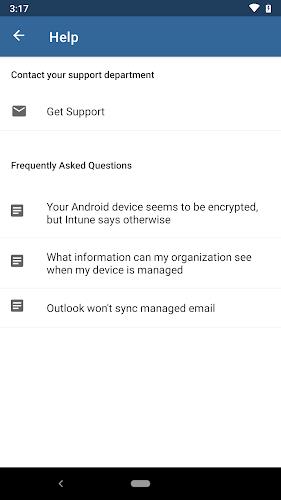
⭐ Find IT support contacts and organization-specific troubleshooting information.
⭐ Change or reset your work account password where allowed by your IT policy.
⭐ Unenroll a device or initiate a remote wipe to protect corporate data when necessary.
Advantages
✅ Centralizes access to company apps and resources for both personal and corporate devices, reducing friction for users.
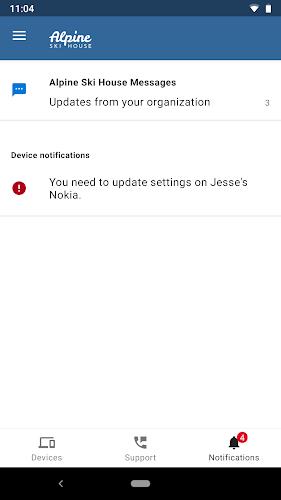
✅ Intune Company Portal enables IT teams to enforce security and compliance policies and push required configurations.
✅ Built-in password and device protection options help keep corporate data secure without extra tools.
✅ Provides a single place to contact IT and receive organization-specific guidance and support.
Disadvantages
❎ Requires your organization to have an Intune subscription and for IT to provision your account before the app can be used.
❎ Certain features may be restricted or unavailable in some countries or because of corporate policy.
❎ Support and privacy questions must be handled by your IT administrator rather than Microsoft, your network provider, or the device manufacturer.
Version Information
Week of July 15, 2024 — A new Device Control profile setting called Allow Storage Card was added to the Attack Surface Reduction policy for Windows 10, Windows 11, and Windows Server platforms. This setting controls whether storage cards can be used for device storage and can prevent programmatic access; it is also available from the Intune settings catalog.
Show More
Information
Screenshots
Latest Update
-
![Lines Gold Pro - Icon Pack APK]()
Lines Gold Pro - Icon Pack
-
![Remote Fire TV APK]()
Remote Fire TV
-
![Flight Dark Pro - Icon Pack APK]()
Flight Dark Pro - Icon Pack
-
![Ares Light: Pastel Icon Pack APK]()
Ares Light: Pastel Icon Pack
-
![getConf - Hidden Settings APK]()
getConf - Hidden Settings
-
![Dots Live Wallpaper - Battery APK]()
Dots Live Wallpaper - Battery
-
![Chroma - Icon Pack APK]()
Chroma - Icon Pack
-
![One UI Fluffy Icon Pack APK]()
One UI Fluffy Icon Pack
-
![Pixly Limitless Fluo Icon Pack APK]()
Pixly Limitless Fluo Icon Pack
-
![Compress Video - Resize Video APK]()
Compress Video - Resize Video
-
![Pixly Professional Dark APK]()
Pixly Professional Dark
-
![Tracker Detect Pro APK]()
Tracker Detect Pro












Hot Tags
Latest News
-
![Revealing the Launch Playlists and Cross-Progression for COD Warzone Mobile News]()
-
![March 2024 Free Redemption Codes for Honkai: Star Rail News]()
-
PUBG Mobile Teams Up with Bentley Motors: Luxury Cars, Exclusive Collectibles, and Beyond 2024-04-18
![PUBG Mobile Teams Up with Bentley Motors: Luxury Cars, Exclusive Collectibles, and Beyond News]()
-
![Monster Never Cry is now accessible on both Android and iOS mobile devices. News]()
-
V2.2 of the Farlight 84 update introduces an overhauled Season structure, fresh in-game currency, an 2024-04-16
![V2.2 of the Farlight 84 update introduces an overhauled Season structure, fresh in-game currency, an News]()
-
![Arrival of Genshin Impact 4.6 Update: 'Embers of Two Realms, Twilight of Crimson' News]()
-
April 2024 Clash of Clans Update: Unveiling a Fresh Companion, Enhanced Levels, Chat Tagging, and Be 2024-04-16
![April 2024 Clash of Clans Update: Unveiling a Fresh Companion, Enhanced Levels, Chat Tagging, and Be News]()






