

Z Library - Free eBook Downloads
Version:1.7.24
Published:2026-10-15
Introduction
Z Library - Free eBook Downloads is a mobile utility that helps users discover, organize, and save books for offline reading with a focus on public-domain and openly licensed titles. It combines fast search, multiple file formats, and simple library management to make reading and collecting digital books convenient on Android devices.
Overview of the app
Z Library - Free eBook Downloads positions itself as a streamlined eBook manager for readers who want quick access to a large collection of openly available books. The interface emphasizes discovery: search, filter, and save titles without navigating complex menus. It’s designed for casual readers and research-heavy users alike.
Core capabilities
- Comprehensive search: fast keyword and author lookups with relevance ranking.
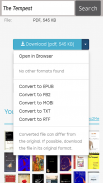
- Multiple formats: supports EPUB, PDF, MOBI and text files for wide device compatibility.
- Offline reading: download and store files locally for airplane or commute reading.
- Bookmarking and notes: create highlights and annotations that persist across sessions.
- Metadata and sorting: edit titles, authors, and tags to keep your collection tidy.
How it functions day-to-day
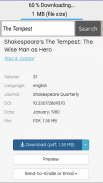
Using Z Library - Free eBook Downloads is straightforward: locate a title via search or browse categories, inspect available formats, and tap to download. The app integrates a lightweight reader that handles common eBook features—page navigation, font adjustments, and night mode—so users can immediately open files without switching apps.
User interface and performance
The layout keeps actions within reach: a bottom navigation bar for Home, Library, and Search plus a compact toolbar inside the reader. Performance is optimized for mid-range devices, with smooth scrolling and quick format conversion when necessary. Small animations and clear iconography reduce the learning curve.
Tools for power users
Beyond reading, the app includes utilities aimed at readers who manage large collections. Batch downloads, bulk metadata editing, and export options make it easier to migrate or back up libraries. Integration with common cloud services lets users keep copies synchronized across devices.
Customization and accessibility options
- Reading modes: switch between light, sepia, and dark themes.
- Font and layout controls: adjust font size, line spacing, and margins for comfortable reading.
- Text-to-speech: an optional TTS engine supports hands-free listening for compatible formats.
- High-contrast UI: improves visibility for low-vision users.
First-time setup and tips
Getting started with Z Library - Free eBook Downloads takes only a few minutes. Create a local library profile, set default download folders, and grant optional storage permissions. If you plan to keep an organized collection, spend a moment tagging recent downloads and enabling cloud backups.
Practical tips
- Use filters: narrow searches by language, format, or publication year to find relevant editions quickly.
- Keep backups: enable export to a cloud account or periodically copy the library folder to a desktop.
- Prefer standard formats: EPUB works best in the built‑in reader for reflowable text; PDF is preferable for fixed-layout content.
- Clean metadata: correct author and title fields to improve discoverability within your own collection.
Why readers choose it
Many users pick Z Library - Free eBook Downloads because it balances raw access to a large catalog with tools for long-term management. The app is particularly useful for students, researchers, and voracious readers who need to collect and annotate multiple texts without juggling several separate tools.
Considerations and responsible use
While the app makes acquisition and reading straightforward, it’s important to respect copyright and prioritize public-domain or properly licensed works. The platform includes filters and categories that highlight openly available materials; users should verify licensing when using content for redistribution or commercial purposes.
Final notes on installation
To install, download the package from a trusted source and verify permissions at first run. Allow storage access if you plan to keep offline copies. Regularly update the app to benefit from stability and security improvements. With a few simple adjustments, Z Library - Free eBook Downloads can become a central hub for your digital reading habit.
Show More
Information
Screenshots

Latest Update
-
![Lines Gold Pro - Icon Pack APK]()
Lines Gold Pro - Icon Pack
-
![Remote Fire TV APK]()
Remote Fire TV
-
![Flight Dark Pro - Icon Pack APK]()
Flight Dark Pro - Icon Pack
-
![Ares Light: Pastel Icon Pack APK]()
Ares Light: Pastel Icon Pack
-
![getConf - Hidden Settings APK]()
getConf - Hidden Settings
-
![Dots Live Wallpaper - Battery APK]()
Dots Live Wallpaper - Battery
-
![Chroma - Icon Pack APK]()
Chroma - Icon Pack
-
![One UI Fluffy Icon Pack APK]()
One UI Fluffy Icon Pack
-
![Pixly Limitless Fluo Icon Pack APK]()
Pixly Limitless Fluo Icon Pack
-
![Compress Video - Resize Video APK]()
Compress Video - Resize Video
-
![Pixly Professional Dark APK]()
Pixly Professional Dark
-
![Tracker Detect Pro APK]()
Tracker Detect Pro












Hot Tags
Latest News
-
![Revealing the Launch Playlists and Cross-Progression for COD Warzone Mobile News]()
-
![March 2024 Free Redemption Codes for Honkai: Star Rail News]()
-
PUBG Mobile Teams Up with Bentley Motors: Luxury Cars, Exclusive Collectibles, and Beyond 2024-04-18
![PUBG Mobile Teams Up with Bentley Motors: Luxury Cars, Exclusive Collectibles, and Beyond News]()
-
![Monster Never Cry is now accessible on both Android and iOS mobile devices. News]()
-
V2.2 of the Farlight 84 update introduces an overhauled Season structure, fresh in-game currency, an 2024-04-16
![V2.2 of the Farlight 84 update introduces an overhauled Season structure, fresh in-game currency, an News]()
-
![Arrival of Genshin Impact 4.6 Update: 'Embers of Two Realms, Twilight of Crimson' News]()
-
April 2024 Clash of Clans Update: Unveiling a Fresh Companion, Enhanced Levels, Chat Tagging, and Be 2024-04-16
![April 2024 Clash of Clans Update: Unveiling a Fresh Companion, Enhanced Levels, Chat Tagging, and Be News]()






