

SHAREit Lite - Fast File Share
Version:3.7.79_ww
Published:2026-10-15
Introduction
SHAREit Lite - Fast File Share is a slim, efficient tool for transferring files between Android phones without internet. It moves photos, videos, documents and apps at high speed using Wi‑Fi Direct, conserving data and storage. Designed for quick setup, it targets users who want fast, reliable file exchange on the move.
Overview: What the app does
SHAREit Lite focuses on delivering a straightforward sharing experience without the bulk of larger transfer apps. The interface emphasizes clarity, with clear options for sending and receiving. Behind the minimal look, the app prioritizes high transfer speeds, low battery impact and compact storage footprint, making it suitable for older or budget devices.
Core strengths
- Lightweight install: Small APK size and modest memory use.
- Offline transfers: Uses Wi‑Fi Direct to avoid mobile data.
- Cross-file support: Handles images, videos, APKs and documents.
How it works: Simple steps to move files
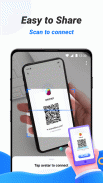
Getting a file from one phone to another requires only a few taps. Open the app on both devices, choose Send on the sender and Receive on the other. The sender selects files from the built-in browser; the recipient connects through the temporary hotspot or Wi‑Fi Direct handshake initiated by the sender. Transfers typically finish much faster than Bluetooth and without consuming cellular data.
Transfer modes and options
- Phone-to-phone: Direct device pairing for local transfers.
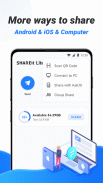
- Group sharing: One device can broadcast to several nearby receivers.
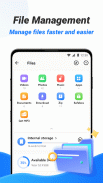
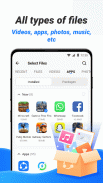
- File browser: Quick access to media folders and downloaded files.
Design and performance
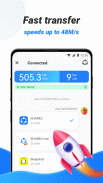
The app balances minimal design with pragmatic performance choices. Menu labels are concise, reducing friction when locating the right action. During transfers, a progress meter and speed indicator provide useful feedback. Because it avoids heavy background services, battery drain is kept to a minimum compared to more feature-packed alternatives.
Compatibility considerations
SHAREit Lite works across a wide range of Android versions, including older releases where larger apps may struggle. It refrains from intrusive permissions beyond those needed for local connectivity and file access. For the best speeds, both devices should have Wi‑Fi turned on and be within a short physical distance.
User experience and interface notes
Users report the onboarding is straightforward: allow permissions, follow the sender/receiver prompts, and start sharing. The UI favors large touch targets and clear icons to help users who aren’t tech-savvy. File previews appear for common media types, allowing quick verification before sending.
Practical tips for smooth transfers
- Ensure both devices have Wi‑Fi and location services enabled for stable connectivity.
- Disable battery savers that can interrupt background connectivity during large transfers.
- Keep devices within a short range to maintain high transfer throughput.
Security and privacy
Because transfers occur locally, files do not pass through cloud servers, which reduces exposure to third‑party storage. Users should still confirm the recipient device identity before accepting files and avoid accepting unknown APKs. Regularly review app permissions and clear transfer history if desired.
Getting started and installation
Install the app from a trusted source, then open it and follow the initial permission prompts. Creating a share session requires no account signup, which speeds setup. For everyday use, bookmark the app on the home screen to access sending and receiving functions quickly.
Who should choose this app?
SHAREit Lite is a practical choice for users who want fast, local transfers without a heavy app footprint. It suits those with older devices, limited storage or anyone who values a no‑fuss sharing workflow. Photographers, students and office workers who frequently exchange large files will find the streamlined approach especially helpful.
Overall, the app offers a practical balance of speed, simplicity and light system demands, making local file exchange fast and accessible for a broad range of users.
Show More
Information
Screenshots

Latest Update












Hot Tags
Latest News
-
![Revealing the Launch Playlists and Cross-Progression for COD Warzone Mobile News]()
-
![March 2024 Free Redemption Codes for Honkai: Star Rail News]()
-
PUBG Mobile Teams Up with Bentley Motors: Luxury Cars, Exclusive Collectibles, and Beyond 2024-04-18
![PUBG Mobile Teams Up with Bentley Motors: Luxury Cars, Exclusive Collectibles, and Beyond News]()
-
![Monster Never Cry is now accessible on both Android and iOS mobile devices. News]()
-
V2.2 of the Farlight 84 update introduces an overhauled Season structure, fresh in-game currency, an 2024-04-16
![V2.2 of the Farlight 84 update introduces an overhauled Season structure, fresh in-game currency, an News]()
-
![Arrival of Genshin Impact 4.6 Update: 'Embers of Two Realms, Twilight of Crimson' News]()
-
April 2024 Clash of Clans Update: Unveiling a Fresh Companion, Enhanced Levels, Chat Tagging, and Be 2024-04-16
![April 2024 Clash of Clans Update: Unveiling a Fresh Companion, Enhanced Levels, Chat Tagging, and Be News]()






