

Face Avatar Maker Creator
Version:2.2.0
Published:2026-10-15
Introduction
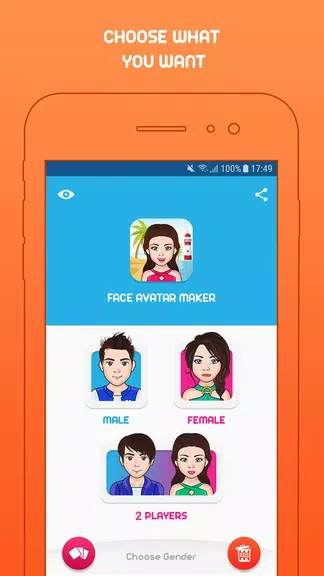
Face Avatar Maker Creator is a versatile mobile tool that helps users design personalized cartoon portraits, profile pictures, and character icons with intuitive controls. The app combines layered customization, expressive facial features, and export options to produce high-resolution avatars suitable for social media, messaging apps, and game profiles.
What the app does
This editor focuses on creating stylized face avatars rather than full illustrations, streamlining the process for fast results. Built for casual creators and social users, the application lets you craft distinct looks through adjustable parameters such as face shape, eye style, hair, skin tones and accessories. The result is a compact workflow that turns ideas into shareable images in minutes.
Core functions and workflow
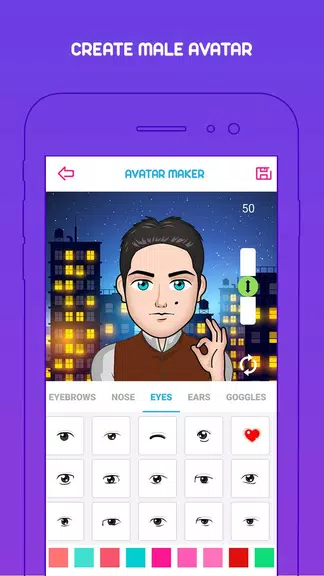
The production sequence is straightforward: choose a base template, refine facial proportions, add cosmetic elements and finalize with background and export settings. Tools are organized in panels so beginners see immediate visual feedback as sliders and pickers change features. Advanced options let you layer items, toggle shadowing, and lock elements to preserve composition while editing other parts.
Key features at a glance
- Layer-based editor: Manipulate individual features without disturbing other parts of the face.
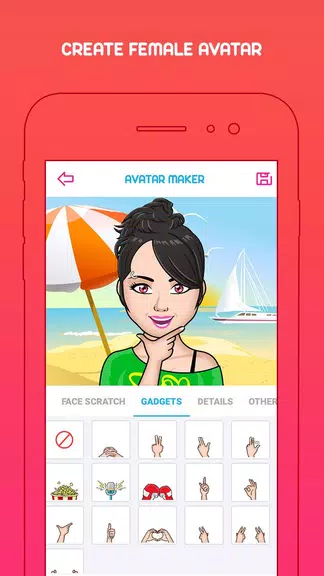
- Extensive libraries: Hundreds of hairstyles, eyes, mouths, clothing and props to mix and match.
- Color control: Precise color pickers and palettes for skin, hair, eyes and backgrounds.
- Export formats: Save avatars in PNG with transparent background or high-res JPG for printing and profiles.
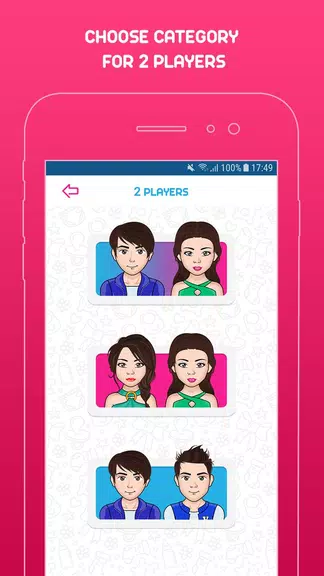
- Preset templates: Quickly apply styles for gaming, business, or casual profiles.
Customization depth
Customization is the app’s strongest point. Each facial component can be resized, rotated and recolored independently. For users who like fine-tuning, there are options to adjust eyebrow arch, eyelid shape and cheek shading. Accessories like glasses, hats and masks snap into place and scale with the head, keeping compositions coherent without manual alignment.
Interface and performance
The design favors clarity: large icons, labeled sections and an undo history make experimentation low risk. Performance is optimized for modern Android devices; most edits render in real time and heavy scenes remain responsive. Memory-friendly caching ensures the app can handle multiple avatars in a single session without slowdowns.
Compatibility and file handling
Face Avatar Maker Creator supports standard export resolutions and maintains transparency for avatars meant to overlay other graphics. Project saving allows you to pause work and return later, while sharing integrations send finished images directly to messaging and social platforms. The app keeps files organized in a local gallery for quick retrieval.
Practical tips for new users
Start with a base template close to your desired look to minimize adjustments. Use grouping and locking when creating complex outfits so small changes won’t affect the whole avatar. If you plan to use avatars across platforms, export at higher resolution to avoid pixelation and crop within target apps rather than in the editor for best results.
Why creators recommend it
Users appreciate the balance between simplicity and control. The app reduces the friction of producing consistent avatars — useful for streamers, forum members and project teams standardizing icons. Frequent updates to the libraries and a responsive editor make it easier to iterate on ideas without learning a steep design tool.
Getting started
Installation is quick and the onboarding includes guided tips to familiarize you with the main panels. Face Avatar Maker Creator keeps the barrier low for newcomers while offering enough depth for repeat users who want unique, branded avatars. Explore the template gallery, experiment with layers, and save a few favorites to build a recognizable visual identity.
Show More
Information
Screenshots
Latest Update
-
![Lines Gold Pro - Icon Pack APK]()
Lines Gold Pro - Icon Pack
-
![Remote Fire TV APK]()
Remote Fire TV
-
![Flight Dark Pro - Icon Pack APK]()
Flight Dark Pro - Icon Pack
-
![Ares Light: Pastel Icon Pack APK]()
Ares Light: Pastel Icon Pack
-
![getConf - Hidden Settings APK]()
getConf - Hidden Settings
-
![Dots Live Wallpaper - Battery APK]()
Dots Live Wallpaper - Battery
-
![Chroma - Icon Pack APK]()
Chroma - Icon Pack
-
![One UI Fluffy Icon Pack APK]()
One UI Fluffy Icon Pack
-
![Pixly Limitless Fluo Icon Pack APK]()
Pixly Limitless Fluo Icon Pack
-
![Compress Video - Resize Video APK]()
Compress Video - Resize Video
-
![Pixly Professional Dark APK]()
Pixly Professional Dark
-
![Tracker Detect Pro APK]()
Tracker Detect Pro












Hot Tags
Latest News
-
![Revealing the Launch Playlists and Cross-Progression for COD Warzone Mobile News]()
-
![March 2024 Free Redemption Codes for Honkai: Star Rail News]()
-
PUBG Mobile Teams Up with Bentley Motors: Luxury Cars, Exclusive Collectibles, and Beyond 2024-04-18
![PUBG Mobile Teams Up with Bentley Motors: Luxury Cars, Exclusive Collectibles, and Beyond News]()
-
![Monster Never Cry is now accessible on both Android and iOS mobile devices. News]()
-
V2.2 of the Farlight 84 update introduces an overhauled Season structure, fresh in-game currency, an 2024-04-16
![V2.2 of the Farlight 84 update introduces an overhauled Season structure, fresh in-game currency, an News]()
-
![Arrival of Genshin Impact 4.6 Update: 'Embers of Two Realms, Twilight of Crimson' News]()
-
April 2024 Clash of Clans Update: Unveiling a Fresh Companion, Enhanced Levels, Chat Tagging, and Be 2024-04-16
![April 2024 Clash of Clans Update: Unveiling a Fresh Companion, Enhanced Levels, Chat Tagging, and Be News]()






