
Veritech v2
Version:1.4.15
Published:2026-10-15
Introduction
Veritech v2 is a polished utility suite designed to streamline Android maintenance and productivity with an emphasis on speed, modular tools, and intuitive controls. It combines system monitoring, batch file operations, and lightweight automation to help users manage devices more efficiently while keeping resource use low.
What Veritech v2 Brings to Your Device
Veritech v2 gathers several practical tools into one compact package. Rather than forcing users to switch between multiple apps, it offers a unified dashboard for diagnostics, file handling, and scheduled tasks. The result is a coherent workflow that saves time and reduces friction when performing common device management chores.
Core Features and Tools
- System Monitor: Real-time CPU, memory, and battery metrics with simple graphs and alert thresholds.
- File Manager: Fast search, batch rename, move, and secure delete options that handle large folders without lag.
- Automation Modules: Lightweight scripts and scheduled actions to automate backups, cleanup, and app launches.
- Network Utilities: Ping, speed checks, and connection diagnostics to troubleshoot Wi-Fi and mobile data issues.
- One-Tap Optimizations: Safe memory clearing and cache management routines tuned for low power consumption.
Interface and Workflow
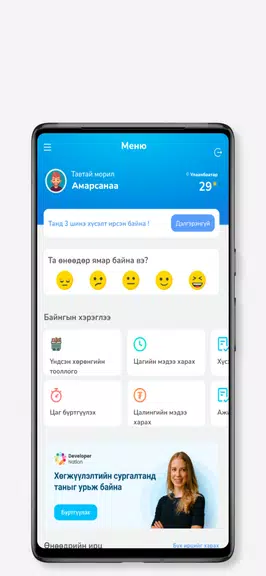
The user interface in Veritech v2 focuses on clarity and minimalism. A single home screen displays the most relevant stats and quick-access buttons for the tools you use most. Contextual menus keep secondary actions out of the way, while persistent breadcrumbs and simple icons make navigation predictable. Settings are organized by category, so customization never feels overwhelming.
How Tasks and Automation Work
Automation in Veritech v2 is built around straightforward triggers and actions. Users can schedule routines by time or event, chain multiple steps into a single task, and preview each action before activating it. Tasks are stored locally and can be enabled or disabled individually; the app provides dry-run logs to help troubleshoot flows without making permanent changes.
Compatibility and Integration
Veritech v2 is optimized for current Android releases and scales well across phones and tablets. It supports common storage providers and can access external SD cards with appropriate permissions. The app also exposes safe share and export options, enabling backups to cloud services and third-party file managers while respecting Android’s storage access framework.
Performance and Battery Considerations
Lightweight by design, Veritech v2 minimizes background activity and performs heavy operations only when explicitly invoked. Intensive scans and file operations are throttled to prevent thermal spikes, and automatic tasks can be limited to charging periods to avoid battery drain. This approach maintains device responsiveness while delivering powerful functionality.
Customization and Control
Users can tailor Veritech v2 to match their routines: reorder tools, configure notification thresholds, and set color themes for the dashboard. For advanced control, the app supports custom scripts and variable substitution so power users can build complex chains without code-heavy interfaces. Profiles allow different configurations for work, travel, or battery-saving modes.
Security, Privacy, and Data Handling
Data safety is built into Veritech v2 through local processing and explicit permission flows. Sensitive actions require confirmation prompts, and logs can be set to auto-delete after a period. When integrating with cloud services, the app uses standard APIs and does not store credentials locally beyond the required tokens, allowing users to revoke access from the linked service at any time.
Getting Started Quickly
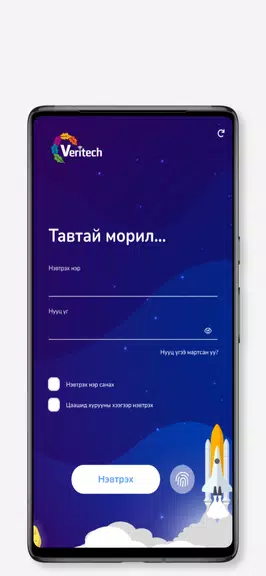
Installing Veritech v2 presents a short onboarding tour highlighting the dashboard, key tools, and permission requests. An interactive setup wizard helps configure initial automation and backup preferences. Users can import sample tasks or start from templates, making it easy to unlock useful features without a steep learning curve.
Why Users Choose Veritech v2
People pick Veritech v2 when they want a dependable, low-overhead toolkit for everyday device care. It balances power and simplicity: enough advanced controls for technical users while remaining approachable for casual device managers. Regular updates add refinements and maintain compatibility with the evolving Android ecosystem.
Show More
Information
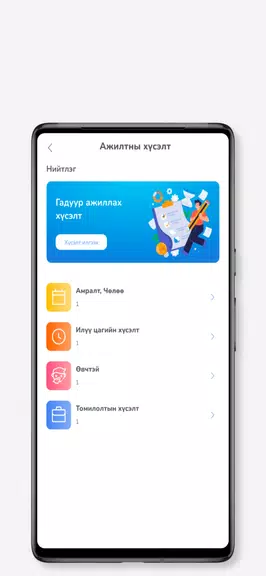
Screenshots
Latest Update
-
![Lines Gold Pro - Icon Pack APK]()
Lines Gold Pro - Icon Pack
-
![Remote Fire TV APK]()
Remote Fire TV
-
![Flight Dark Pro - Icon Pack APK]()
Flight Dark Pro - Icon Pack
-
![Ares Light: Pastel Icon Pack APK]()
Ares Light: Pastel Icon Pack
-
![getConf - Hidden Settings APK]()
getConf - Hidden Settings
-
![Dots Live Wallpaper - Battery APK]()
Dots Live Wallpaper - Battery
-
![Chroma - Icon Pack APK]()
Chroma - Icon Pack
-
![One UI Fluffy Icon Pack APK]()
One UI Fluffy Icon Pack
-
![Pixly Limitless Fluo Icon Pack APK]()
Pixly Limitless Fluo Icon Pack
-
![Compress Video - Resize Video APK]()
Compress Video - Resize Video
-
![Pixly Professional Dark APK]()
Pixly Professional Dark
-
![Tracker Detect Pro APK]()
Tracker Detect Pro












Latest News
-
![Revealing the Launch Playlists and Cross-Progression for COD Warzone Mobile News]()
-
![March 2024 Free Redemption Codes for Honkai: Star Rail News]()
-
PUBG Mobile Teams Up with Bentley Motors: Luxury Cars, Exclusive Collectibles, and Beyond 2024-04-18
![PUBG Mobile Teams Up with Bentley Motors: Luxury Cars, Exclusive Collectibles, and Beyond News]()
-
![Monster Never Cry is now accessible on both Android and iOS mobile devices. News]()
-
V2.2 of the Farlight 84 update introduces an overhauled Season structure, fresh in-game currency, an 2024-04-16
![V2.2 of the Farlight 84 update introduces an overhauled Season structure, fresh in-game currency, an News]()
-
![Arrival of Genshin Impact 4.6 Update: 'Embers of Two Realms, Twilight of Crimson' News]()
-
April 2024 Clash of Clans Update: Unveiling a Fresh Companion, Enhanced Levels, Chat Tagging, and Be 2024-04-16
![April 2024 Clash of Clans Update: Unveiling a Fresh Companion, Enhanced Levels, Chat Tagging, and Be News]()






