

Diibear
Version:3.5.8
Published:2026-10-15
Introduction
Diibear is a parent-focused communication app that connects families with their child’s kindergarten staff, making it easy to receive updates about learning activities, playtime, newsletters and announcements directly on a mobile device. Diibear puts daily reports, photos and short teacher notes in one place so caregivers can quickly see what their child did that day, ask a question, or review classroom news without hunting through emails or paper flyers. The interface is intentionally straightforward, aimed at reducing uncertainty about schedules and offering a reliable line of communication between home and school.
Key Features
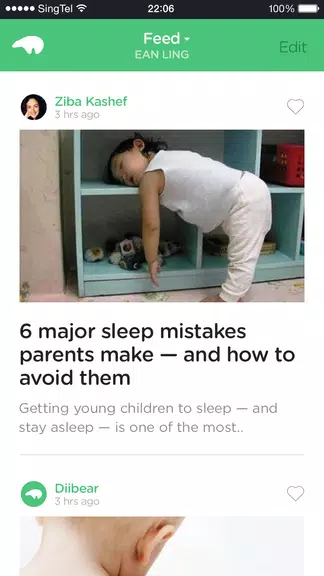
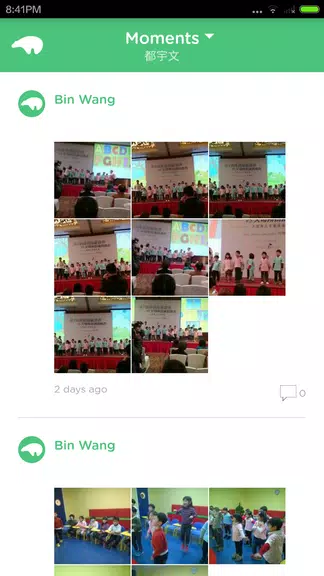
The core of Diibear is a classroom feed where teachers post short reports and photos about lessons, play sessions and group activities; parents can open a message, read a brief summary of the day and tap through attached images or documents. In-app messaging enables direct, time-stamped exchanges between parents and staff for quick clarifications or logistics, and the app supports classroom-wide announcements so important notices reach all families at once. Notifications are configurable so users receive urgent alerts or a daily digest, depending on their preference.
Diibear organizes material by child and by class, allowing families to maintain a profile for each child with basic details and preferences. Reports are stored so parents can look back at a week or month of posts, creating an informal portfolio of progress and memorable moments that is useful for parent-teacher conversations. The app also centralizes newsletters and event information so calendars and permission notes are easier to manage.
How It Works and Controls
Navigation in Diibear is designed for quick access: a timeline-style feed shows the latest classroom posts, a dedicated message view groups one-to-one conversations with teachers, and a notices area collects school-level announcements. Typical controls are simple taps to open posts, swipes to move through images, and long-press gestures on attached items to save or share with family members. Notification settings, child profiles and school links are adjusted from a settings panel that keeps common options within easy reach.
The app focuses on low-friction interactions: teachers can draft short daily summaries, attach photos or PDFs from their device, and select the target audience (individual family, group, or whole class). Parents can reply to individual posts or send a private message when a longer discussion is needed. Where connectivity is intermittent, Diibear caches recent posts so parents can review the latest reports offline and see pending messages once a connection returns.
Progress Tracking and Engagement
Beyond daily updates, Diibear helps families observe patterns over time. Weekly and monthly summaries make it easier to spot developmental milestones, shifts in routine or recurring themes in classroom activities. This progression-oriented view supports more productive parent-teacher conversations because both sides can reference the same history of observations. For caregivers who like a record, archived posts serve as a simple timeline of experiences that can be exported or reviewed during meetings.
Visual Style, Customization and Replay Value
The visual style of Diibear is clean and uncluttered, prioritizing legible text and clear thumbnails so photos and notes are immediately recognizable. Parents can customize notification frequency, the ordering of children's profiles, and how media is displayed, which helps tailor the experience to different family rhythms. Because posts, photos and reports remain accessible in the archive, there is real replay value: parents can revisit classroom moments, replay a sequence of learning activities, or compile highlights to share with relatives.
Accessibility, Offline Use and Practical Limits
Diibear includes accessibility considerations such as scalable text, high-contrast display options and straightforward navigation to support diverse users. Core functionality works with limited connectivity through cached content and queued messages, but full media uploads and real-time exchanges require an internet connection. The usefulness of the app depends on active participation by kindergarten staff; if a school posts irregularly, families may see less day-to-day detail. Institutions and parents should agree on posting practices and communication norms to get the most consistent value from the tool.
Diibear is intended as a practical communication bridge between home and early education settings: it reduces paperwork, keeps families informed, and provides a lasting record of classroom life while recognizing that the app’s effectiveness rests on regular teacher engagement and clear local policies around sharing student information.
Show More
Information
Screenshots
Latest Update
-
![Lines Gold Pro - Icon Pack APK]()
Lines Gold Pro - Icon Pack
-
![Remote Fire TV APK]()
Remote Fire TV
-
![Flight Dark Pro - Icon Pack APK]()
Flight Dark Pro - Icon Pack
-
![Ares Light: Pastel Icon Pack APK]()
Ares Light: Pastel Icon Pack
-
![getConf - Hidden Settings APK]()
getConf - Hidden Settings
-
![Dots Live Wallpaper - Battery APK]()
Dots Live Wallpaper - Battery
-
![Chroma - Icon Pack APK]()
Chroma - Icon Pack
-
![One UI Fluffy Icon Pack APK]()
One UI Fluffy Icon Pack
-
![Pixly Limitless Fluo Icon Pack APK]()
Pixly Limitless Fluo Icon Pack
-
![Compress Video - Resize Video APK]()
Compress Video - Resize Video
-
![Pixly Professional Dark APK]()
Pixly Professional Dark
-
![Tracker Detect Pro APK]()
Tracker Detect Pro












Latest News
-
![Revealing the Launch Playlists and Cross-Progression for COD Warzone Mobile News]()
-
![March 2024 Free Redemption Codes for Honkai: Star Rail News]()
-
PUBG Mobile Teams Up with Bentley Motors: Luxury Cars, Exclusive Collectibles, and Beyond 2024-04-18
![PUBG Mobile Teams Up with Bentley Motors: Luxury Cars, Exclusive Collectibles, and Beyond News]()
-
![Monster Never Cry is now accessible on both Android and iOS mobile devices. News]()
-
V2.2 of the Farlight 84 update introduces an overhauled Season structure, fresh in-game currency, an 2024-04-16
![V2.2 of the Farlight 84 update introduces an overhauled Season structure, fresh in-game currency, an News]()
-
![Arrival of Genshin Impact 4.6 Update: 'Embers of Two Realms, Twilight of Crimson' News]()
-
April 2024 Clash of Clans Update: Unveiling a Fresh Companion, Enhanced Levels, Chat Tagging, and Be 2024-04-16
![April 2024 Clash of Clans Update: Unveiling a Fresh Companion, Enhanced Levels, Chat Tagging, and Be News]()






