

mBCCS - Viettel Telecom
Version:9.4.7
Published:2026-10-15
Introduction
mBCCS - Viettel Telecom is a mobile business tool designed for field agents and support teams, streamlining customer care, order processing, and task tracking on the go. The app centralizes customer data, inventory checks, and service requests so teams can complete workflows faster and with fewer errors.
What mBCCS Does
At its core, mBCCS - Viettel Telecom acts as a compact operations hub for telecom personnel and partners. It replaces paperwork and fragmented tools by consolidating customer records, contract details, device availability, and service history into a single mobile interface tailored for busy field environments.
Primary Benefits
- Faster order handling: Submit, update, and track orders directly from the device.
- Accurate customer records: Access verified contact and billing details in real time.
- Inventory visibility: Check stock and reserve equipment before visiting a customer.
Key Features Explained
mBCCS focuses on features that reduce friction in daily operations. It includes guided work flows for sales and installation, forms for service activation, and digital signatures where applicable. Built-in validation prevents common data entry mistakes and speeds up approvals.
- Task management: Assign, prioritize, and close tasks with timestamps and status updates.
- Offline mode: Continue collecting information in areas without coverage and sync when connectivity returns.
- Reporting tools: Generate simple performance reports and export data for back-office reconciliation.
How the Workflow Runs
Using mBCCS - Viettel Telecom typically follows a linear flow: locate the customer profile, validate the service or product, create an order or report, capture proof of service, and submit for processing. Each step includes prompts and mandatory fields to ensure data completeness.
Interface and Performance
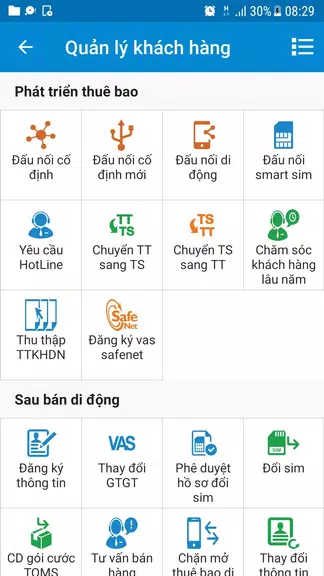
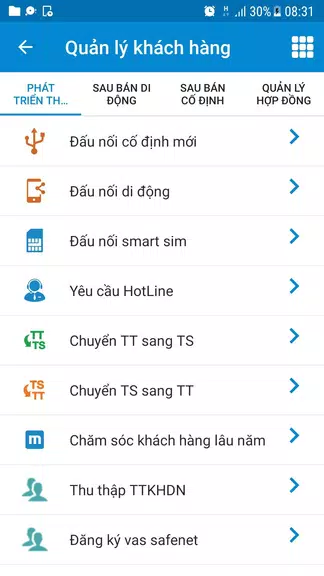
The app presents a clear, utilitarian interface optimized for quick taps and minimal scrolling. Key actions are accessible from the home screen, and search filters let users find customers or orders by ID, name, or phone number. Performance is tuned to load essential screens quickly, with caching to reduce repeated data fetches.
- Design: Prioritizes readability and task flow over decorative elements.
- Speed: Caches frequent queries and intelligently preloads data.
- Compatibility: Works on a range of Android devices commonly used in field teams.
Security and Integration
Security is handled through role-based access controls and encrypted data transfers. The app integrates with back-office systems for billing, CRM, and inventory, so entries made in the field are reconciled with central databases without manual intervention.
Tips for New Users
Start by completing the profile setup and syncing recent customer data while connected to Wi‑Fi. Favor the app’s built-in forms instead of creating offline notes, as that reduces the chance of duplicate entries. Regularly upload collected documents and photos to avoid local storage issues.
- Use offline mode wisely: Sync frequently when possible to prevent conflicts.
- Leverage filters: Narrow search results to save time on large customer lists.
- Keep the app updated: New releases often include workflow refinements and bug fixes.
Practical Scenarios
Field engineers can confirm an installation, capture a customer signature, and submit an activation request without returning to the office. Sales representatives can check stock levels and convert a lead into an order during a single appointment. Support staff benefit from immediate access to historical tickets and contract terms.
Installation and Getting Started
Download and install mBCCS - Viettel Telecom from the official distribution channel provided by your organization. After logging in with corporate credentials, the onboarding sequence guides users through permissions, profile configuration, and the initial data sync. Training modules and quick reference guides are usually available within the app to shorten ramp-up time.
For teams seeking reliable field operations, mBCCS streamlines routine activities while keeping data consistent across devices and central systems, enabling faster service delivery and clearer accountability for mobile staff.
Show More
Information
Screenshots

Latest Update












Latest News
-
![Revealing the Launch Playlists and Cross-Progression for COD Warzone Mobile News]()
-
![March 2024 Free Redemption Codes for Honkai: Star Rail News]()
-
PUBG Mobile Teams Up with Bentley Motors: Luxury Cars, Exclusive Collectibles, and Beyond 2024-04-18
![PUBG Mobile Teams Up with Bentley Motors: Luxury Cars, Exclusive Collectibles, and Beyond News]()
-
![Monster Never Cry is now accessible on both Android and iOS mobile devices. News]()
-
V2.2 of the Farlight 84 update introduces an overhauled Season structure, fresh in-game currency, an 2024-04-16
![V2.2 of the Farlight 84 update introduces an overhauled Season structure, fresh in-game currency, an News]()
-
![Arrival of Genshin Impact 4.6 Update: 'Embers of Two Realms, Twilight of Crimson' News]()
-
April 2024 Clash of Clans Update: Unveiling a Fresh Companion, Enhanced Levels, Chat Tagging, and Be 2024-04-16
![April 2024 Clash of Clans Update: Unveiling a Fresh Companion, Enhanced Levels, Chat Tagging, and Be News]()






