

GeTime
Version:6
Published:2026-10-15
Introduction
GeTime is a minimalist time-management app that combines task scheduling, tracking and smart reminders to help users reclaim focus. Designed for quick setup and flexible routines, GeTime syncs across devices and adapts to different workflows, turning loose to-do lists into actionable daily plans without overwhelming settings or clutter.
Core Features
At its heart, GeTime offers a compact set of tools crafted for uninterrupted productivity. Create tasks, set deadlines, attach notes and organize items into projects or tags. Built-in timers let you switch between focused work sessions and short breaks, while recurring task options and customizable alerts ensure important items don’t slip through the cracks.
Interface and User Flow
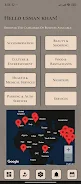
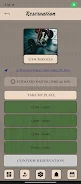
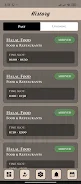
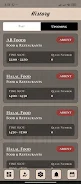
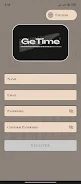
The interface balances simplicity with capability. A clean dashboard highlights today’s priorities, upcoming events and a progress strip that visualizes how much of your planned day is complete. The navigation is gesture-friendly: swipe to complete items, long-press to edit, and drag tasks to reorder priorities. GeTime’s minimal color palette keeps the visual noise low, so attention remains on actions rather than decorations.
Smart Scheduling and Automation
GeTime includes several automation helpers that reduce manual planning. Smart suggestions propose ideal time slots based on your free periods and historical completion rates. Snooze and defer rules let the app intelligently reschedule items when a day becomes too full. For power users, conditional automations can trigger reminder chains or move tasks between projects once prerequisites are met.
Widgets, Sync and Integration
Homescreen widgets provide one-tap access to today’s list or a quick timer. Calendar sync keeps appointments and deadlines aligned with external schedules, and optional cloud sync secures your tasks across phones and tablets. GeTime supports CSV export for those who prefer to archive or analyze lists in spreadsheets, and popular calendar links make it easy to add tasks from other services.
Customization and Personalization
While GeTime favors a streamlined default, customization is available where it matters. Choose notification sound profiles, control vibration intensity, and set quiet hours to suppress alerts. Themes allow dark and light modes, and custom reminder templates speed up repetitive task creation. Tags and color-coding give visual hierarchy without forcing complex folder trees.
Performance, Privacy and Compatibility
Performance is optimized for modern and mid-range devices; the app launches quickly and maintains smooth scrolling even with hundreds of items. Offline mode keeps tasks available without a network connection and synchronizes changes when connectivity returns. Privacy options let you disable cloud sync and keep data stored locally; when cloud backup is enabled, encrypted transmission protects sensitive content. GeTime is compatible with recent Android versions and uses minimal battery and memory resources.
Tips for Effective Use
- Start small: Begin with three daily priorities to build momentum and avoid overload.
- Use timers: Pair 25–50 minute focus blocks with short breaks for sustained attention.
- Review weekly: A weekly review in GeTime helps reprioritize tasks and clear outdated items.
- Leverage templates: Save recurring workflows as templates to recreate complex checklists in seconds.
Getting Started
After installing, set up an account or opt for local-only storage. Add a few tasks to populate the Today view and connect your calendar if desired. Explore widgets and notification settings to match your routine. Most users find a setup time of under five minutes yields meaningful improvements in daily organization.
Who Benefits Most
GeTime is well-suited for people who want an efficient blend of scheduling and focus tools without the learning curve of heavy project management suites. Freelancers, students and professionals who juggle multiple short-term tasks will appreciate the quick capture, smart scheduling and unobtrusive reminders that help turn intention into action.
Final Notes
GeTime keeps attention on what matters: planning, executing and reflecting. Its measured feature set, responsive performance and privacy-aware options make it a practical choice for Android users looking for a reliable daily planning companion that stays out of the way while keeping work on track.
Show More
Information
Screenshots

Latest Update
-
![Lines Gold Pro - Icon Pack APK]()
Lines Gold Pro - Icon Pack
-
![Remote Fire TV APK]()
Remote Fire TV
-
![Flight Dark Pro - Icon Pack APK]()
Flight Dark Pro - Icon Pack
-
![Ares Light: Pastel Icon Pack APK]()
Ares Light: Pastel Icon Pack
-
![getConf - Hidden Settings APK]()
getConf - Hidden Settings
-
![Dots Live Wallpaper - Battery APK]()
Dots Live Wallpaper - Battery
-
![Chroma - Icon Pack APK]()
Chroma - Icon Pack
-
![One UI Fluffy Icon Pack APK]()
One UI Fluffy Icon Pack
-
![Pixly Limitless Fluo Icon Pack APK]()
Pixly Limitless Fluo Icon Pack
-
![Compress Video - Resize Video APK]()
Compress Video - Resize Video
-
![Pixly Professional Dark APK]()
Pixly Professional Dark
-
![Tracker Detect Pro APK]()
Tracker Detect Pro












Hot Tags
Latest News
-
![Revealing the Launch Playlists and Cross-Progression for COD Warzone Mobile News]()
-
![March 2024 Free Redemption Codes for Honkai: Star Rail News]()
-
PUBG Mobile Teams Up with Bentley Motors: Luxury Cars, Exclusive Collectibles, and Beyond 2024-04-18
![PUBG Mobile Teams Up with Bentley Motors: Luxury Cars, Exclusive Collectibles, and Beyond News]()
-
![Monster Never Cry is now accessible on both Android and iOS mobile devices. News]()
-
V2.2 of the Farlight 84 update introduces an overhauled Season structure, fresh in-game currency, an 2024-04-16
![V2.2 of the Farlight 84 update introduces an overhauled Season structure, fresh in-game currency, an News]()
-
![Arrival of Genshin Impact 4.6 Update: 'Embers of Two Realms, Twilight of Crimson' News]()
-
April 2024 Clash of Clans Update: Unveiling a Fresh Companion, Enhanced Levels, Chat Tagging, and Be 2024-04-16
![April 2024 Clash of Clans Update: Unveiling a Fresh Companion, Enhanced Levels, Chat Tagging, and Be News]()






