

Tahkeem
Version:1.1.6
Published:2026-10-16
Introduction
Tahkeem is a focused case-management and arbitration support app designed for legal professionals and dispute resolution teams. It consolidates documents, calendar events, and communication into a single workspace, speeding routine tasks while keeping sensitive records organized and searchable across devices.
Quick overview
Tahkeem brings a pragmatic toolkit to legal workflows without unnecessary complexity. The app focuses on organizing case files, tracking hearing dates, and maintaining secure communications between counsel and clients. It aims to reduce administrative friction so teams can prioritize strategy and deadlines instead of paperwork and version confusion.
Primary capabilities
The core strength of Tahkeem is its blend of document control and timeline management. Users can upload and tag evidence, create configurable checklists for preparation steps, and link related items to a single case record. Built-in search and metadata fields make retrieval fast even when a case gets large.
Key features at a glance
- Document repository: Centralized storage with version history and access logs.
- Calendar & reminders: Integrated scheduling with customizable alerts for hearings and filing deadlines.
- Secure messaging: Encrypted client and team communication channels tied to case entries.
- Custom templates: Create and reuse pleadings, checklists, and evidence inventories.
- Audit-ready reports: Export summaries for courts or internal review.
How the workflow is structured
Starting a new matter in Tahkeem involves defining parties, setting key dates, and assigning tasks. From there, files are attached to events or issues so that context is preserved: a deposition transcript sits next to scheduling notes and communication logs. The design reduces the need to cross-reference multiple apps during busy preparation periods.
User interface and navigation
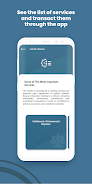
The interface favors clarity over novelty. A left-hand navigation pane lists active matters and recent activity while the main view presents case timelines and document thumbnails. Actions are available through contextual menus, minimizing clicks for common tasks. Performance remains consistent even with large document sets because indexing happens in the background.
Security and compliance considerations
Tahkeem places emphasis on data protection with role-based permissions and end-to-end encryption for message threads. Administrators can set retention policies and export logs to support audits. For teams operating under strict regulatory regimes, the app offers configurable controls that help align its use with internal compliance rules.
Integration and export options
Connectivity with calendars, email clients, and popular cloud storage services streamlines workflows. Exports are available in standard formats for court submissions or partner sharing. Tahkeem’s API supports automation of routine tasks, such as syncing deadlines with external practice management systems.
Practical tips for new users
Begin by importing active matters and establishing a naming standard for documents. Use tags liberally to group related evidence and enable granular search. Set reminders for critical milestones early: the notification system prevents last-minute rushes. Regularly archive closed matters to keep the workspace focused on current work.
Who benefits most
Legal teams handling multiple simultaneous disputes or arbitrations will find Tahkeem particularly useful. Its structure supports collaborative preparation and reduces the overhead of coordinating across offices. Solo practitioners can scale the app to their case volume while firms can apply firm-wide templates to maintain consistency.
Performance impressions
In everyday use Tahkeem responds quickly to search queries and handles large document uploads without noticeable lag. The background indexing and compact UI ensure that users spend less time waiting and more time reviewing materials. Mobile accessibility allows progress checks between meetings or while traveling.
Getting started and support
Installation is straightforward: create an account, invite team members, and begin by importing a recent case to test features. A knowledge base and guided tutorials are available within the app for onboarding. For teams that require it, priority support and training packages can expedite rollout.
Tahkeem succeeds by focusing on the tasks that matter to dispute resolution professionals: structured record keeping, timely reminders, and secure collaboration. For teams looking to reduce administrative burden without sacrificing control, it provides a measured, practical platform that integrates into existing legal workflows.
Show More
Information
Screenshots



Latest Update












Latest News
-
![Revealing the Launch Playlists and Cross-Progression for COD Warzone Mobile News]()
-
![March 2024 Free Redemption Codes for Honkai: Star Rail News]()
-
PUBG Mobile Teams Up with Bentley Motors: Luxury Cars, Exclusive Collectibles, and Beyond 2024-04-18
![PUBG Mobile Teams Up with Bentley Motors: Luxury Cars, Exclusive Collectibles, and Beyond News]()
-
![Monster Never Cry is now accessible on both Android and iOS mobile devices. News]()
-
V2.2 of the Farlight 84 update introduces an overhauled Season structure, fresh in-game currency, an 2024-04-16
![V2.2 of the Farlight 84 update introduces an overhauled Season structure, fresh in-game currency, an News]()
-
![Arrival of Genshin Impact 4.6 Update: 'Embers of Two Realms, Twilight of Crimson' News]()
-
April 2024 Clash of Clans Update: Unveiling a Fresh Companion, Enhanced Levels, Chat Tagging, and Be 2024-04-16
![April 2024 Clash of Clans Update: Unveiling a Fresh Companion, Enhanced Levels, Chat Tagging, and Be News]()






