
My Home Budget
Version:1.0.11
Published:2026-10-16
Introduction
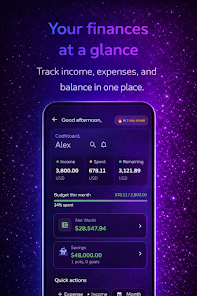
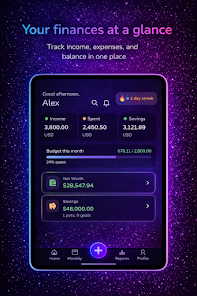
My Home Budget helps households take control of everyday finances by making it simple to track expenses, set monthly limits and manage bills from a single, shared place. The app is designed for families and flatmates who need an overview of fixed costs, utilities, income and savings goals while keeping sensitive data protected. My Home Budget combines camera-based receipt capture, categorized expense tracking and a daily budget view so users can see where money goes and plan each month with greater confidence.
Key features
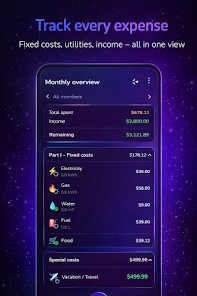
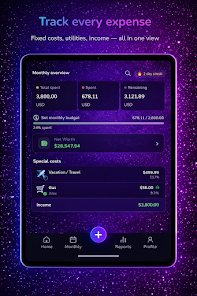
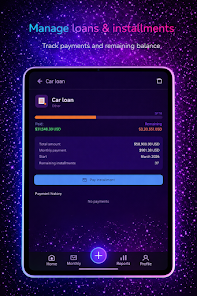
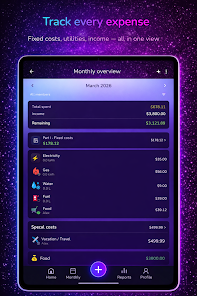
The app organizes spending into categories and subcategories (fixed costs, utilities, groceries, transport and more) so it’s easy to compare month-to-month. Add expenses manually or use the camera to scan paper receipts: amounts, merchant names and dates are extracted automatically and suggested categories are offered to speed entry. Create recurring bills, mark payments as paid, and attach notes or photos to individual items. A quick copy-last-month tool helps set up recurring budget periods and the daily budget tracker shows how much can be spent to stay on target.
How it works and controls
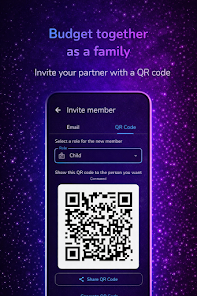
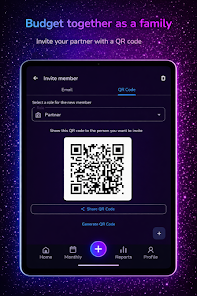
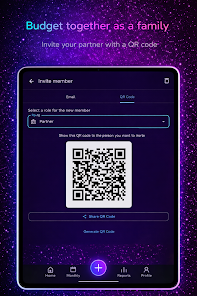
Interaction is kept simple and mobile-first: a tap-to-add workflow for expenses, swipe gestures to edit or delete entries, and a clear navigation bar to switch between overview, budgets and reports. Sharing a household budget is handled with QR-code invites that let family members join without complicated account linking; one person creates the shared plan and others accept the invite with a camera scan. Receipt scanning uses the device camera and runs locally to extract key fields, while AI-driven suggestions appear as non-intrusive prompts to help classify transactions.
Progression, goals and challenge systems
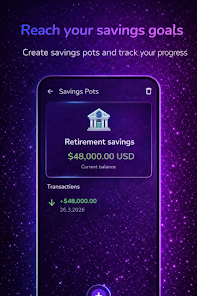
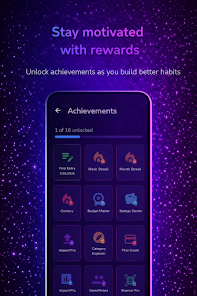
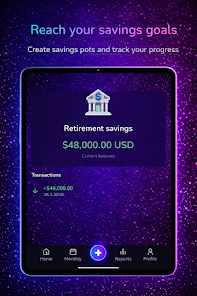
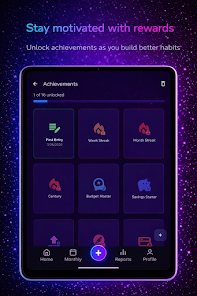
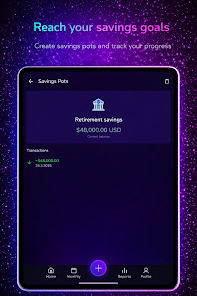
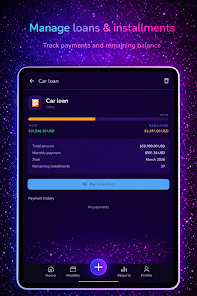
Budgeting progress follows natural monthly cycles: set a target for each category, monitor spending as it happens and review a simple progress bar or percentage to see how close you are to the limit. Set savings goals and assign a target date; the app projects required monthly savings and notifies you when you fall behind. Built-in alerts warn about overspending, upcoming bills or unusually large transactions so households can take corrective action. These challenge-style prompts create a steady progression toward better financial habits without gamified gimmicks.
Customization and visual style
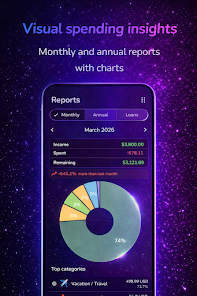
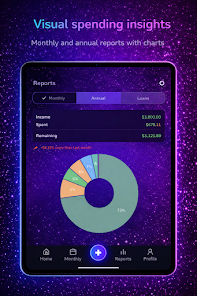
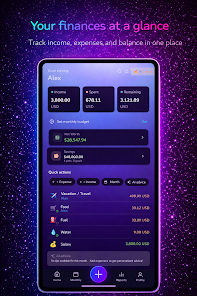
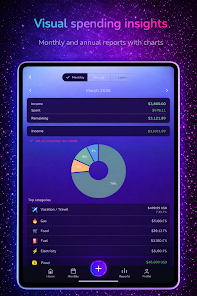
My Home Budget offers color-coded categories, compact lists and graphical overviews so users can pick the layout that suits them. The main dashboard combines pie charts for category breakdowns with a timeline of recent transactions and a calendar of due bills for quick orientation. Currency formatting follows local conventions and the app supports multiple languages; Premium users can unlock additional currencies and regional formats. Font sizes, contrast settings and simplified views help make the interface readable and approachable for a wide range of users.
Reports, replay value and long-term use
Monthly and annual reports summarize spending patterns, income vs. expenses and how savings goals are progressing, which gives households meaningful feedback to improve planning. Because budgets are tied to calendar periods and receipts accumulate over time, the app naturally encourages repeated use: weekly checks, daily expense captures and monthly reviews become part of a practical household routine. Advanced reports available in Premium provide deeper breakdowns for those who need more granular analysis.
Security, offline access and sync
Security and privacy are priorities: data is stored with encryption at rest and certificate pinning is used to protect connections. My Home Budget works offline so you can record transactions without a network and the app will automatically sync changes when a connection is restored. Shared household plans synchronize via QR-code invites and, where enabled, multi-device sync is available for Premium subscribers to keep multiple phones in step without exposing account credentials.
Accessibility, supported locales and limitations
The app includes accessibility options such as larger text, high-contrast themes and clear touch targets to make budgeting easier for users with different needs. It currently supports a dozen languages and sixteen properly formatted currencies; if your locale is not listed you can still use the core features but some regional formats may be limited. The free tier covers full budgeting functionality with ads, while Premium removes ads and adds unlimited categories, advanced reports and enhanced multi-device sync for households that need extended capabilities.
Whether you’re organizing shared household expenses for the first time or refining a long-running family budget, My Home Budget provides the day-to-day tools and periodic reports needed to make practical decisions. The combination of receipt scanning, category controls, goal tracking and secure offline-first design aims to reduce friction and make budgeting an ordinary, manageable part of household life.
Show More
Information
Screenshots
Latest Update












Latest News
-
![Revealing the Launch Playlists and Cross-Progression for COD Warzone Mobile News]()
-
![March 2024 Free Redemption Codes for Honkai: Star Rail News]()
-
PUBG Mobile Teams Up with Bentley Motors: Luxury Cars, Exclusive Collectibles, and Beyond 2024-04-18
![PUBG Mobile Teams Up with Bentley Motors: Luxury Cars, Exclusive Collectibles, and Beyond News]()
-
![Monster Never Cry is now accessible on both Android and iOS mobile devices. News]()
-
V2.2 of the Farlight 84 update introduces an overhauled Season structure, fresh in-game currency, an 2024-04-16
![V2.2 of the Farlight 84 update introduces an overhauled Season structure, fresh in-game currency, an News]()
-
![Arrival of Genshin Impact 4.6 Update: 'Embers of Two Realms, Twilight of Crimson' News]()
-
April 2024 Clash of Clans Update: Unveiling a Fresh Companion, Enhanced Levels, Chat Tagging, and Be 2024-04-16
![April 2024 Clash of Clans Update: Unveiling a Fresh Companion, Enhanced Levels, Chat Tagging, and Be News]()






