

Ushield
Version:1.1.0
Published:2026-10-17
Introduction
Ushield is a compact mobile security suite designed to protect privacy, block threats, and manage device access with minimal friction. It combines app locking, real-time malware scanning, VPN routing, and parental controls into a single interface to keep data secure while maintaining battery-friendly performance.
Core tools and capabilities
At its center, Ushield offers layered protection tools intended for everyday smartphone users. The app scanning engine inspects installed packages and downloads for suspicious behavior while the adjustable firewall filters network activity. A built-in VPN masks connections on public Wi-Fi, and the app lock module prevents unauthorized access to sensitive apps through PIN, pattern, or biometric verification.
How protection works in practice
Protection occurs across three stages: prevention, detection, and containment. Prevention includes permission audits and a secure browser that warns about risky sites. Detection relies on heuristic and signature checks to identify malware and intrusive tracking components. If a threat is discovered, containment options allow quarantining or uninstalling problematic apps, as well as revoking permissions to reduce exposure.
User interface and workflow
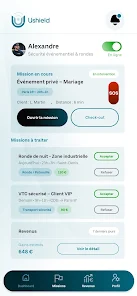
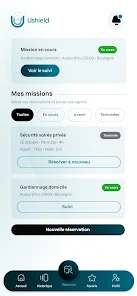
The interface places most-used controls on a concise dashboard so routine checks and VPN toggles are one tap away. Setup walks new users through a short privacy checklist, prompting for an admin grant for app-lock features and offering a wifi-safety profile. Notifications are modular: security alerts, VPN status, and battery-saving recommendations can be adjusted to reduce distraction.
Customization and access control
Customization is a standout area. You can whitelist trusted apps, create time-based lock rules, and schedule automatic scans during idle hours. Parental profiles allow limiting screen time, blocking specific categories of apps, and producing weekly activity summaries. Advanced users gain access to granular network rules and exclusion lists for scanning if needed.
Performance and compatibility
Ushield focuses on lightweight operation to avoid slowing devices. Background services are optimized to reduce CPU usage and preserve battery life, with an adaptive scanning mode that backs off during heavy use. The app supports a wide range of Android versions and is compatible with common OEM customizations; however, some features require device admin privileges or specific Android permissions to function fully.
Privacy and data handling
Privacy is handled transparently: diagnostic and telemetry options can be disabled, and the VPN states whether it logs connection times or traffic metadata. Local threat databases are updated incrementally to limit data transfer. When cloud lookups are necessary, minimal metadata is sent for matching rather than full device snapshots.
Integration with daily routines
Designed to fit into regular use, Ushield can be scheduled to run scans overnight, automatically enable VPN on untrusted networks, and toggle app locks during work hours. The quick-action notification and homescreen widgets make it simple to engage key features without opening the full app.
Installation and getting started
Getting started with Ushield is straightforward: install, complete the privacy checklist, and grant the recommended permissions. A setup wizard suggests optimal defaults based on device age and typical usage. For families, adding child profiles and setting limits takes only a few minutes.
Support and updates
Regular signature updates and periodic feature releases keep protection current. The built-in help center includes FAQs, step-by-step guides, and a diagnostics tool to prepare logs for support requests. Users can also schedule automatic backups of settings for easier migration to new devices.
Why choose this app
For users seeking a consolidated, easy-to-manage security solution, Ushield blends practical privacy tools with performance-aware design. It balances automatic defenses with options for power users who want deeper control, making it suitable for people who want strong protection without ongoing micromanagement.
Show More
Information
Screenshots


Latest Update












Latest News
-
![Revealing the Launch Playlists and Cross-Progression for COD Warzone Mobile News]()
-
![March 2024 Free Redemption Codes for Honkai: Star Rail News]()
-
PUBG Mobile Teams Up with Bentley Motors: Luxury Cars, Exclusive Collectibles, and Beyond 2024-04-18
![PUBG Mobile Teams Up with Bentley Motors: Luxury Cars, Exclusive Collectibles, and Beyond News]()
-
![Monster Never Cry is now accessible on both Android and iOS mobile devices. News]()
-
V2.2 of the Farlight 84 update introduces an overhauled Season structure, fresh in-game currency, an 2024-04-16
![V2.2 of the Farlight 84 update introduces an overhauled Season structure, fresh in-game currency, an News]()
-
![Arrival of Genshin Impact 4.6 Update: 'Embers of Two Realms, Twilight of Crimson' News]()
-
April 2024 Clash of Clans Update: Unveiling a Fresh Companion, Enhanced Levels, Chat Tagging, and Be 2024-04-16
![April 2024 Clash of Clans Update: Unveiling a Fresh Companion, Enhanced Levels, Chat Tagging, and Be News]()






