

FinSphere Ai
Version:1.0
Published:2026-10-18
Introduction
FinSphere Ai is a smart financial management app that blends automated insights, real-time tracking, and natural language queries to help users understand and control money flows. Designed for both individuals and small teams, it simplifies budgeting, forecasting, and investment monitoring while keeping complex data easy to act on.
What FinSphere Ai Does
FinSphere Ai centralizes accounts, transactions, and financial goals into one dashboard. It connects to banks and brokerage accounts, categorizes spending automatically, and surfaces trends without manual spreadsheets. The app uses machine learning to detect recurring payments, forecast balances, and flag unusual activity so you can make decisions faster.
Core Capabilities
- Automated Categorization: Transactions are sorted into meaningful groups that you can rename and merge.
- Predictive Forecasts: Short- and long-term cashflow models estimate balances under different scenarios.
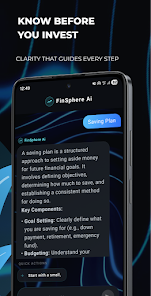
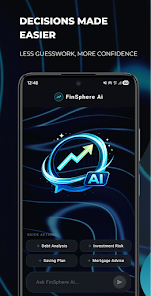
- Natural Language Queries: Ask questions like "How much did I spend on coffee last month?" and get instant answers.
- Multi-Account Aggregation: Link checking, savings, credit cards, and investment accounts for a unified view.
- Custom Alerts: Set notifications for low balances, bill due dates, or unusual transactions.
User Workflow and Interface
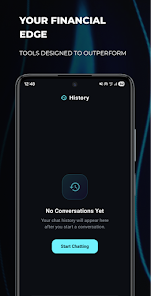
The interface favors clarity: a top-level summary shows net worth and cash runway, while cards and charts provide a drill-down into categories and accounts. Navigation is gesture-friendly on mobile, and the app adapts to both compact phone screens and larger tablets. Dashboards can be customized with widgets that highlight the metrics most relevant to your goals.
How the AI Helps
FinSphere Ai leverages pattern recognition to reduce repetitive tasks. It learns from user edits, improves category accuracy over time, and suggests budget adjustments based on spending habits. For investors, it provides attribution analysis and portfolio-level risk indicators so you can see which positions drive returns or losses.
Performance and Reliability
Performance is optimized for frequent synchronization without draining battery life. Background sync operates on incremental updates, and charts are rendered client-side to keep the UI responsive. Offline mode caches recent data so you can inspect information without network access; changes sync back once connectivity is restored.
Security and Privacy Measures
Security is built into the platform with end-to-end encryption for stored financial data and secure token-based connections to financial institutions. Biometric authentication is supported for quick access on devices with compatible hardware. Privacy controls let you manage data retention, export history, and integrated app permissions.
Customization Options
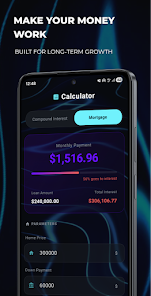
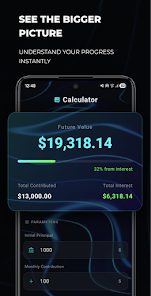
FinSphere Ai allows users to tailor budgets, labels, and reporting periods. You can create custom spending rules, define savings targets, and schedule recurring contributions. Reports are exportable as CSV or PDF for accountants and tax preparation, and themes let you choose a compact or detailed layout depending on your reporting needs.
Tips for New Users
- Start by linking primary checking and credit accounts for the most immediate value.
- Review automated categories for the first two weeks and correct misclassifications so the AI learns your preferences.
- Set a single weekly alert for low balance forecasting to stay ahead of cash shortfalls.
- Use the natural language query tool to test quick questions rather than hunting through menus.
Why Professionals Might Choose It
Small business owners and freelancers will appreciate the income-expenditure segregation, invoicing reminders, and simple export options. Advisors can create shared views for clients and annotate reports with recommendations. The balance of automation and manual controls makes FinSphere Ai suitable for users who want machine assistance without losing oversight.
Getting Started
Installation is straightforward: download, create an account, and link financial institutions using secure credentials. The onboarding flow walks through goals and typical expenses to seed initial budgets. A short tutorial highlights query phrases and common workflows, so new users can reach useful insights within the first session.
Show More
Information
Screenshots


Latest Update












Latest News
-
![Revealing the Launch Playlists and Cross-Progression for COD Warzone Mobile News]()
-
![March 2024 Free Redemption Codes for Honkai: Star Rail News]()
-
PUBG Mobile Teams Up with Bentley Motors: Luxury Cars, Exclusive Collectibles, and Beyond 2024-04-18
![PUBG Mobile Teams Up with Bentley Motors: Luxury Cars, Exclusive Collectibles, and Beyond News]()
-
![Monster Never Cry is now accessible on both Android and iOS mobile devices. News]()
-
V2.2 of the Farlight 84 update introduces an overhauled Season structure, fresh in-game currency, an 2024-04-16
![V2.2 of the Farlight 84 update introduces an overhauled Season structure, fresh in-game currency, an News]()
-
![Arrival of Genshin Impact 4.6 Update: 'Embers of Two Realms, Twilight of Crimson' News]()
-
April 2024 Clash of Clans Update: Unveiling a Fresh Companion, Enhanced Levels, Chat Tagging, and Be 2024-04-16
![April 2024 Clash of Clans Update: Unveiling a Fresh Companion, Enhanced Levels, Chat Tagging, and Be News]()






