

Lekhne Sathi
Version:0.2.1
Published:2026-10-18
Introduction
Lekhne Sathi is a Nepali-focused writing assistant for Android that helps users compose, edit, and format Nepali text with ease. It offers predictive typing, script conversion, and grammar suggestions tailored to Nepali languages, making mobile writing faster and more accurate for students, journalists, and casual users.
What Lekhne Sathi Does
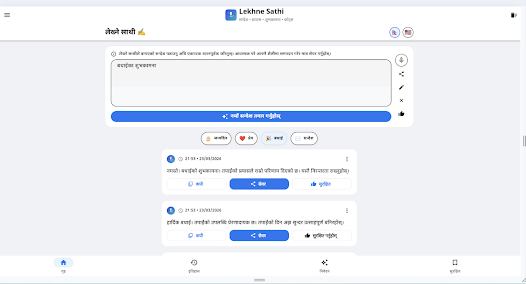
Lekhne Sathi acts as a compact toolkit for composing Nepali content on the go. Beyond basic typing, the app converts Romanized input into Devanagari script, suggests words contextually, and supplies quick templates for common document types. Users can expect a blend of language-specific intelligence and straightforward editing tools.
Core Features
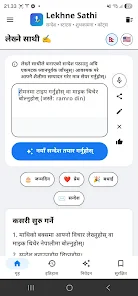
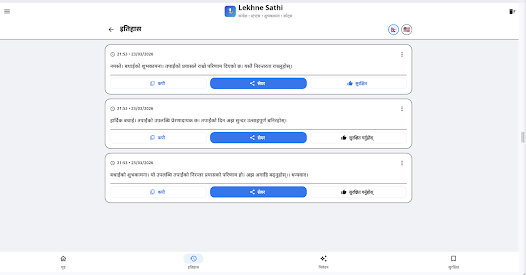
- Smart Transliteration: Type Nepali words using Latin characters and see them rendered in Devanagari instantly.
- Contextual Suggestions: Predictive text that learns user vocabulary and improves suggestions over time.
- Grammar Assistance: Basic grammar and spelling hints crafted for Nepali sentence structures.
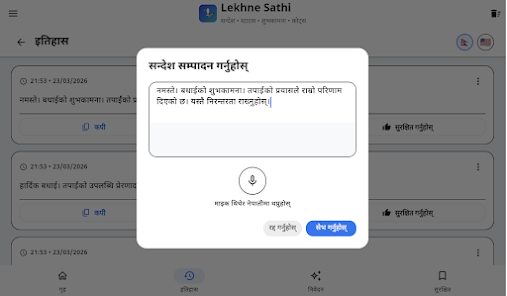
- Formatting Tools: Options for bold, italics, lists, and heading styles to prepare notes, posts, or short articles.
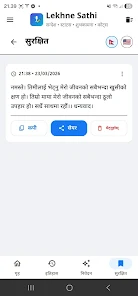
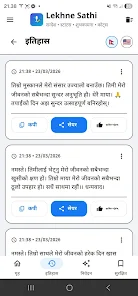
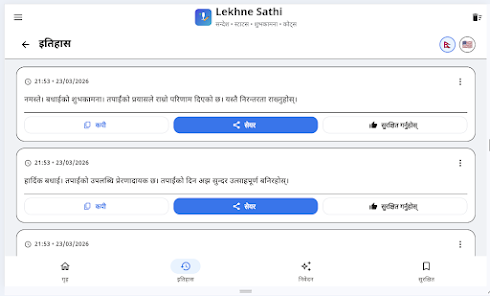
- Export & Share: Save or share text to messaging apps, email, and cloud services without losing script fidelity.
User Interface and Workflow
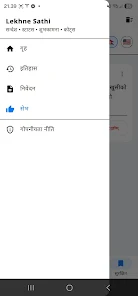
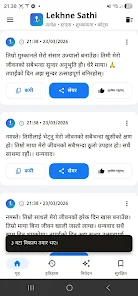
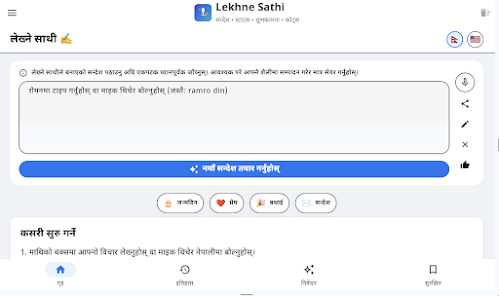
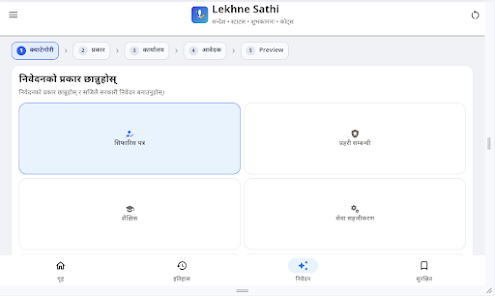
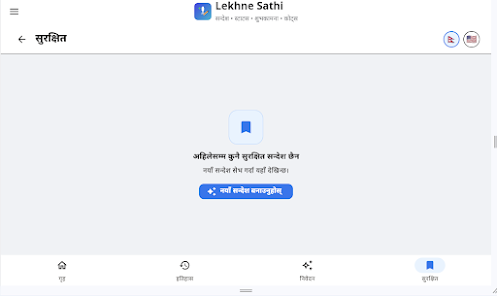
The interface prioritizes speed and clarity. A clean keyboard overlay sits above the native input, enabling one-tap conversion and word replacement. Menus are arranged for minimal disruption: primary actions like convert, undo, and copy are visible at all times, while secondary settings hide behind a simple gear icon. Lekhne Sathi reduces friction so users spend more time writing and less time navigating menus.
Writing Tools and Customization
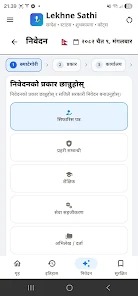
Customization is practical rather than deep. Users can toggle transliteration on or off, select preferred dictionary variants, and add frequently used phrases to a personal quick-access bar. Lekhne Sathi also supports text templates for greetings, news leads, and social captions, which can be edited and saved. These little conveniences accelerate repetitive tasks and keep consistent style across different documents.
Performance and Compatibility
Designed for modern Android devices, Lekhne Sathi runs smoothly on phones and tablets with modest resources. The app is optimized to keep battery and data usage low while delivering rapid transliteration and suggestion updates. It integrates with most third-party apps that accept pasted text, and it plays well with cloud backup services for storing user dictionaries and preferences.
Practical Use Cases
Journalists and bloggers find Lekhne Sathi useful for drafting copy in Nepali under tight deadlines. Students use it for note-taking and essay preparation, while small business owners rely on it to create marketing messages and customer replies. The app also serves casual users who want to chat in Nepali without switching keyboards or manually converting scripts.
Getting Started
Begin by installing Lekhne Sathi and granting basic input permissions. Run the quick setup to choose language settings and enable transliteration. A short tutorial introduces the keyboard overlay and conversion commands. Within minutes you can type naturally and watch the app transform Romanized input into accurate Devanagari text.
Tips for Better Results
- Train the suggestions by using the app for everyday typing; the engine adapts to your preferred words and phrasing.
- Keep the personal phrase list updated with commonly used signatures or company names to avoid repetitive corrections.
- Use templates for recurring messages to save time and preserve consistent tone.
Support and Privacy
Lekhne Sathi includes in-app help and a feedback channel for reporting errors or suggesting dictionary improvements. The app emphasizes local processing of text where possible to protect user privacy; any cloud-based features are opt-in and clearly described so users can choose what to sync.
Lekhne Sathi brings practical Nepali writing tools into a compact Android package. With a focus on transliteration, contextual suggestions, and straightforward customization, it helps anyone who writes in Nepali move from idea to finished text more quickly and accurately.
Show More
Information
Screenshots
Latest Update
-
![Lines Gold Pro - Icon Pack APK]()
Lines Gold Pro - Icon Pack
-
![Remote Fire TV APK]()
Remote Fire TV
-
![Flight Dark Pro - Icon Pack APK]()
Flight Dark Pro - Icon Pack
-
![Ares Light: Pastel Icon Pack APK]()
Ares Light: Pastel Icon Pack
-
![getConf - Hidden Settings APK]()
getConf - Hidden Settings
-
![Dots Live Wallpaper - Battery APK]()
Dots Live Wallpaper - Battery
-
![Chroma - Icon Pack APK]()
Chroma - Icon Pack
-
![One UI Fluffy Icon Pack APK]()
One UI Fluffy Icon Pack
-
![Pixly Limitless Fluo Icon Pack APK]()
Pixly Limitless Fluo Icon Pack
-
![Compress Video - Resize Video APK]()
Compress Video - Resize Video
-
![Pixly Professional Dark APK]()
Pixly Professional Dark
-
![Tracker Detect Pro APK]()
Tracker Detect Pro












Latest News
-
![Revealing the Launch Playlists and Cross-Progression for COD Warzone Mobile News]()
-
![March 2024 Free Redemption Codes for Honkai: Star Rail News]()
-
PUBG Mobile Teams Up with Bentley Motors: Luxury Cars, Exclusive Collectibles, and Beyond 2024-04-18
![PUBG Mobile Teams Up with Bentley Motors: Luxury Cars, Exclusive Collectibles, and Beyond News]()
-
![Monster Never Cry is now accessible on both Android and iOS mobile devices. News]()
-
V2.2 of the Farlight 84 update introduces an overhauled Season structure, fresh in-game currency, an 2024-04-16
![V2.2 of the Farlight 84 update introduces an overhauled Season structure, fresh in-game currency, an News]()
-
![Arrival of Genshin Impact 4.6 Update: 'Embers of Two Realms, Twilight of Crimson' News]()
-
April 2024 Clash of Clans Update: Unveiling a Fresh Companion, Enhanced Levels, Chat Tagging, and Be 2024-04-16
![April 2024 Clash of Clans Update: Unveiling a Fresh Companion, Enhanced Levels, Chat Tagging, and Be News]()






