
Savis.ai Sohbet Botu
Version:1.0.20
Published:2026-10-20
Introduction
Savis.ai Sohbet Botu is a conversational assistant app designed for Turkish and multilingual chats, built to streamline daily messaging, research, and productivity tasks. It blends smart responses, customizable tones, and quick integrations to make conversations more efficient across mobile workflows and casual interactions.
What the app does
At its core, Savis.ai Sohbet Botu acts as a conversational companion that responds to prompts, summarizes text, and helps users organize ideas. It is aimed at people who need fast, context-aware replies without switching between multiple tools. The app handles informational queries, creative prompts, and routine automation with an emphasis on simplicity and speed.
Key abilities and tools
The app groups its functionality into accessible modules so users can find the right tool quickly. Each module is tuned for a specific task:
- Smart replies: Auto-generated suggestions that adapt to tone and context.
- Text summarization: Condensed versions of long messages or articles for faster reading.
- Multi-turn conversations: Maintains context across several messages for coherent dialogues.
- Personalization: Save preferred tones and response styles for repeat use.
- Integration points: Connect to clipboard, note apps, and export options.
How it works in everyday use
Savis.ai Sohbet Botu uses a straightforward interaction model. Type or paste a prompt, choose the desired response style, and receive an answer within seconds. The app can be used for composing messages, creating meeting notes, brainstorming ideas, or translating short passages. Its multi-turn memory means you can ask follow-up questions without repeating context.
Interface and performance
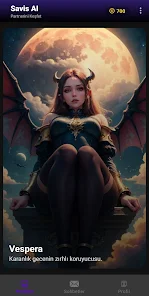
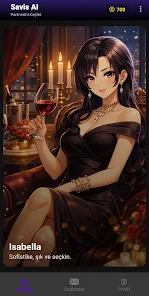
The interface emphasizes clarity. A minimal chat window displays input, responses, and quick-action buttons for copying or saving output. Performance is tuned for mobile processors; responses are rendered quickly and the app conserves battery by offloading heavier tasks to cloud processing when available. Visual cues indicate processing status so users know when the bot is working on a reply.
User experience highlights
People who adopt Savis.ai Sohbet Botu frequently point to its natural-sounding replies and the ease of tailoring responses to particular audiences. The app provides editable templates and a history section to revisit past conversations. It is useful for students, professionals, content creators, and anyone who benefits from fast text manipulation.
Customization and settings
Settings let you choose default languages, preferred tone (professional, casual, humorous), and verbosity. You can also create custom prompts and pin them for one-tap access. For privacy-conscious users, local-only modes reduce cloud interaction and retain as much data on-device as possible while still offering core functionality.
Practical tips for new users
Start with the following workflow to get immediate value:
- Begin with a clear, short prompt to set context.
- Use the reply style selector to match your audience.
- Leverage summaries to triage long messages before deeper reading.
- Save frequently used prompts as templates to speed repetitive tasks.
These simple steps help integrate Savis.ai Sohbet Botu into daily routines without a learning curve.
Security and privacy considerations
The app provides transparency about data handling and allows users to opt into local processing modes. Where cloud features are enabled, encrypted transport is used to safeguard content. For sensitive workflows, the app recommends disabling sync and using local-only features.
Installation and getting started
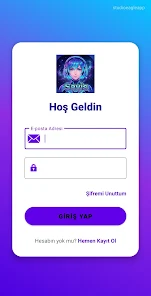
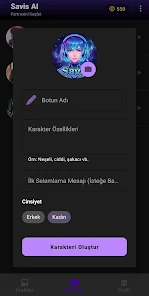
Installing Savis.ai Sohbet Botu is straightforward through the app store. After a brief onboarding that demonstrates core functions, you can immediately start a conversation and explore templates. Settings are reachable from the main menu to adjust language and export options.
For users who rely on quick messaging and content tasks, Savis.ai Sohbet Botu supplies a compact, efficient toolkit that reduces friction. With tidy controls and focused features, it competes well among mobile conversational assistants for daily productivity and casual support.
Show More
Information
Screenshots


Latest Update












Hot Tags
Latest News
-
![Revealing the Launch Playlists and Cross-Progression for COD Warzone Mobile News]()
-
![March 2024 Free Redemption Codes for Honkai: Star Rail News]()
-
PUBG Mobile Teams Up with Bentley Motors: Luxury Cars, Exclusive Collectibles, and Beyond 2024-04-18
![PUBG Mobile Teams Up with Bentley Motors: Luxury Cars, Exclusive Collectibles, and Beyond News]()
-
![Monster Never Cry is now accessible on both Android and iOS mobile devices. News]()
-
V2.2 of the Farlight 84 update introduces an overhauled Season structure, fresh in-game currency, an 2024-04-16
![V2.2 of the Farlight 84 update introduces an overhauled Season structure, fresh in-game currency, an News]()
-
![Arrival of Genshin Impact 4.6 Update: 'Embers of Two Realms, Twilight of Crimson' News]()
-
April 2024 Clash of Clans Update: Unveiling a Fresh Companion, Enhanced Levels, Chat Tagging, and Be 2024-04-16
![April 2024 Clash of Clans Update: Unveiling a Fresh Companion, Enhanced Levels, Chat Tagging, and Be News]()






