

Tilted Gaming Hub
Version:1.0.0
Published:2026-10-20
Introduction
Tilted Gaming Hub is a centralized Android app that organizes your games, streams, and community tools into a single, intuitive interface. It simplifies launching titles, tracking playtime, and discovering new content while offering quick access to friends, updates, and controller settings for streamlined mobile and connected play.
What Tilted Gaming Hub Delivers
Tilted Gaming Hub brings together essentials for modern mobile gamers: an easy-to-navigate library, fast launching, and curated recommendations. The app focuses on reducing friction between discovery and play, so you spend less time hunting for updates or settings and more time enjoying gameplay. Notifications and a unified activity feed keep everything relevant and timely.
Clean Interface and Smooth Workflow
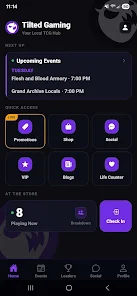
The interface emphasizes clarity. A top-level dashboard displays recent titles, active friends, and ongoing downloads. Tap a game tile to jump into launch options, view version history, or change performance presets. Menus are layered logically to avoid clutter, and common actions are accessible in two taps or fewer.
Key Features and Tools
The feature set is built around practical tools that enhance daily use:
- Library management: Auto-detect installed games and let you pin favorites for quick access.
- Performance presets: Choose between battery saver, balanced, and high-performance modes that adjust resolution and frame-rate guidelines.
- Controller support: Configure mappings, save profiles, and switch layouts per title.
- Update center: Batch updates, scheduled downloads, and selective patching give control over bandwidth and storage.
- Playtime tracking: See session statistics and streaks to monitor habits without intrusive pop-ups.
Customization and Personalization
Customization options let you tailor the app to your routine. Create theme profiles for day or night use, reorder the library with folders and tags, and set default launch parameters for individual titles. The app also suggests content based on play history, installed titles, and activity from your friend list, helping you discover new experiences efficiently.
Social Integration and Community Tools
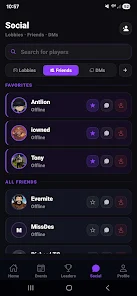
Tilted Gaming Hub keeps social features focused and unobtrusive. A compact friends panel shows online status and recent activity with quick invite and spectate actions. Shared clips and screenshots can be saved to cloud space or posted to linked platforms. Community-driven news and patch notes are filtered by relevance so you see only the updates that matter to the games you play.
Performance, Stability, and Compatibility
Performance is a priority. The app is optimized to run with minimal background load and prioritizes in-game resources when a title is launched. Compatibility checks help identify controller models, display refresh capabilities, and recommended graphical settings for your device. Regular updates aim to expand supported titles while keeping the interface responsive across older hardware.
Security and Privacy Considerations
Security features include optional cloud backups for settings and encrypted sync for saved profiles. The app requests only necessary permissions and provides clear controls for data sharing. Account connections are reversible, and activity logs can be cleared or exported for transparency.
How to Get Started
Getting started with Tilted Gaming Hub is straightforward. Install the app, allow permission to scan installed games (optional), and import your library. The onboarding tutorial walks through performance presets and controller pairing. You can customize the dashboard in minutes and start using the quick-launch features right away.
Why It Stands Out
Tilted Gaming Hub focuses on practical tools for players who want a tidy, efficient way to manage their mobile gaming life. It balances utility and customization without overwhelming users with options. If you value fast access, clear settings, and lightweight social features, the app integrates those elements into a cohesive package designed for daily use.
Show More
Information
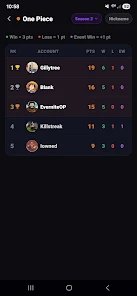
Screenshots
Latest Update












Latest News
-
![Revealing the Launch Playlists and Cross-Progression for COD Warzone Mobile News]()
-
![March 2024 Free Redemption Codes for Honkai: Star Rail News]()
-
PUBG Mobile Teams Up with Bentley Motors: Luxury Cars, Exclusive Collectibles, and Beyond 2024-04-18
![PUBG Mobile Teams Up with Bentley Motors: Luxury Cars, Exclusive Collectibles, and Beyond News]()
-
![Monster Never Cry is now accessible on both Android and iOS mobile devices. News]()
-
V2.2 of the Farlight 84 update introduces an overhauled Season structure, fresh in-game currency, an 2024-04-16
![V2.2 of the Farlight 84 update introduces an overhauled Season structure, fresh in-game currency, an News]()
-
![Arrival of Genshin Impact 4.6 Update: 'Embers of Two Realms, Twilight of Crimson' News]()
-
April 2024 Clash of Clans Update: Unveiling a Fresh Companion, Enhanced Levels, Chat Tagging, and Be 2024-04-16
![April 2024 Clash of Clans Update: Unveiling a Fresh Companion, Enhanced Levels, Chat Tagging, and Be News]()






