
RedPaper
Version:1
Published:2026-10-20
Introduction
RedPaper brings a curated, constantly updated collection of high-quality wallpapers that makes it quick and simple to refresh your phone’s look. RedPaper gathers mobile-optimized HD images from across the web and serves them through a lightweight interface that emphasizes speed and clarity. In seconds you can preview an image, choose how it fits on your home or lock screen, and apply the new background with a single tap. For people who like to change styles often, daily additions, the option to download favorites for offline use, and an organized personal collection keep new looks within easy reach.
Key features
The app focuses on core wallpaper functionality without unnecessary extras. High-resolution images are optimized for phones and presented in a way that preserves detail while keeping file sizes manageable. Instant apply tools let you set wallpapers on the home screen or lock screen with minimal steps. Downloads are stored locally so selected images are available offline, and the personal collection feature lets you group and revisit favorites. Regularly updated curated sets ensure there is always new material to browse, and the interface is designed to stay fast even on older devices.
How it works — browsing and controls
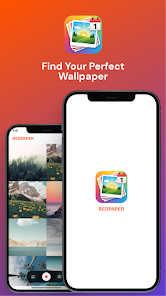
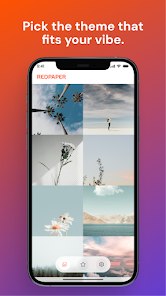
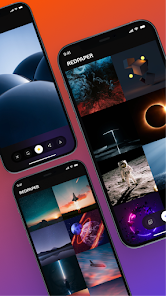
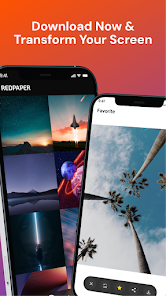
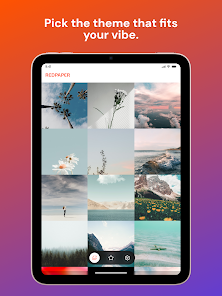
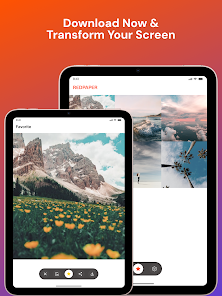
Browsing in RedPaper is designed to be intuitive: you can scroll through curated galleries, open individual images to inspect details, and use the preview screen to see how a wallpaper will look before committing. The preview includes basic fit and alignment options so the image sits correctly on your display without complex editing. Controls are deliberately simple — swipe to move between images, tap to open a preview, and tap the apply button to set a wallpaper. These straightforward interactions reduce friction and make the app accessible to users who prefer minimal menus and quick actions.
Customization and personal collections
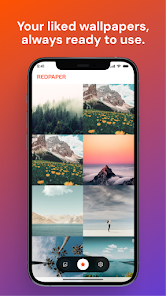
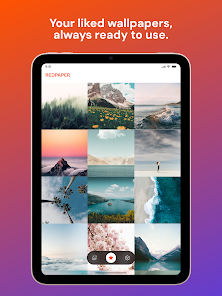
RedPaper centers customization on selection and organization rather than heavy editing. The app’s collection tools let you save images into a personal library, making it easy to assemble themed sets or keep go-to backgrounds for different moods. As you add images to your collection the app effectively creates a progression of styles you can return to, which is useful if you like to rotate looks by season, event, or aesthetic. Downloaded images remain on-device so you can switch between saved wallpapers even when you’re offline.
Visual style and optimization
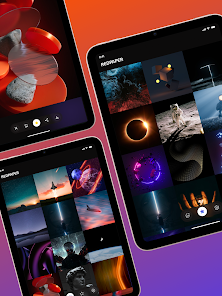
Images in RedPaper are curated to suit a variety of tastes while maintaining visual fidelity. Photos, illustrations, abstract art, and minimalist designs are prepared with mobile aspect ratios in mind so they crop and scale cleanly on phones with differing screen sizes. The curation process prioritizes clarity, contrast, and composition so wallpapers look good behind icons and widgets. Because the app delivers optimized images, backgrounds retain detail without introducing unnecessary strain on memory or rendering.
Offline use, accessibility, and performance
Offline access is focused and transparent: any wallpaper you download is saved locally for reuse without an internet connection. The app is built to be lightweight — minimized background activity, small install size, and efficient image handling help keep battery and data use low. Accessibility considerations are included in the design: clear labels, high-contrast controls, and simple navigation patterns support users who rely on screen readers or larger text settings. The goal is a dependable, inclusive experience across a wide range of devices.
Updates, replay value, and user experience
Fresh content is a core part of RedPaper’s replay value. Regularly refreshed galleries, rotating curated sets, and seasonal additions give users reasons to open the app frequently and discover new looks. The combination of simple controls, predictable organization, and a growing personal collection makes the experience feel rewarding over time without overwhelming the user with options. Performance-focused design keeps interactions snappy, and the app’s straightforward flow helps users find and apply new wallpapers quickly.
Limitations
There are a few practical constraints to consider. Browsing new wallpapers requires an internet connection, and offline use is limited to images you explicitly download and save. The app emphasizes selection and organization rather than advanced image editing or live wallpaper features, so if you need heavy editing tools or animated backgrounds those options are not part of RedPaper’s core offering. The design intentionally favors simplicity and speed, which aligns with the needs of users seeking an efficient way to change their phone’s look.
Show More
Information
Screenshots
Latest Update












Hot Tags
Latest News
-
![Revealing the Launch Playlists and Cross-Progression for COD Warzone Mobile News]()
-
![March 2024 Free Redemption Codes for Honkai: Star Rail News]()
-
PUBG Mobile Teams Up with Bentley Motors: Luxury Cars, Exclusive Collectibles, and Beyond 2024-04-18
![PUBG Mobile Teams Up with Bentley Motors: Luxury Cars, Exclusive Collectibles, and Beyond News]()
-
![Monster Never Cry is now accessible on both Android and iOS mobile devices. News]()
-
V2.2 of the Farlight 84 update introduces an overhauled Season structure, fresh in-game currency, an 2024-04-16
![V2.2 of the Farlight 84 update introduces an overhauled Season structure, fresh in-game currency, an News]()
-
![Arrival of Genshin Impact 4.6 Update: 'Embers of Two Realms, Twilight of Crimson' News]()
-
April 2024 Clash of Clans Update: Unveiling a Fresh Companion, Enhanced Levels, Chat Tagging, and Be 2024-04-16
![April 2024 Clash of Clans Update: Unveiling a Fresh Companion, Enhanced Levels, Chat Tagging, and Be News]()






