

UnitConverte
Version:1.0
Published:2026-10-21
Introduction
UnitConverte is a compact and reliable unit conversion app that handles dozens of measurement types with offline support, a clear interface, and quick results. It converts units across length, weight, temperature, volume, and more while letting you pin favorites for repeated use.
Practical overview
Designed for engineers, students, travelers, and everyday users, UnitConverte puts common and specialized conversions within a few taps. The app emphasizes speed and accuracy: conversions happen instantly, results are presented with sensible rounding, and popular units are accessible from a single screen. There are no confusing menus to navigate when you need a rapid answer.
Primary capabilities
UnitConverte supports a broad range of categories, from simple measures like meters and pounds to technical units used in science and industry. It includes currency lookups, although the core strength remains physical units that do not require a network connection to compute. The app stores recent conversions so you can revisit them without repeating input.
Key features at a glance
- Wide coverage: Length, area, volume, mass, temperature, pressure, energy, power, and more.
- Favorites & history: Mark frequently used conversions for faster access and view a dated list of previous calculations.
- Offline mode: Core unit conversions work without internet, ensuring reliability in the field.
- Custom units: Create and save your own units or adjustment factors for niche needs.
- Clean interface: Large input fields, unit pickers, and copy-to-clipboard actions for seamless workflow.
How the conversion flow works
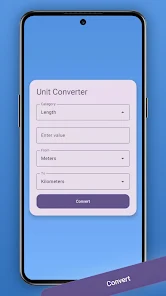
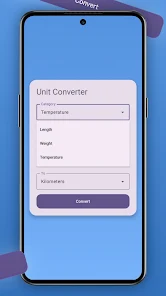
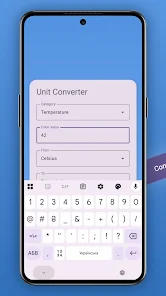
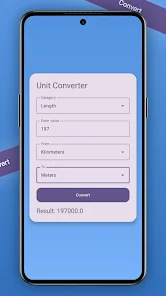
Start by choosing a category, then select the source and target units. Enter a value and watch the result update immediately. UnitConverte uses predefined conversion factors and allows you to switch precision settings when you need more or less detail. Common conversions are suggested based on your history, reducing repetitive steps.
User interface and performance
The visual design prioritizes readability: high-contrast text, intuitive buttons, and minimal distractions. Animations are subtle and only used to indicate successful copy or saved favorites. Performance is optimized for low-latency responses even on older devices; most conversions complete in under a tenth of a second.
Customization and advanced tools
Beyond standard converters, UnitConverte provides tools for compound unit handling and formula-based conversions. Users can define a custom unit as a combination of existing ones (for example, converting between horsepower-hours and joules), which is especially useful for technical professions. The app also offers toggleable significant-figure control to match scientific reporting needs.
Practical usage scenarios
On the construction site, UnitConverte helps convert between imperial and metric measurements quickly. In the kitchen, it swaps cups and milliliters with appropriate rounding. For students and professionals, it simplifies unit algebra and reduces manual errors by keeping factors consistent and documented in-app.
Tips for new users
- Save frequently used pairs as favorites to avoid repeated selection.
- Adjust decimal precision to match the degree of accuracy you need for a task.
- Use custom units to encapsulate repeated multi-step conversions.
- Enable clipboard shortcuts if you copy values into other apps often.
Why it fits into your toolkit
UnitConverte balances breadth and ease-of-use. It doesn’t try to be a sprawling technical suite, but it covers what most users need while offering advanced options when necessary. The combination of offline capability, customization, and a tidy interface makes it a dependable utility for both casual and professional contexts.
Getting started
Install the app, grant only the permissions you need, and run through a quick setup that lets you pick favorite categories. Try a few sample conversions to familiarize yourself with the precision controls and the custom unit creator. With minimal setup, UnitConverte becomes a ready reference on your device.
Overall, the app delivers focused functionality in a compact package. It is particularly useful when accurate, fast conversions are required without diving into menus or launching a browser. For anyone who frequently deals with multiple measurement systems, UnitConverte streamlines an otherwise error-prone task.
Show More
Information
Screenshots
Latest Update
-
![Lines Gold Pro - Icon Pack APK]()
Lines Gold Pro - Icon Pack
-
![Remote Fire TV APK]()
Remote Fire TV
-
![Flight Dark Pro - Icon Pack APK]()
Flight Dark Pro - Icon Pack
-
![Ares Light: Pastel Icon Pack APK]()
Ares Light: Pastel Icon Pack
-
![getConf - Hidden Settings APK]()
getConf - Hidden Settings
-
![Dots Live Wallpaper - Battery APK]()
Dots Live Wallpaper - Battery
-
![Chroma - Icon Pack APK]()
Chroma - Icon Pack
-
![One UI Fluffy Icon Pack APK]()
One UI Fluffy Icon Pack
-
![Pixly Limitless Fluo Icon Pack APK]()
Pixly Limitless Fluo Icon Pack
-
![Compress Video - Resize Video APK]()
Compress Video - Resize Video
-
![Pixly Professional Dark APK]()
Pixly Professional Dark
-
![Tracker Detect Pro APK]()
Tracker Detect Pro












Latest News
-
![Revealing the Launch Playlists and Cross-Progression for COD Warzone Mobile News]()
-
![March 2024 Free Redemption Codes for Honkai: Star Rail News]()
-
PUBG Mobile Teams Up with Bentley Motors: Luxury Cars, Exclusive Collectibles, and Beyond 2024-04-18
![PUBG Mobile Teams Up with Bentley Motors: Luxury Cars, Exclusive Collectibles, and Beyond News]()
-
![Monster Never Cry is now accessible on both Android and iOS mobile devices. News]()
-
V2.2 of the Farlight 84 update introduces an overhauled Season structure, fresh in-game currency, an 2024-04-16
![V2.2 of the Farlight 84 update introduces an overhauled Season structure, fresh in-game currency, an News]()
-
![Arrival of Genshin Impact 4.6 Update: 'Embers of Two Realms, Twilight of Crimson' News]()
-
April 2024 Clash of Clans Update: Unveiling a Fresh Companion, Enhanced Levels, Chat Tagging, and Be 2024-04-16
![April 2024 Clash of Clans Update: Unveiling a Fresh Companion, Enhanced Levels, Chat Tagging, and Be News]()






