
Pockets
Version:1.0.0
Published:2026-10-21
Introduction
Pockets is a lightweight personal finance app that centralizes spending, receipts, and pocket budgets into one simple mobile interface. It blends quick expense capture, categorized reports, and secure local storage to help users track cash and small transactions on the go without overwhelming menus or complex setup.
Key features
The design focuses on speed and clarity. Pockets provides one-tap expense entry, customizable categories, and instant summaries so you can record transactions in seconds. A built-in receipt scanner and photo attachment option let you tie images to entries for reference, while flexible tagging supports both short-term budgets and long-term tracking.
- Quick Add: Add an expense or income with minimal fields and optional notes.
- Categories & Tags: Create, merge, and reorder categories to reflect personal spending habits.
- Receipt Support: Capture receipts with the camera and attach them to transactions.
- Export & Backup: Export CSV files and enable optional cloud backup for migration and reporting.
Interface and workflow
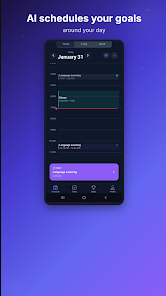
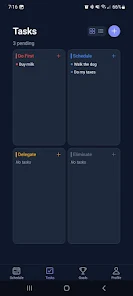
The interface emphasizes gesture-based navigation and large input controls for one-handed use. A concise home screen shows today’s balance and a timeline of recent transactions. Swipe gestures allow quick editing and deletion, while a prominent action button speeds up new entries. Pockets groups related functions so common tasks are accessible without submenus.
How it organizes your money
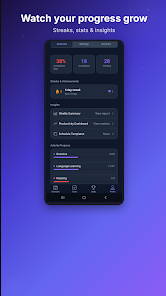
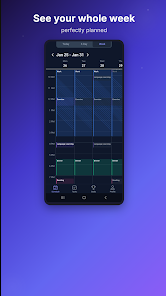
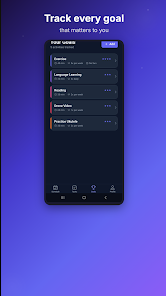
Transactions are presented in a clean timeline with running totals that update as you add entries. Budgets can be set per category or tag, with progress bars that indicate how close you are to limits. Filters and date ranges help you slice data into weekly, monthly, or custom views, and a simple charting module gives immediate visual feedback on trends.
Customization and automation
Personalization is straightforward: rename categories, create color themes, and arrange shortcuts for frequent expense types. Automation options include recurring transactions, scheduled reminders, and rules that pre-fill category or tag suggestions based on past entries. These features reduce repetitive input and keep your records consistent.
Performance and compatibility
Pockets runs efficiently on a wide range of Android devices and is optimized to minimize battery and data usage. The app keeps everything lightweight by processing most operations locally and only using network resources when backing up or exporting data. This approach improves responsiveness on older devices and ensures a smooth experience on newer phones and tablets.
Privacy and security
Privacy is treated as a priority. Local encryption options protect stored data on the device, and optional cloud backups can be secured behind user-controlled credentials. Pockets follows a principle of minimal permissions: camera access is requested only for receipt capture, and network access is confined to explicit sync or export actions.
Reports and exporting
Built-in reports are designed for clarity rather than complexity. Choose predefined summaries like monthly spending, category breakdowns, and trend lines, or create a custom export to CSV for further analysis in a spreadsheet. The reporting module is fast and easy to read, making it suitable for quick check-ins or monthly reviews.
Getting started
Onboarding takes only a few minutes: set a base currency, add a handful of common categories, and record a few sample transactions to see how the timeline updates. With Pockets enabled, most users develop a simple routine—capture expenses as they occur, glance at the budget progress weekly, and export data when needed for deeper analysis.
Who benefits most
The app is ideal for people who want a straightforward way to control daily spending, manage petty cash, or keep receipts organized without a full-featured accounting system. Its combination of speed, clarity, and optional automation makes it a solid choice for anyone seeking hands-on control with minimal friction.
Show More
Information
Screenshots
Latest Update












Latest News
-
![Revealing the Launch Playlists and Cross-Progression for COD Warzone Mobile News]()
-
![March 2024 Free Redemption Codes for Honkai: Star Rail News]()
-
PUBG Mobile Teams Up with Bentley Motors: Luxury Cars, Exclusive Collectibles, and Beyond 2024-04-18
![PUBG Mobile Teams Up with Bentley Motors: Luxury Cars, Exclusive Collectibles, and Beyond News]()
-
![Monster Never Cry is now accessible on both Android and iOS mobile devices. News]()
-
V2.2 of the Farlight 84 update introduces an overhauled Season structure, fresh in-game currency, an 2024-04-16
![V2.2 of the Farlight 84 update introduces an overhauled Season structure, fresh in-game currency, an News]()
-
![Arrival of Genshin Impact 4.6 Update: 'Embers of Two Realms, Twilight of Crimson' News]()
-
April 2024 Clash of Clans Update: Unveiling a Fresh Companion, Enhanced Levels, Chat Tagging, and Be 2024-04-16
![April 2024 Clash of Clans Update: Unveiling a Fresh Companion, Enhanced Levels, Chat Tagging, and Be News]()






