

Video & Music Downloader
Version:3.3.9
Published:2026-10-31
Introduction
Video & Music Downloader is a compact Android utility that simplifies saving audio and video from online sources for offline playback. Designed for speed and convenience, it brings batch downloading, format conversion, and a built-in media player into a single app that fits everyday media management needs on mobile devices.
What this app does
At its core, Video & Music Downloader helps you capture streaming media from supported websites and social platforms, then stores files locally in common formats. The focus is on reliability: the app queues downloads, resumes interrupted transfers, and provides quick format choices so you get MP3, M4A, or MP4 files without needing third-party converters.
Key capabilities
- Multi-source download: Pull video and audio from a range of platforms with one tap.
- Format selection: Choose output types like MP3 or MP4 before saving.
- Batch mode: Queue multiple links and let the app process them sequentially.
- Resume support: Continue downloads after network drops.
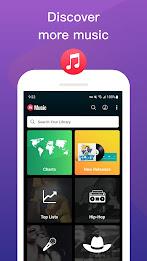
- Built-in player: Preview files without leaving the app.
User interface and performance
The interface is designed for quick navigation. Tabs separate active, completed, and failed downloads, while a minimalist toolbar keeps common actions visible. Video & Music Downloader prioritizes performance: downloads occur in the background with configurable thread limits so you can manage bandwidth on metered connections.
How it works
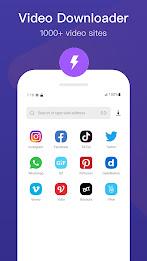
Using the app is straightforward. Paste a link into the address field or share a URL from your browser to the app. The downloader parses the page to locate media streams, lists available quality options, and prompts you for the target format. Once confirmed, the job joins the queue and progress appears in real time.
Advanced tools and settings
Beyond basic downloading, Video & Music Downloader includes tools useful for power users. Auto-tagging attempts to fill metadata for audio files, while a file manager view helps you rename, delete, or move content. There are also options to limit downloads to Wi-Fi only, set a download schedule, and configure storage locations between internal memory and SD cards.
Conversion and editing
Light conversion options are built in so small edits are possible without extra software. Trim the start or end of an audio clip, select a preferred bitrate, or extract audio tracks from video files. These features are handy for creating ringtones, offline playlists, or simplified audio files for podcasts.
Practical tips for new users
- Check permissions: Grant storage access to save files where you want them.
- Choose the right format: MP3 works well for audio-only, while MP4 preserves video quality with compatibility.
- Use batch mode: Add several links first and then start the queue to save time.
- Monitor storage: Large video files can fill devices quickly, so review saved items regularly.
Safety and legality
The app provides tools for personal use. Make sure you respect copyright and platform terms before downloading content. Video & Music Downloader does not alter rights or permissions of original creators; it only facilitates local access for content you are allowed to keep.
Installation and getting started
Install the APK and follow prompts to set permissions. Launch the app and try a single short clip first to confirm the parsing and format selection work as expected. The onboarding screens highlight essential controls: the link input, the download queue, and the player. Once comfortable, enable background downloading and experiment with conversion settings.
Who should consider this app
If you frequently save media for offline listening, commute without reliable data, or need a straightforward way to extract audio from videos, Video & Music Downloader can streamline those tasks. It’s especially useful for content curators, teachers preparing offline materials, or travelers who want playlists without streaming.
Final thoughts on usability
Functionality is balanced with ease of use. Regular updates refine parsing and expand format support. For users who prioritize fast downloads and simple media management on Android, Video & Music Downloader provides a focused, no-frills solution that covers most everyday needs.
Show More
Information
Screenshots





Latest Update












Latest News
-
![Revealing the Launch Playlists and Cross-Progression for COD Warzone Mobile News]()
-
![March 2024 Free Redemption Codes for Honkai: Star Rail News]()
-
PUBG Mobile Teams Up with Bentley Motors: Luxury Cars, Exclusive Collectibles, and Beyond 2024-04-18
![PUBG Mobile Teams Up with Bentley Motors: Luxury Cars, Exclusive Collectibles, and Beyond News]()
-
![Monster Never Cry is now accessible on both Android and iOS mobile devices. News]()
-
V2.2 of the Farlight 84 update introduces an overhauled Season structure, fresh in-game currency, an 2024-04-16
![V2.2 of the Farlight 84 update introduces an overhauled Season structure, fresh in-game currency, an News]()
-
![Arrival of Genshin Impact 4.6 Update: 'Embers of Two Realms, Twilight of Crimson' News]()
-
April 2024 Clash of Clans Update: Unveiling a Fresh Companion, Enhanced Levels, Chat Tagging, and Be 2024-04-16
![April 2024 Clash of Clans Update: Unveiling a Fresh Companion, Enhanced Levels, Chat Tagging, and Be News]()






