

Seed4.Me VPN
Version:2.0.37
Published:2026-11-01
Introduction
Seed4.Me VPN offers a straightforward, privacy-focused virtual private network for Android devices, combining simple setup, global server access, and AES encryption to protect browsing and Wi-Fi connections. The app targets users who want quick security, lightweight performance, and reliable access to geo-restricted content.
What the app delivers
Seed4.Me VPN provides a compact feature set designed for everyday use: one-tap connection, multiple country locations, and support for common protocols. The emphasis is on ease of use and minimal configuration so users can secure traffic on public Wi-Fi, unblock streaming catalogs, and maintain privacy without a steep learning curve.
Key features and tools
- One-touch connection — Connect to the optimal server with a single tap and stay protected without fiddling with settings.
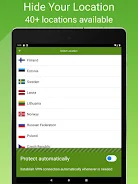
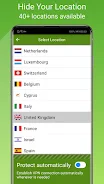
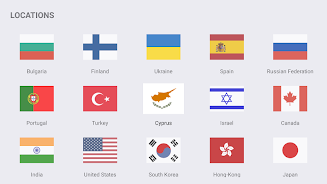
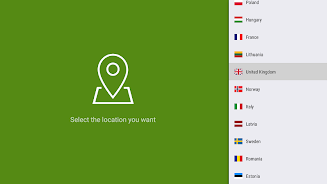
- Global server network — Choose from a range of servers to reduce latency or access region-restricted services.
- Encryption — Traffic is encrypted to shield data from eavesdroppers on unsecured networks.
- Ad-hoc protections — Background protection ensures apps and browsers use the VPN when active, reducing accidental leaks.
How the system works
The app routes your device’s internet traffic through a remote server, masking the original IP address and creating an encrypted tunnel to protect data in transit. This process prevents local network operators from easily inspecting your activity and can present a virtual location in a different country to apps and websites.
User interface and workflow
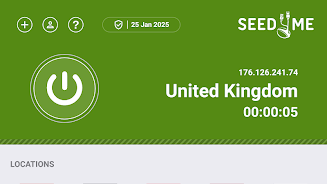
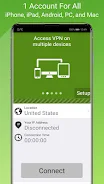
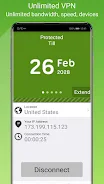
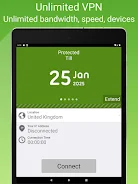
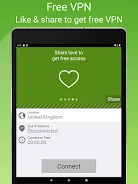
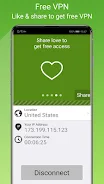
The interface is deliberately minimal: a clean home screen shows connection status and the current server location, while menus provide access to server lists and account options. Connecting and disconnecting is immediate, and an on-demand toggle reduces battery impact by limiting background activity when the VPN is not necessary.
Security and privacy considerations
Seed4.Me VPN employs encryption to protect communications and aims to avoid storing unnecessary logs. For privacy-conscious users, the app includes basic settings for auto-reconnect and kill-switch-like behavior so that network leaks are minimized if a connection drops. Review any privacy policy supplied by the developer to confirm data handling practices and logging policies.
Speed and performance
Performance varies with server selection and network conditions. Servers in the same region typically deliver the best throughput and lowest latency. The app is lightweight and optimized for Android, so it should not impose significant CPU or battery overhead during normal use.
Compatibility and device support
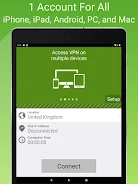
The application is built for modern Android versions and integrates with the operating system’s VPN APIs to provide stable connections. It works across phones and tablets, and most users will find the setup straightforward without requiring root access or advanced technical steps.
Practical uses and scenarios
Seed4.Me VPN is suited to several common scenarios: securing public Wi-Fi at cafes and airports, streaming content from different regions, and preventing casual tracking from advertisers and ISPs. It can also help when accessing corporate or home resources remotely by providing an encrypted pathway to the internet.
Tips for best results
- Pick a nearby server for better speed when browsing or gaming.
- Switch to a different country to access geo-locked content, keeping in mind service terms and local laws.
- Enable auto-reconnect to ensure the VPN quickly restores sessions after interruptions.
- Keep the app updated to benefit from performance improvements and security patches.
Getting started
Begin by installing the app from a trusted source and granting the minimal permissions required for VPN operation. Create an account if prompted, choose a server, and tap connect. Seed4.Me VPN will display connection status and provide quick access to settings if you need to adjust preferences or switch locations.
Final thoughts on usability
For users prioritizing simplicity and reliable protection on Android devices, Seed4.Me VPN offers a user-friendly balance of convenience and core VPN functionality. It is well-suited for everyday privacy needs and lightweight streaming or browsing tasks while keeping the interface accessible for non-technical users.
Show More
Information
Screenshots


Latest Update












Latest News
-
![Revealing the Launch Playlists and Cross-Progression for COD Warzone Mobile News]()
-
![March 2024 Free Redemption Codes for Honkai: Star Rail News]()
-
PUBG Mobile Teams Up with Bentley Motors: Luxury Cars, Exclusive Collectibles, and Beyond 2024-04-18
![PUBG Mobile Teams Up with Bentley Motors: Luxury Cars, Exclusive Collectibles, and Beyond News]()
-
![Monster Never Cry is now accessible on both Android and iOS mobile devices. News]()
-
V2.2 of the Farlight 84 update introduces an overhauled Season structure, fresh in-game currency, an 2024-04-16
![V2.2 of the Farlight 84 update introduces an overhauled Season structure, fresh in-game currency, an News]()
-
![Arrival of Genshin Impact 4.6 Update: 'Embers of Two Realms, Twilight of Crimson' News]()
-
April 2024 Clash of Clans Update: Unveiling a Fresh Companion, Enhanced Levels, Chat Tagging, and Be 2024-04-16
![April 2024 Clash of Clans Update: Unveiling a Fresh Companion, Enhanced Levels, Chat Tagging, and Be News]()






