

Expense IQ
Version:2.3.15
Published:2026-11-05
Introduction
Expense IQ is a comprehensive personal finance manager that helps you track spending, set budgets, and review financial health with minimal effort. The app offers easy transaction entry, categorization tools, and informative reports so users can gain control over daily expenses and long-term financial goals in a clear, organized interface.
Core capabilities
Expense IQ brings together practical features designed for users who want a straightforward but powerful money management tool. It supports multiple accounts, custom categories, and quick transaction entry so adding expenses or income becomes a single, repeatable action. A built-in budget engine monitors progress and alerts you when spending approaches predefined limits.
What you can do
- Track transactions: Log payments, transfers, and deposits with optional receipts and notes for context.
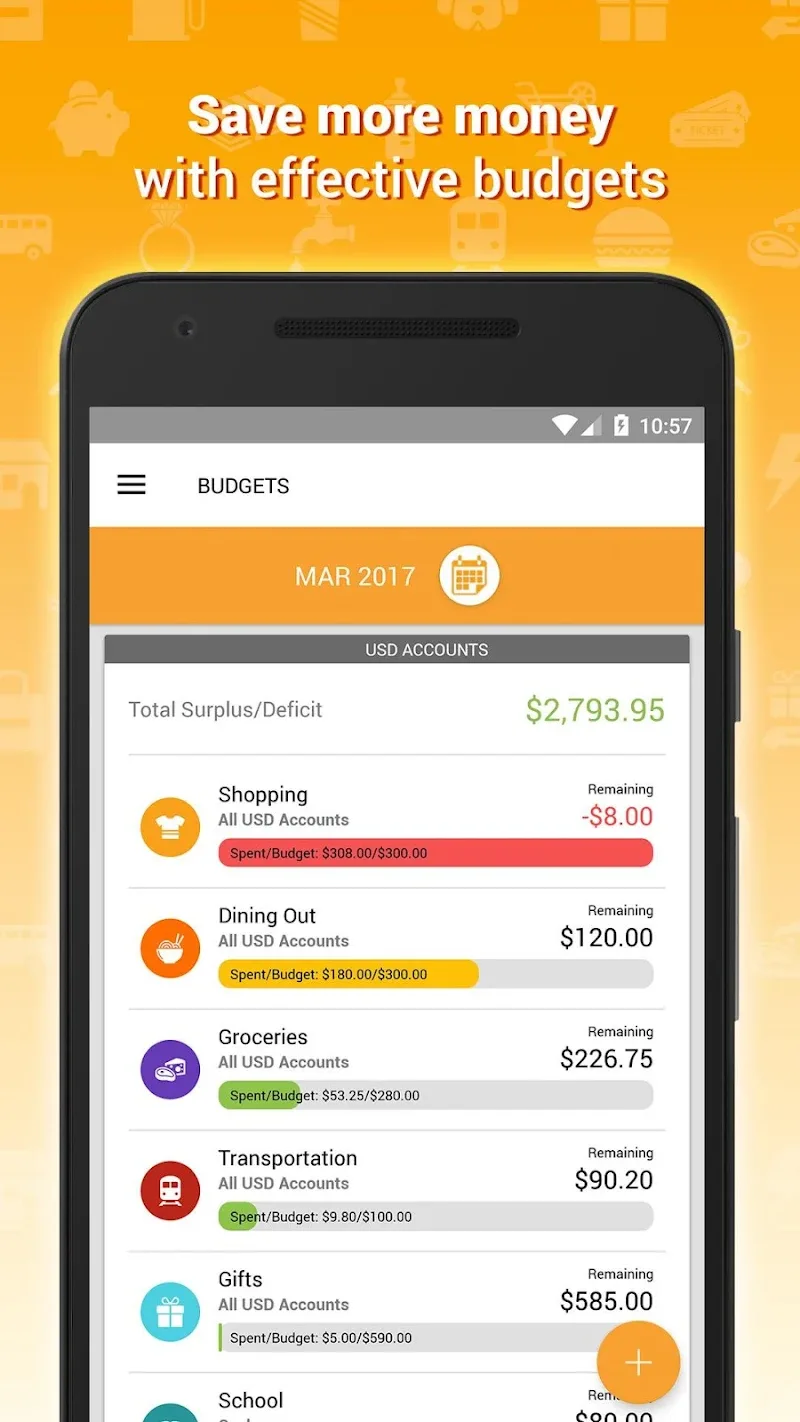
- Manage budgets: Create monthly or category-based budgets and receive visual cues as you approach thresholds.
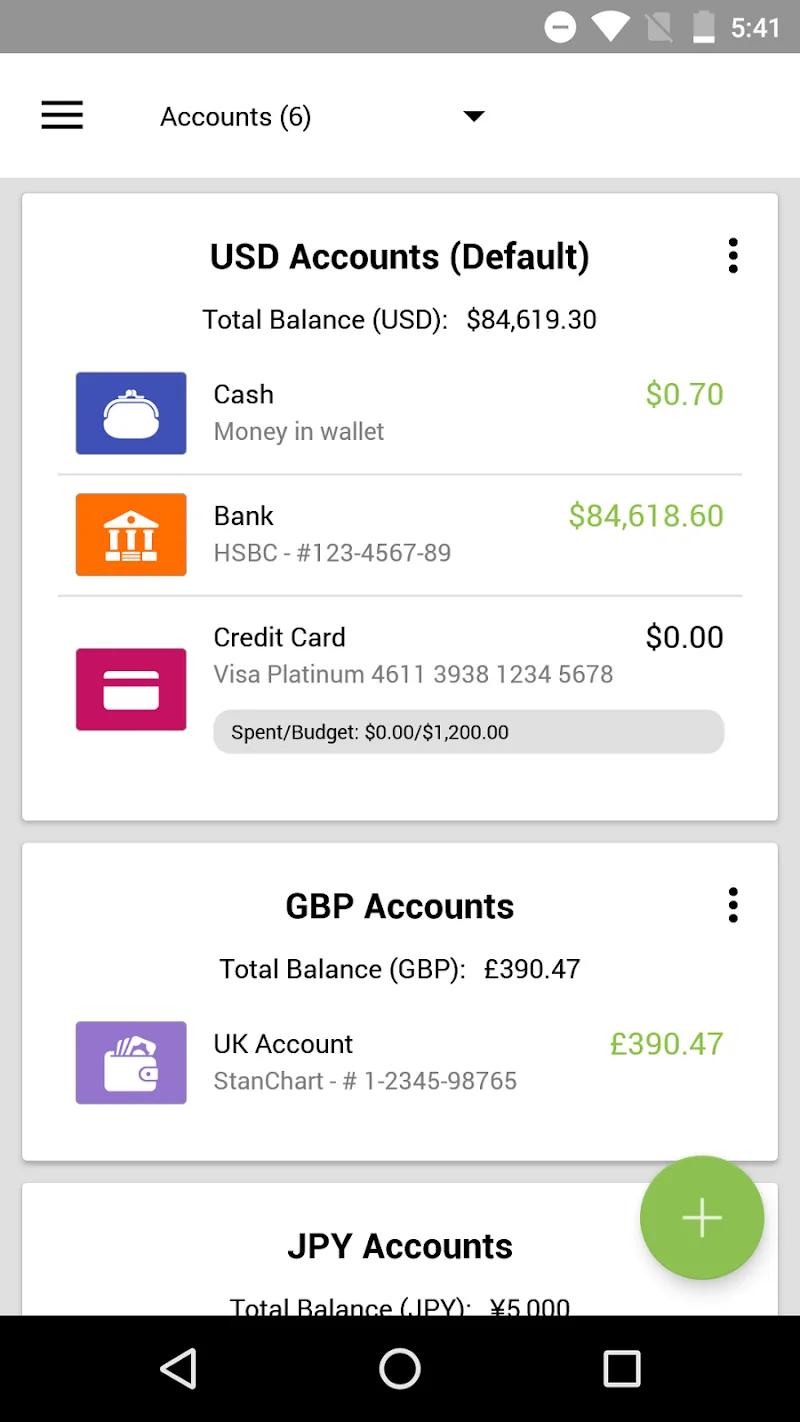
- Handle multiple accounts: Connect checking, savings, credit cards, and cash wallets in one place.
- Split expenses: Allocate a single purchase across several categories for accurate reporting.
Interface and workflow
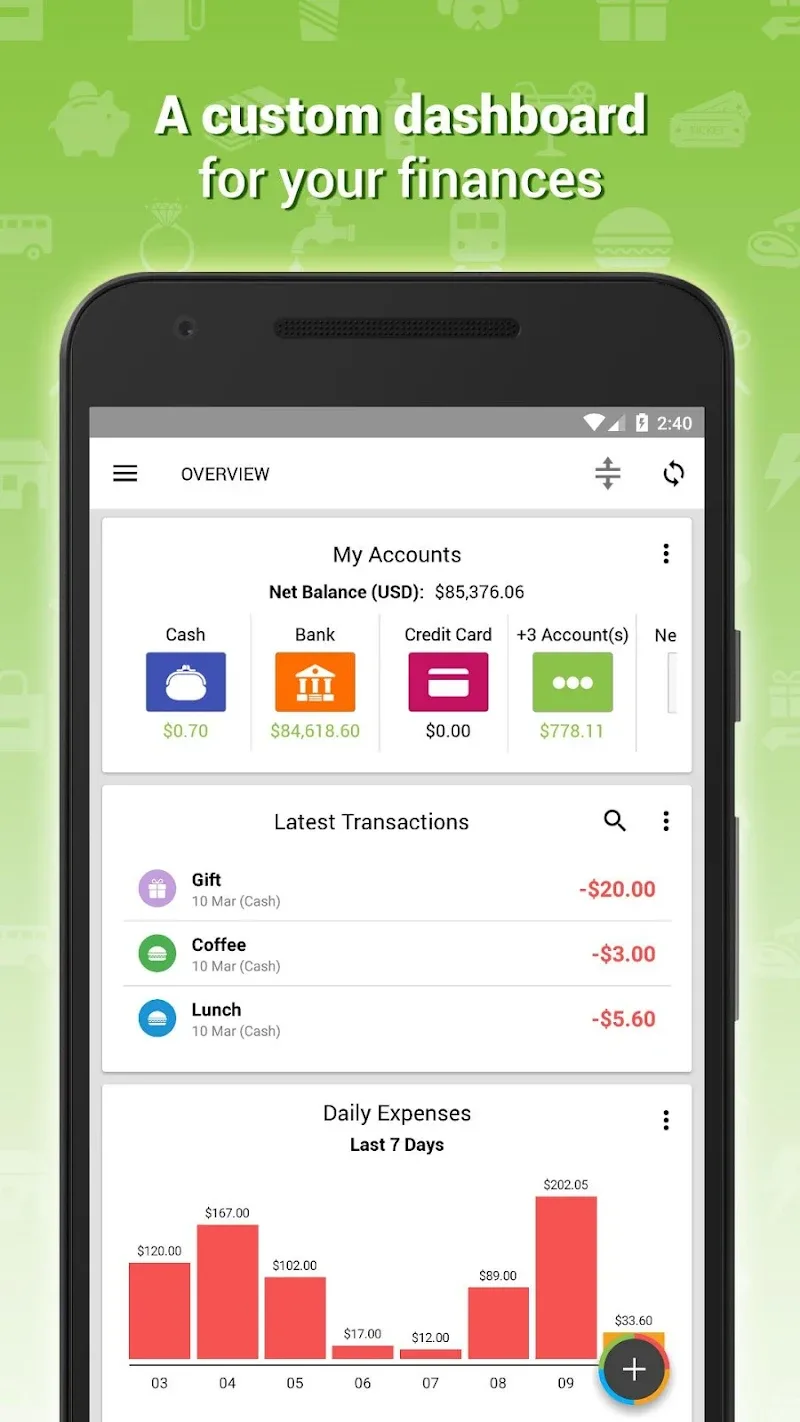
The design puts common actions within reach: add a transaction from the home screen, swipe to reconcile accounts, or tap a category to view related activity. Expense IQ uses clear iconography and color-coded categories to reduce cognitive load, which speeds up routine tasks. Menus are straightforward and the main dashboard highlights balances, upcoming bills, and budget progress.
Setting up budgets and accounts
Creating a budget in Expense IQ is a guided process. Choose the timeframe, select relevant categories, and assign amounts. The app then tracks spending against these targets and can show projected overspend based on current activity. Account setup supports manual entry of opening balances and periodic reconciliation so recorded balances stay accurate over time.
Reports and financial insights
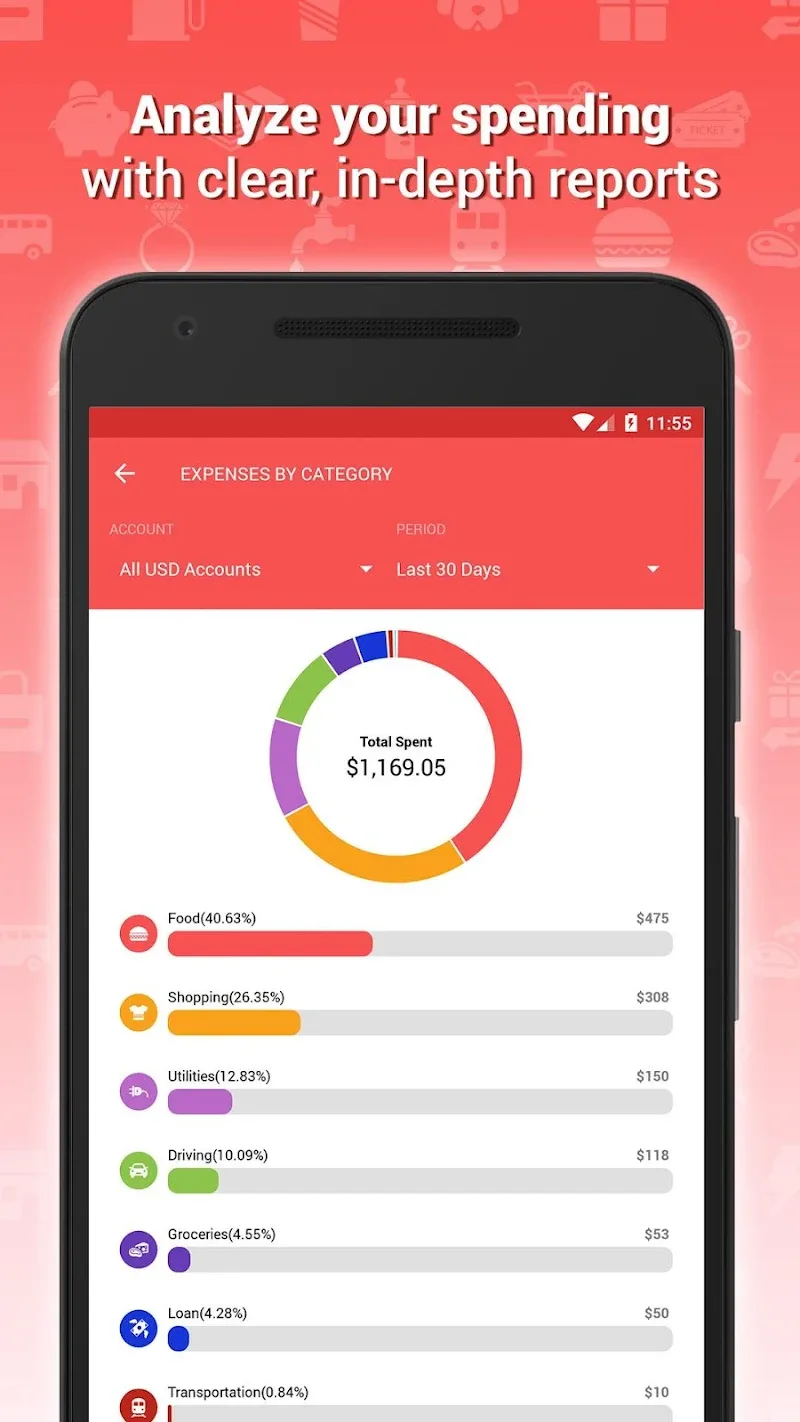
Reports are where Expense IQ turns raw transactions into actionable information. Generate monthly, quarterly, or custom-period summaries to reveal spending patterns. Pie charts, trend lines, and category breakdowns help identify where to cut costs or reallocate funds. The reporting tools are useful for planning, preparing for taxes, or monitoring recurring subscriptions.
Data sync, backup, and protection
Keeping your records safe and accessible is a priority. Expense IQ provides options to export data, enable cloud syncing, and schedule automatic backups. Local encryption and optional passcode protection add a layer of security for sensitive financial details. Regular backups reduce risk of data loss after device changes or accidental deletions.
Customization and automation
Personalization features let you tailor the app to fit your habits. Create custom categories and tags, set recurring transactions for fixed bills and paychecks, and use rules to auto-categorize frequent merchants. These automations minimize manual work and improve the accuracy of reports without additional effort.
Getting started quickly
- Install and open Expense IQ to begin the setup wizard.
- Add your primary accounts and set opening balances.
- Create essential categories and an initial monthly budget.
- Enter recent transactions or import data from a CSV backup.
- Enable backups and, if desired, cloud sync to keep data safe.
Performance and device compatibility
The app is optimized to run smoothly on a wide range of Android devices. Lightweight memory usage and efficient database handling ensure that transaction lists load quickly and reports render without lag. Expense IQ will handle large transaction histories without a noticeable slowdown, and frequent updates improve compatibility with the latest Android releases.
Who benefits most
Expense IQ fits users who want a hands-on approach to personal finance: those who prefer manual control over automatic bank connections, people with multiple cash envelopes or foreign accounts, and anyone who values straightforward reporting. The combination of customization, budgeting, and secure backups makes it suitable for both everyday expense tracking and longer-term planning.
Final thoughts on functionality
With an emphasis on clarity and practical controls, Expense IQ helps turn routine bookkeeping into a sustainable habit. It balances detailed features with an approachable interface so daily financial management becomes less time-consuming and more informative, enabling better decisions and a clearer view of personal finances.
Show More
Information
Screenshots

Latest Update











Hot Tags
Latest News
-
![Revealing the Launch Playlists and Cross-Progression for COD Warzone Mobile News]()
-
![March 2024 Free Redemption Codes for Honkai: Star Rail News]()
-
PUBG Mobile Teams Up with Bentley Motors: Luxury Cars, Exclusive Collectibles, and Beyond 2024-04-18
![PUBG Mobile Teams Up with Bentley Motors: Luxury Cars, Exclusive Collectibles, and Beyond News]()
-
![Monster Never Cry is now accessible on both Android and iOS mobile devices. News]()
-
V2.2 of the Farlight 84 update introduces an overhauled Season structure, fresh in-game currency, an 2024-04-16
![V2.2 of the Farlight 84 update introduces an overhauled Season structure, fresh in-game currency, an News]()
-
![Arrival of Genshin Impact 4.6 Update: 'Embers of Two Realms, Twilight of Crimson' News]()
-
April 2024 Clash of Clans Update: Unveiling a Fresh Companion, Enhanced Levels, Chat Tagging, and Be 2024-04-16
![April 2024 Clash of Clans Update: Unveiling a Fresh Companion, Enhanced Levels, Chat Tagging, and Be News]()






