

Epic Games
Version:5.5.0
Published:2026-11-05
Introduction
Epic Games delivers a unified launcher and storefront for PC and Android users, offering game downloads, updates, and exclusive content. The app streamlines your library, connects social features, and provides one-tap access to titles and offers, while maintaining a clean interface for discovering and managing games across devices.
Key features and catalog
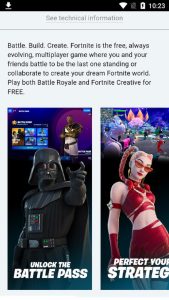
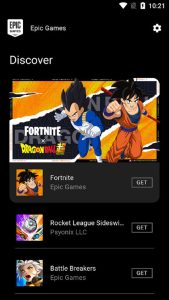
Epic Games hosts a curated selection of blockbuster releases and indie titles, plus regular free-game promotions and time-limited discounts. The app’s catalog is organized with clear categories, editorial picks, and search filters that make finding new releases or hidden gems fast. Integrated pages for each game include descriptions, system requirements, media, and patch notes so you can decide before downloading.
How the system manages installs and updates
Install and update workflows are automated to minimize friction. Once you authorize a download, the app handles patch delivery, optional components, and network scheduling to avoid interfering with bandwidth-heavy tasks. A download queue and pause/resume options let you control multiple installations simultaneously, and background updates keep games current without repeated manual checks.
Library organization and account tools
Your collection is displayed in a unified library with sorting and tagging options. Epic Games supports cloud saves where available, cross-platform entitlements for eligible titles, and account-level management for friends, transactions, and purchase history. The settings area centralizes privacy controls, launcher preferences, and storage location choices so you can tailor how your library behaves across devices.
Social features and community access
Built-in friend lists, messaging, and party invites connect you with players whether you’re on mobile or desktop. Community hubs provide announcements, developer updates, and links to official support. Epic Games also integrates platform permissions and parental controls, making it straightforward to manage multiplayer interactions and in-app purchases for family accounts.
Performance, compatibility, and device support
The client is optimized to run with modest overhead while managing large downloads and installations. It includes options to throttle bandwidth, limit simultaneous installs, and schedule background activity to suit battery-sensitive devices. Compatibility checks display whether a title will run on your hardware and recommend driver updates or additional components when necessary.
User interface and navigation
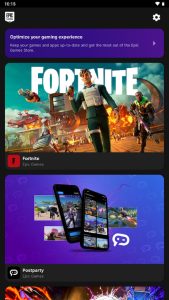
An uncluttered layout emphasizes discoverability: top navigation directs you to the store, library, and settings, while a prominent search bar returns fast results. Inline banners highlight featured promotions and seasonal events without overwhelming the main view. Tooltips and contextual help guide new users through account linking, download management, and refund policies.
Security, updates, and customer support
Security measures include two-factor authentication, secure payment processing, and verified developer pages. The app receives regular client updates to improve performance and add features. If issues arise, built-in reporting and links to official support channels provide diagnostics and step-by-step fixes for common installation or account problems.
Getting started with Epic Games
To begin, sign in with your Epic account or create one in-app, review permissions, and choose your default install directory. Browse the featured catalog or redeem keys and free offers. Epic Games streamlines the first-run experience with an onboarding checklist and optional synchronization of cloud saves and friends lists so you can jump into gameplay quickly.
Why use this launcher
For users who want centralized access to an expanding catalog and hands-off update management, the app offers convenient library organization, cross-platform features, and regular promotional content. Epic Games balances a straightforward interface with robust backend controls for downloads and account security, making it a practical choice for managing modern game collections.
Show More
Information
Screenshots
Latest Update










Latest News
-
![Revealing the Launch Playlists and Cross-Progression for COD Warzone Mobile News]()
-
![March 2024 Free Redemption Codes for Honkai: Star Rail News]()
-
PUBG Mobile Teams Up with Bentley Motors: Luxury Cars, Exclusive Collectibles, and Beyond 2024-04-18
![PUBG Mobile Teams Up with Bentley Motors: Luxury Cars, Exclusive Collectibles, and Beyond News]()
-
![Monster Never Cry is now accessible on both Android and iOS mobile devices. News]()
-
V2.2 of the Farlight 84 update introduces an overhauled Season structure, fresh in-game currency, an 2024-04-16
![V2.2 of the Farlight 84 update introduces an overhauled Season structure, fresh in-game currency, an News]()
-
![Arrival of Genshin Impact 4.6 Update: 'Embers of Two Realms, Twilight of Crimson' News]()
-
April 2024 Clash of Clans Update: Unveiling a Fresh Companion, Enhanced Levels, Chat Tagging, and Be 2024-04-16
![April 2024 Clash of Clans Update: Unveiling a Fresh Companion, Enhanced Levels, Chat Tagging, and Be News]()






