

FV File Explorer Pro
Version:1.22.56
Published:2026-11-05
Introduction
FV File Explorer Pro is a powerful Android file manager built for productivity and convenience, combining advanced file operations with a clean interface to manage local files, network shares, and cloud storage. It streamlines tasks like batch renaming, secure vaulting, and fast transfers while remaining lightweight and responsive on modern devices.
What FV File Explorer Pro Offers
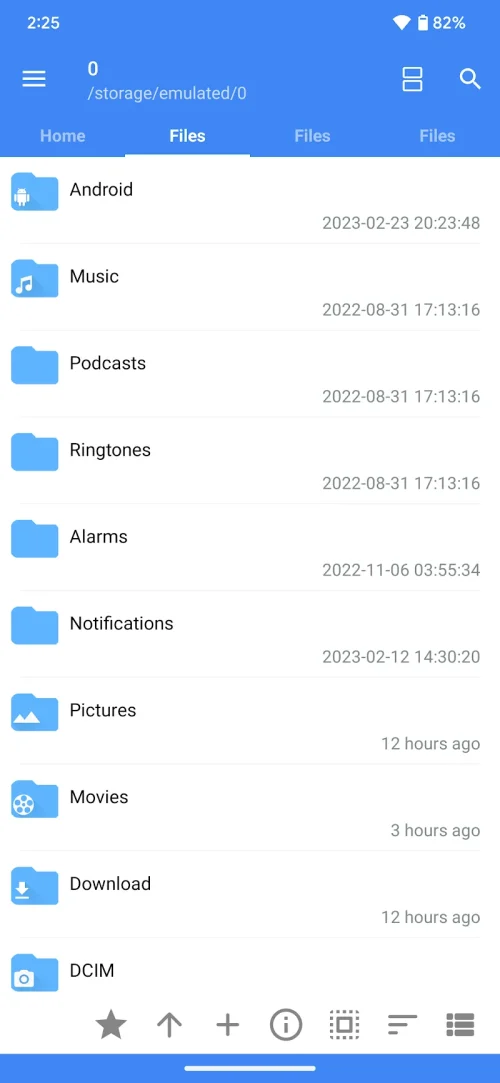
FV File Explorer Pro brings together essential file management features into a single package. Expect multi-tab browsing, dual-pane viewing for drag-and-drop moves, comprehensive archive support (ZIP, TAR, RAR) and native handling of common multimedia previews. Its toolkit is aimed at users who need reliable file organization without juggling multiple apps.
User Interface and Navigation
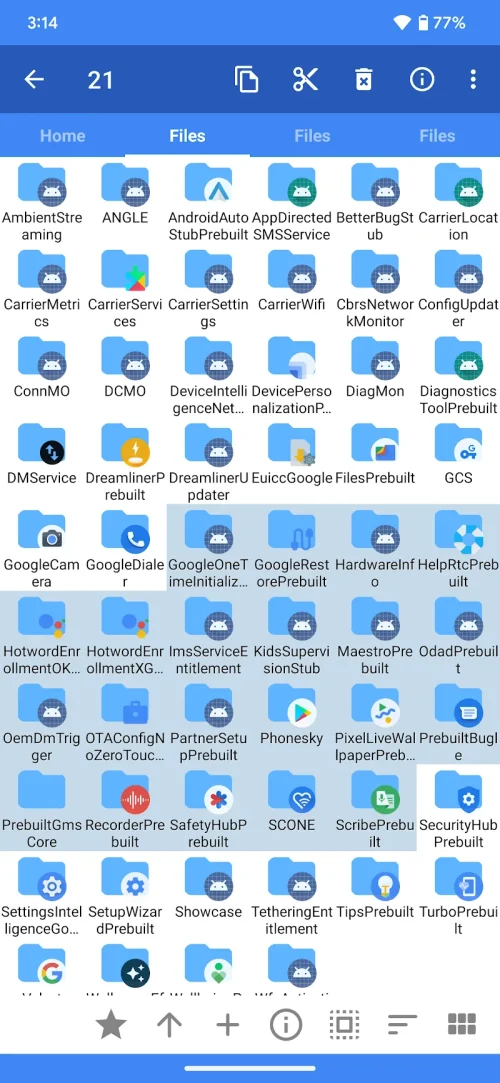
The interface prioritizes clarity: a left-hand drawer or quick-access bar for favorites, recent files, and storage locations keeps navigation one tap away. FV File Explorer Pro supports material-style themes, adjustable font sizes, and gesture shortcuts for common actions like copy, paste, and delete. Tabs and split-view make comparing folders and transferring files simple, while a persistent action bar surfaces context-aware options during selection.
Core Tools and File Handling
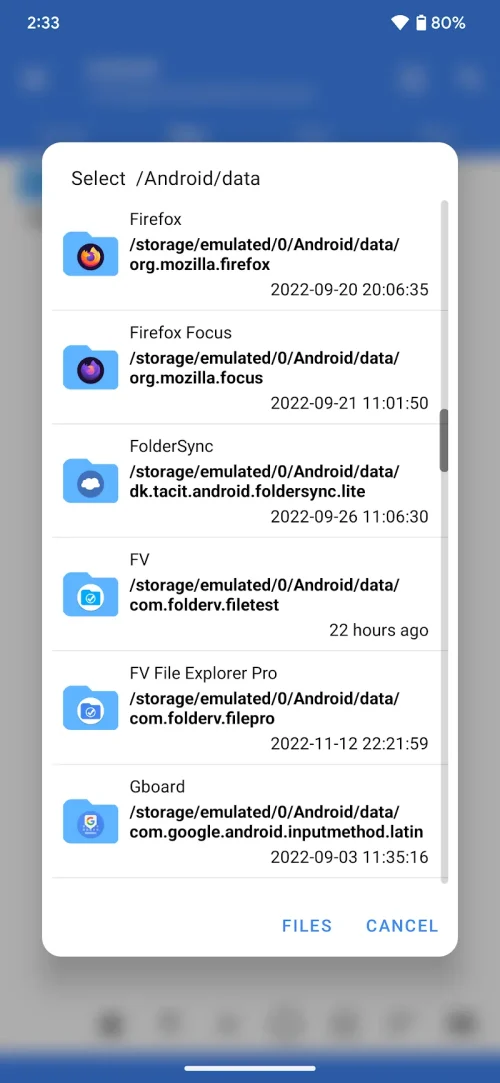
Batch processing is a strength: select multiple files to rename with templates, change extensions, apply timestamps, or modify permissions. The app integrates an advanced search with filters for size, date, and type, plus a recycle bin to recover deleted items. Built-in viewers open images, text, and videos without requiring external apps, and a lightweight file editor handles plain text and configuration files for quick edits.
Connectivity and Cloud Integration
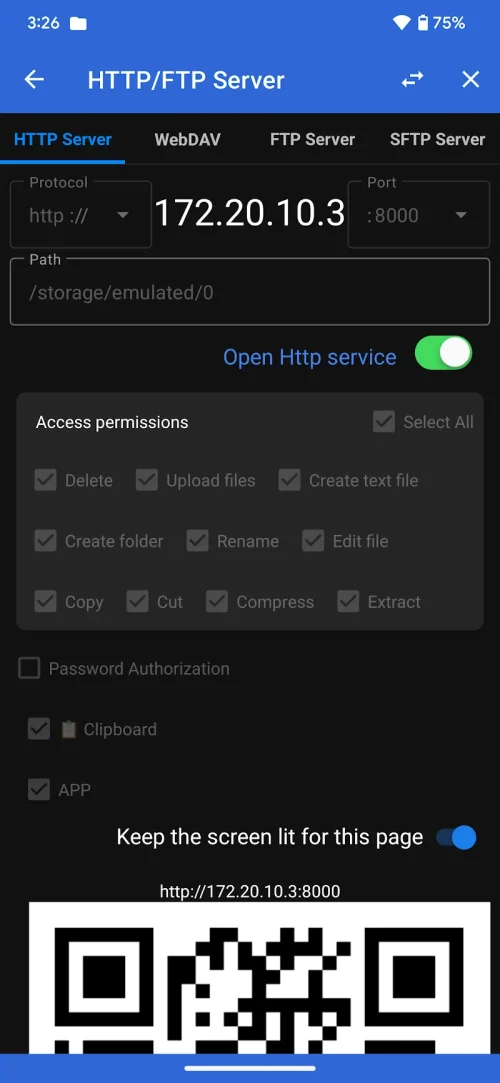
Network and cloud access are first-class features in FV File Explorer Pro. Connect to SMB/CIFS shares, FTP, SFTP, WebDAV servers, and popular cloud providers like Google Drive, Dropbox, OneDrive, and others. Transfers across networked devices are optimized for speed and stability, with resume support for interrupted uploads or downloads. Mounting remote locations creates seamless access as if the files were local.
Security and Privacy
Security tools include an encrypted vault for sensitive documents, optional file-level encryption, and PIN or biometric locks for the app. Permission requests are transparent and limited to needed capabilities, reducing background access to personal data. FV File Explorer Pro also supports secure deletion methods for users who need to remove traces of confidential files.
Advanced Features for Power Users
Power users will appreciate root-level file operations (where supported), SSH terminal integration, and scripting hooks for automating repetitive workflows. The app includes an APK manager to install, backup, or remove applications and shows detailed file metadata for auditing and troubleshooting. Developers can use the built-in log and debugging options to monitor transfers and history.
Performance and Compatibility
Performance is tuned for both high-end and budget devices. Memory usage is conservative, and background tasks such as copying and compressing are queued intelligently to prevent UI freezes. FV File Explorer Pro is compatible with recent Android versions and supports adaptive layouts for phones and tablets, including landscape split-screen and external storage access for OTG drives.
Customization and Workflow Tips
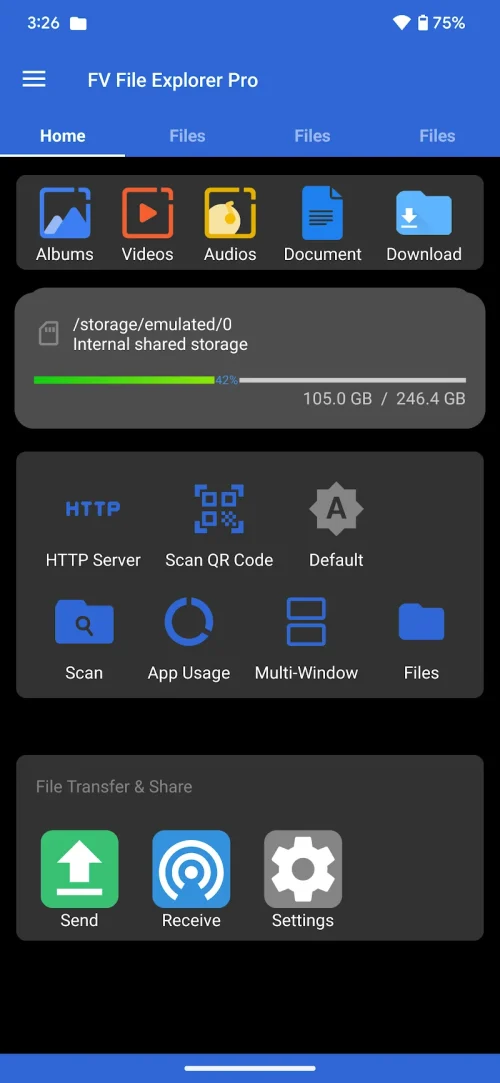
Customize the dashboard with shortcuts to frequently used folders, cloud accounts, or remote servers. Create smart folders that aggregate file types or recent edits, and make use of scheduled backups to mirror important directories to a cloud or network location. Gesture controls can be tailored to speed up common tasks like marking favorites or opening details.
Getting Started
Begin by granting storage and network permissions, then add primary locations like internal storage, an SD card, and any cloud accounts. Use the dual-pane mode for drag-and-drop transfers and try the search filters to quickly locate large or old files hogging space. With regular use, FV File Explorer Pro becomes a central hub for managing, securing, and sharing files across devices.
Show More
Information
Screenshots
Latest Update











Hot Tags
Latest News
-
![Revealing the Launch Playlists and Cross-Progression for COD Warzone Mobile News]()
-
![March 2024 Free Redemption Codes for Honkai: Star Rail News]()
-
PUBG Mobile Teams Up with Bentley Motors: Luxury Cars, Exclusive Collectibles, and Beyond 2024-04-18
![PUBG Mobile Teams Up with Bentley Motors: Luxury Cars, Exclusive Collectibles, and Beyond News]()
-
![Monster Never Cry is now accessible on both Android and iOS mobile devices. News]()
-
V2.2 of the Farlight 84 update introduces an overhauled Season structure, fresh in-game currency, an 2024-04-16
![V2.2 of the Farlight 84 update introduces an overhauled Season structure, fresh in-game currency, an News]()
-
![Arrival of Genshin Impact 4.6 Update: 'Embers of Two Realms, Twilight of Crimson' News]()
-
April 2024 Clash of Clans Update: Unveiling a Fresh Companion, Enhanced Levels, Chat Tagging, and Be 2024-04-16
![April 2024 Clash of Clans Update: Unveiling a Fresh Companion, Enhanced Levels, Chat Tagging, and Be News]()






