
Layers - Glass Icon Pack
Version:12.7
Published:2026-11-05
Introduction
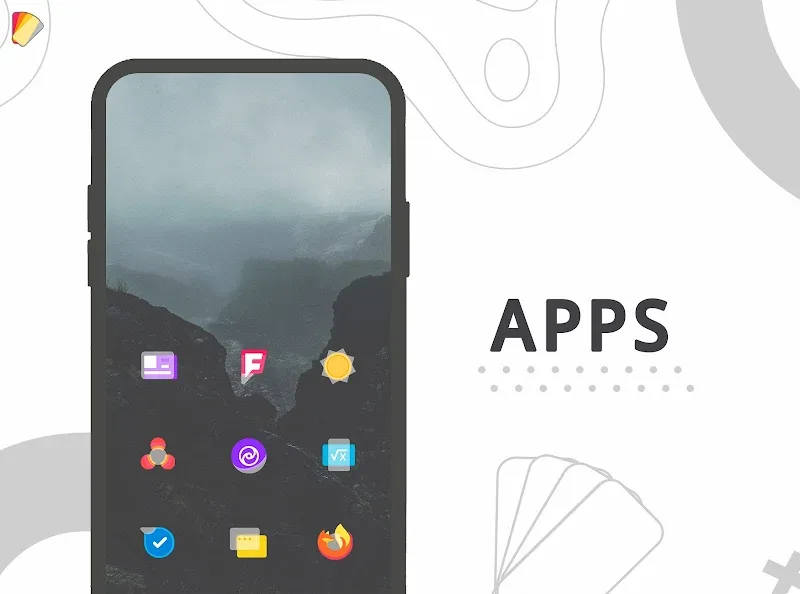
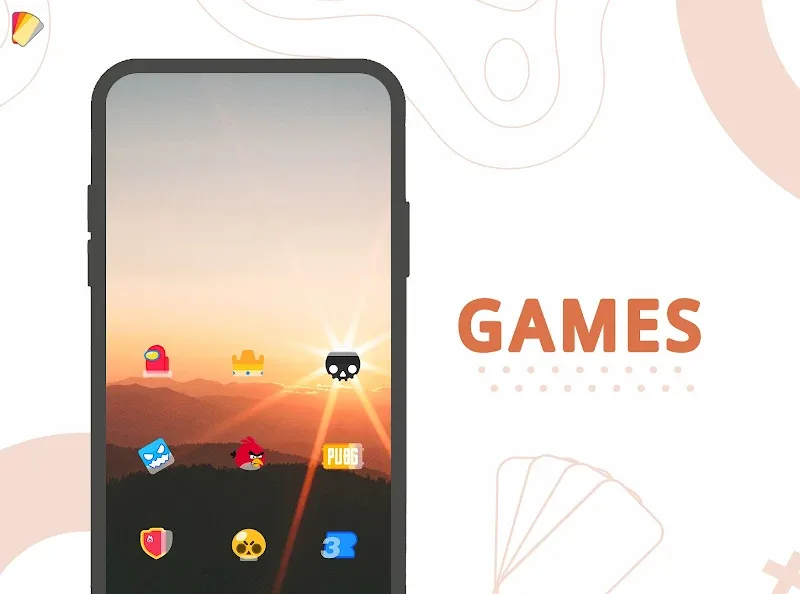
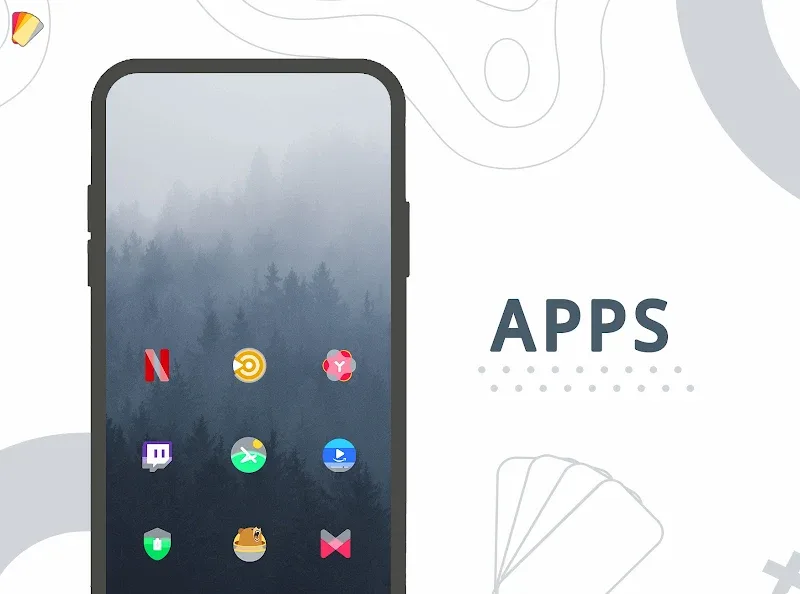
Layers - Glass Icon Pack is a refined icon theme that blends frosted glass effects with modern minimalism to refresh Android home screens. Designed for users who want consistent, glossy icons and subtle depth, this pack delivers high-resolution artwork, regular updates, and a large catalog compatible with most launchers.
Overview of the design approach
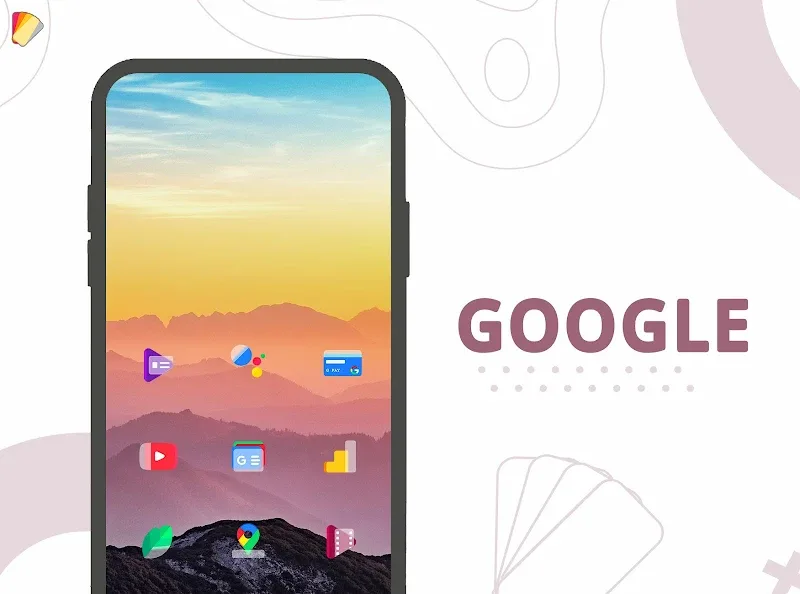
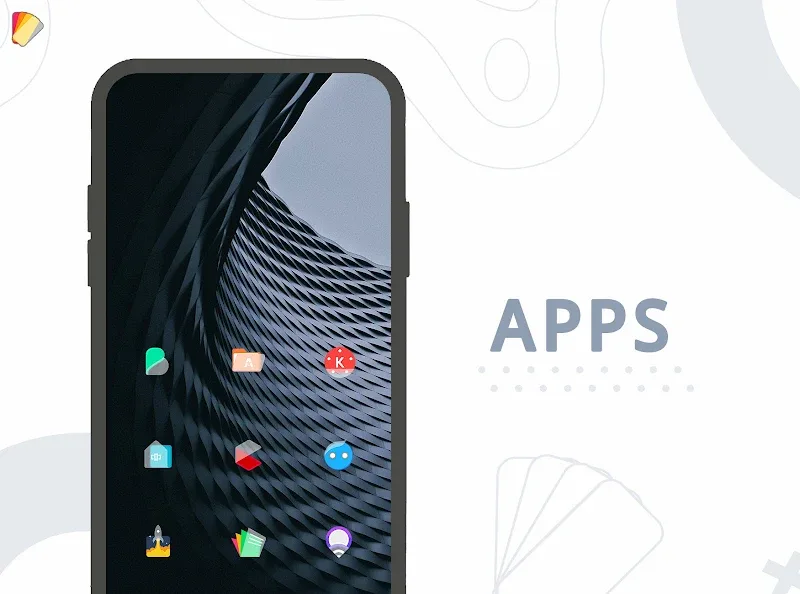
Layers - Glass Icon Pack focuses on clarity and cohesion. Each icon uses translucent layers and gentle highlights to create a glass-like surface without overwhelming colors. The goal is a unified aesthetic across system and third-party apps so your device looks polished whether you prefer dark or light wallpapers.
What’s included
- High-resolution icons optimized for modern screens, including xxhdpi assets.
- Alternate icons for popular apps to maintain visual consistency.
- Matching wallpapers crafted to complement the glass theme.
- Regular updates that add icons for recent apps and improve existing artwork.
Customization and compatibility
The pack supports most major launchers such as Nova, Lawnchair, Action Launcher, and Microsoft Launcher. You can apply the icon set globally or swap icons for individual apps via your launcher’s icon picker. The included icon request tool makes it convenient to ask the developer for icons that are missing from your collection.
How it works with launchers
After installation, open Layers - Glass Icon Pack and tap the apply button. The app guides you through selecting your launcher and will attempt to apply icons automatically. If a launcher doesn’t support automatic application, manual assignment through launcher settings is straightforward and only takes a few taps.
Performance and system impact
Icon packs are lightweight by nature, and this one is tuned for minimal resource use. Icons are static PNGs or adaptive icon layers where supported, which means there’s no background service consuming memory or battery. Users report smooth performance even on mid-range devices.
Adaptive icons and scaling
Where available, Layers - Glass Icon Pack supplies adaptive icon layers so icons blend with Android’s adaptive masking. The icon sizes are balanced to avoid cutoffs and to look sharp on both compact and large display densities.
User experience and workflow
The app’s interface is simple: browse categories, preview icons against included wallpapers, and apply with the launcher of your choice. The preview mode is useful for testing icon style across folders and widgets to ensure the visual balance meets your expectations before committing.
Tips for newcomers
- Try wallpaper pairs: Use the provided wallpapers for the intended glass effect—plain or gradient backgrounds enhance translucency.
- Use icon masking: If your launcher supports icon masking, enable it to maintain consistent shapes across legacy icons.
- Request icons selectively: Submit requests for the apps you use most to prioritize updates.
Why users choose this pack
People pick Layers - Glass Icon Pack when they want a modern, restrained look that’s more refined than flat minimalism but less flashy than skeuomorphic themes. The subtle depth and muted color scheme make home screens feel coherent without drawing excessive attention away from widgets or wallpapers.
Support and updates
The developer is responsive to icon requests and typically issues updates that expand coverage for new apps. Regular updates help maintain a consistent experience as new apps become part of users’ daily routines.
Getting started
Install the icon pack from your preferred source, open the app to browse previews, and follow the apply flow for your launcher. For launchers that require manual changes, long-press an app icon, choose edit, and select the Layers - Glass Icon Pack icon to replace it. Enjoy adjusting a few key icons and wallpapers to see how the theme transforms your device.
Whether you seek a subtle refresh or a complete visual overhaul, Layers - Glass Icon Pack offers an elegant, low-impact way to uplift your Android interface with consistent, glass-inspired icons.
Show More
Information
Screenshots
Latest Update





Latest News
-
![Revealing the Launch Playlists and Cross-Progression for COD Warzone Mobile News]()
-
![March 2024 Free Redemption Codes for Honkai: Star Rail News]()
-
PUBG Mobile Teams Up with Bentley Motors: Luxury Cars, Exclusive Collectibles, and Beyond 2024-04-18
![PUBG Mobile Teams Up with Bentley Motors: Luxury Cars, Exclusive Collectibles, and Beyond News]()
-
![Monster Never Cry is now accessible on both Android and iOS mobile devices. News]()
-
V2.2 of the Farlight 84 update introduces an overhauled Season structure, fresh in-game currency, an 2024-04-16
![V2.2 of the Farlight 84 update introduces an overhauled Season structure, fresh in-game currency, an News]()
-
![Arrival of Genshin Impact 4.6 Update: 'Embers of Two Realms, Twilight of Crimson' News]()
-
April 2024 Clash of Clans Update: Unveiling a Fresh Companion, Enhanced Levels, Chat Tagging, and Be 2024-04-16
![April 2024 Clash of Clans Update: Unveiling a Fresh Companion, Enhanced Levels, Chat Tagging, and Be News]()






