
RetrOxigen - Icon Pack
Version:3.6
Published:2026-11-05
Introduction
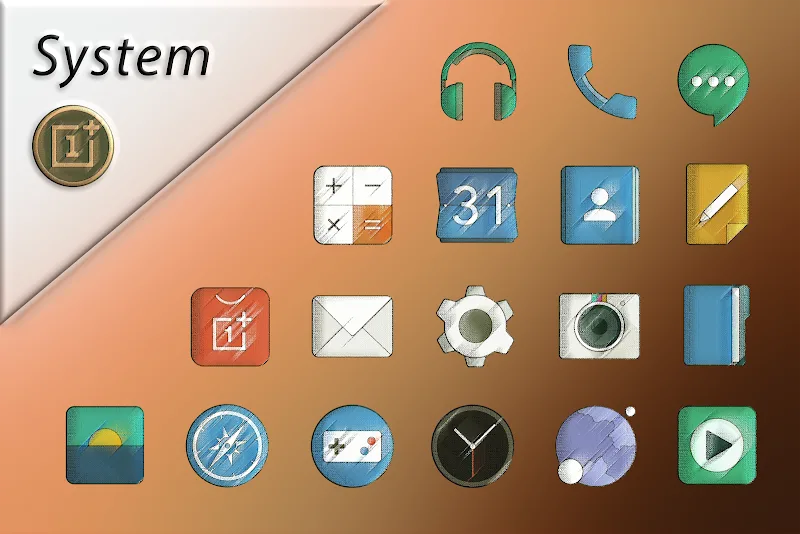
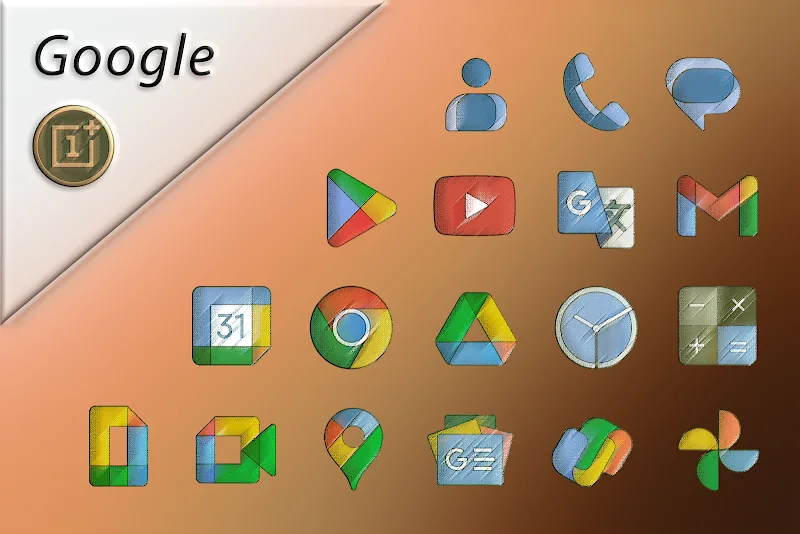
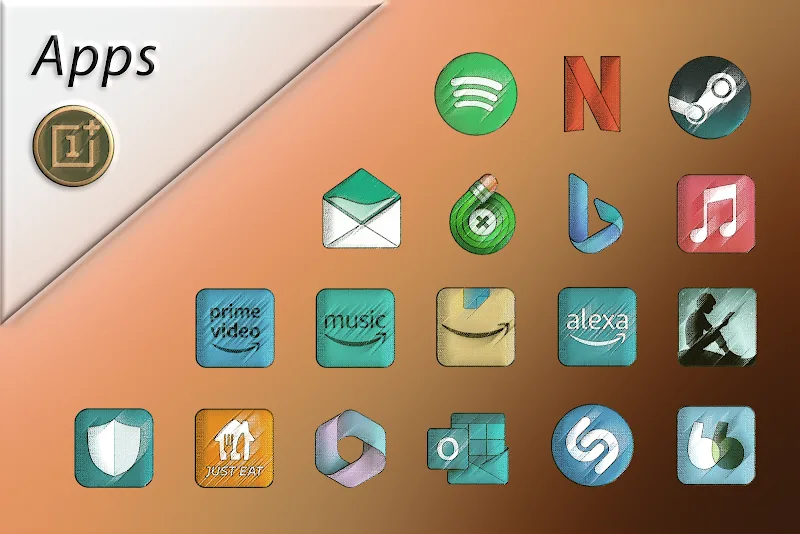
RetrOxigen - Icon Pack transforms your Android launcher with a cohesive set of retro-futuristic icons, carefully balanced colors, and subtle shading. The pack delivers hundreds of high-resolution icons plus alternative glyphs, masking support, and dynamic wallpapers to refresh home screens without heavy battery or performance impact.
Overview of the design philosophy
RetrOxigen - Icon Pack takes inspiration from vintage tech and modern minimalism, producing icons that feel familiar yet fresh. Each icon pairs a muted palette with crisp outlines to ensure readability on any wallpaper. Rather than flashy effects, the collection emphasizes consistency across app categories and a unified look for folders and widgets.
What the package includes
- Extensive icon library: Hundreds of hand-crafted icons covering popular and niche apps.
- Alternate glyphs: Multiple variants for many apps so you can pick the one that fits your setup.
- Icon masking: Automatic masking for unthemed apps to keep the visual balance intact.
- Wallpapers and accents: A selection of wallpapers that complement the icon tones and a set of color accents for matching widgets.
- Regular updates: Periodic additions and bug fixes pushed through the dashboard.
How customization works
Customization in RetrOxigen - Icon Pack is straightforward. The app provides a compact dashboard to preview icons, apply a batch of icons to supported launchers, and submit icon requests. Most popular launchers like Nova, Lawnchair, Action, and ADW are supported. If your launcher lacks built-in support, the masking feature helps maintain a consistent look by shaping unmatched icons to the pack’s style.
Icon request and theming tools
- In-app requests: Send a request for missing icons directly from the dashboard, attaching screenshots or package names.
- Apply and revert: Quickly apply themes or revert to system icons; a preview helps you decide before committing.
- Adaptive options: Some icons include adaptive layers for launchers that support dynamic icons.
Performance and interface
The interface is lightweight and responsive. RetrOxigen - Icon Pack avoids heavy animations and background processes, which keeps memory usage low. Icons are provided in high-resolution PNG or vector formats to ensure sharpness on devices with different pixel densities. The wallpaper previews use compressed assets to minimize storage impact while still looking good on AMOLED and LCD screens.
Compatibility and updates
Compatibility is broad: the pack integrates with dozens of third-party launchers and many OEM home screens. The developer maintains a changelog and issues updates to add new icons each month. If a requested icon isn’t available immediately, the request queue usually clears within a few updates depending on complexity.
Getting started and installation
Installing RetrOxigen - Icon Pack is a quick process. Download the APK, open the icon pack app, grant the minimal permissions it asks for, then select your launcher from the list and apply the theme. If your launcher isn’t listed, use the manual apply option and enable icon masking to ensure unthemed apps adopt the pack’s appearance.
Step-by-step tips
- Backup your setup: Note your current icon settings so you can revert if needed.
- Clear cache: If icons don’t update immediately, clear your launcher cache or restart the launcher.
- Request missing icons: Use the in-app tool to speed up inclusion of niche apps.
User experience and styling advice
Users appreciate RetrOxigen - Icon Pack for creating a polished home screen without manual editing. The muted but contrasting colors help icons stand out on both light and dark wallpapers. To get the best results, pair the pack with a minimalist widget set and a single accent color for folders. That keeps the focus on functionality while preserving an elegant, retro-modern aesthetic.
Who should try it
RetrOxigen - Icon Pack suits anyone who values coherent visual design, from casual users who want a tidy home screen to power users who frequently tweak themes. It’s especially useful if you prefer a nostalgic look that still reads well on contemporary devices.
Show More
Information
Screenshots
Latest Update



Latest News
-
![Revealing the Launch Playlists and Cross-Progression for COD Warzone Mobile News]()
-
![March 2024 Free Redemption Codes for Honkai: Star Rail News]()
-
PUBG Mobile Teams Up with Bentley Motors: Luxury Cars, Exclusive Collectibles, and Beyond 2024-04-18
![PUBG Mobile Teams Up with Bentley Motors: Luxury Cars, Exclusive Collectibles, and Beyond News]()
-
![Monster Never Cry is now accessible on both Android and iOS mobile devices. News]()
-
V2.2 of the Farlight 84 update introduces an overhauled Season structure, fresh in-game currency, an 2024-04-16
![V2.2 of the Farlight 84 update introduces an overhauled Season structure, fresh in-game currency, an News]()
-
![Arrival of Genshin Impact 4.6 Update: 'Embers of Two Realms, Twilight of Crimson' News]()
-
April 2024 Clash of Clans Update: Unveiling a Fresh Companion, Enhanced Levels, Chat Tagging, and Be 2024-04-16
![April 2024 Clash of Clans Update: Unveiling a Fresh Companion, Enhanced Levels, Chat Tagging, and Be News]()






