
Fast Scan by CamScanner
Version:3.1.0
Published:2026-11-05
Introduction
Fast Scan by CamScanner is a compact, fast document-scanning app that converts phone photos into clean, searchable PDFs and images. It streamlines multipage capture, auto-cropping, perspective correction, and basic OCR so users can digitize receipts, notes, and documents quickly for sharing or cloud backup on the go.
What the app does
Fast Scan by CamScanner turns your Android device into a portable scanner. With a few taps you can capture pages, apply filters that boost legibility, and export to common formats. The app balances automated adjustments with manual controls so you can refine results before saving. It supports common workflows like compressing files for email and merging multiple scans into a single PDF.
Core scanning tools
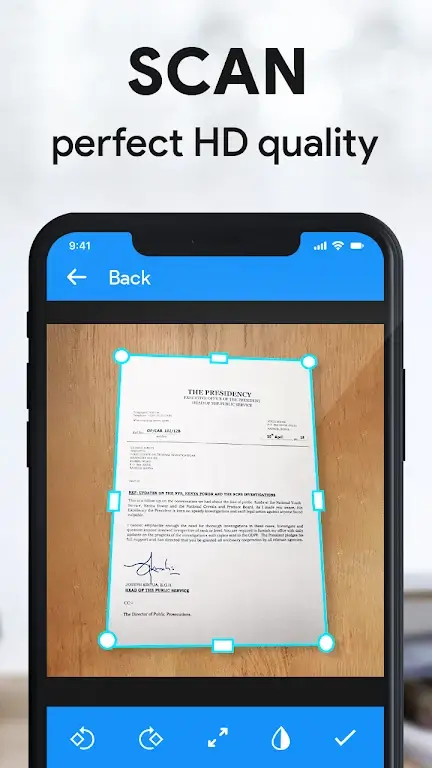
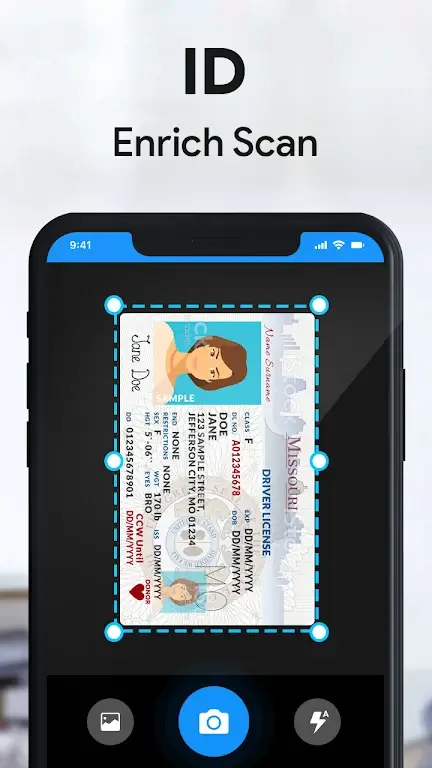
- Auto edge detection identifies document borders and crops images automatically.
- Perspective correction flattens angled shots to look like straight scans.
- Image enhancement applies filters for black-and-white, document clarity, and color boost.
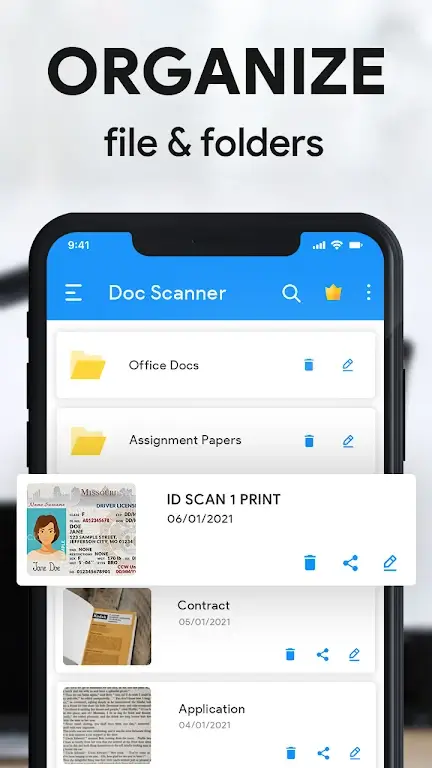
- Multi-page management reorders, rotates, or deletes pages inside a single document.
- Export options save as PDF or JPEG and choose quality or compression settings.
User interface and workflow
The interface emphasizes speed: a prominent camera button launches capture, while thumbnails give immediate access to recent scans. Batch mode is useful for receipts or long documents, letting users keep shooting without changing screens. Built-in tutorials explain how to get straight edges and consistent lighting. For daily use the navigation is unobtrusive and keeps frequently used actions within reach.
Performance and reliability
Fast Scan by CamScanner performs well on mid-range phones, processing pages quickly and keeping file sizes reasonable. Background saving means you can continue scanning while files are exported. The app minimizes manual retakes by offering quick editing tools and preview screens. Large documents are handled via pagination and compressed exports to avoid storage strain.
Advanced features worth noting
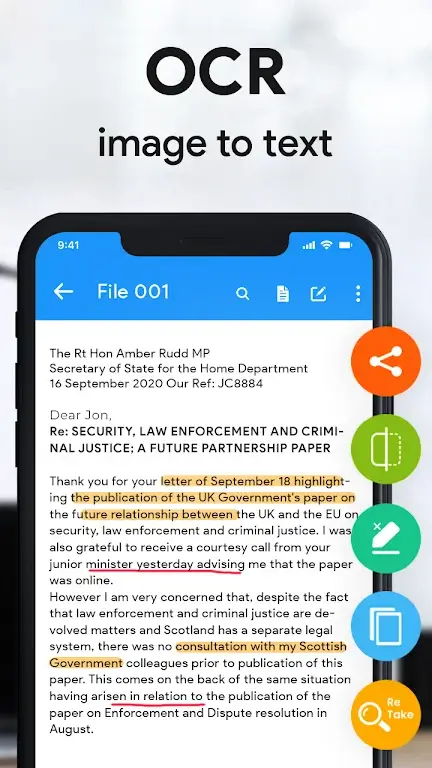
Beyond scanning and trimming, the app offers several features that improve productivity. Searchable text extraction helps locate information inside scanned copies, while annotation tools let you add notes or highlight sections before sharing. Integration with cloud storage services simplifies backup, and direct sharing to email or messaging apps reduces friction when sending documents to colleagues or clients.
Security and sharing
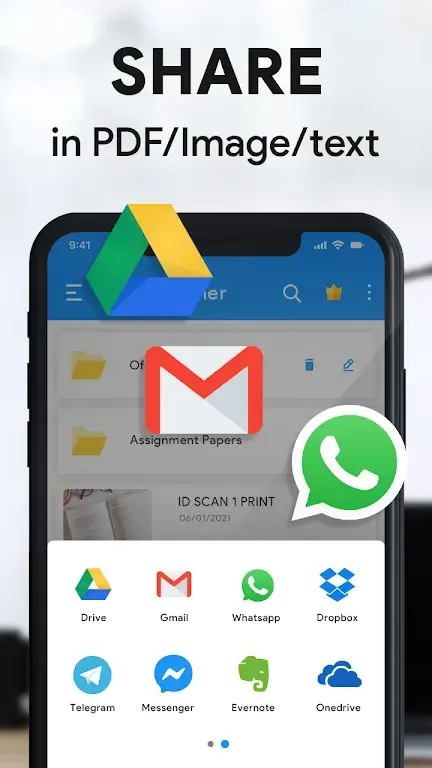
Protecting sensitive documents is important. Fast Scan by CamScanner includes options to set passwords for exported PDFs and to remove metadata if needed. When sharing, users can select resolution and compression levels so recipients get the most appropriate file size. The sharing menu supports popular cloud services and direct links for fast distribution.
Tips for getting better scans
- Steady your phone: use both hands or a flat surface to reduce blur.
- Good lighting: even ambient light reduces shadows and improves auto-crop accuracy.
- Use contrast filters: black-and-white or document filters enhance photocopied text.
- Scan in batches: capture entire reports or receipts in one session for consistent results.
- Organize right away: add titles and tags to documents before exporting to keep archives tidy.
Who benefits most
Professionals who need to digitize paperwork, students saving handwritten notes, and small-business owners tracking receipts all find the app handy. It removes the need for a physical scanner for most everyday tasks and speeds up document workflows. The mix of automation and manual fine-tuning means both casual and power users can adapt it to their routines.
Getting started
Install the app, grant camera and storage permissions, and follow the quick start prompts. Begin with a short test scan to explore edge detection and filters. Learn the export options so you know how to produce PDFs sized for email or printing. Regularly clear or back up scanned files to keep the app responsive.
Fast Scan by CamScanner is useful for anyone who wants quick, reliable digitization of physical documents without complicated setups. It focuses on speed and practicality, offering tools that match everyday needs while leaving room for more advanced adjustments when precision is required.
Show More
Information
Screenshots
Latest Update










Hot Tags
Latest News
-
![Revealing the Launch Playlists and Cross-Progression for COD Warzone Mobile News]()
-
![March 2024 Free Redemption Codes for Honkai: Star Rail News]()
-
PUBG Mobile Teams Up with Bentley Motors: Luxury Cars, Exclusive Collectibles, and Beyond 2024-04-18
![PUBG Mobile Teams Up with Bentley Motors: Luxury Cars, Exclusive Collectibles, and Beyond News]()
-
![Monster Never Cry is now accessible on both Android and iOS mobile devices. News]()
-
V2.2 of the Farlight 84 update introduces an overhauled Season structure, fresh in-game currency, an 2024-04-16
![V2.2 of the Farlight 84 update introduces an overhauled Season structure, fresh in-game currency, an News]()
-
![Arrival of Genshin Impact 4.6 Update: 'Embers of Two Realms, Twilight of Crimson' News]()
-
April 2024 Clash of Clans Update: Unveiling a Fresh Companion, Enhanced Levels, Chat Tagging, and Be 2024-04-16
![April 2024 Clash of Clans Update: Unveiling a Fresh Companion, Enhanced Levels, Chat Tagging, and Be News]()






