
Turbo Alarm
Version:9.5.6
Published:2026-11-06
Introduction
Turbo Alarm is a smart, configurable alarm clock designed for Android users who need reliable wake-ups and efficient scheduling. It combines quick setup, flexible routines, and adaptive snooze controls to help you manage mornings and reminders with minimal fuss while offering deep customization for power users.
What this app does
This alarm utility focuses on simplicity and precision. Turbo Alarm lets you create repeating alarms, set multiple timers, and attach labels or actions to each alert. It aims to replace the default clock with a richer set of options that improve punctuality, reduce morning friction, and integrate into daily workflows.
Core capabilities
- Multiple alarm profiles — Save dedicated configurations for weekdays, weekends, travel, or special events.
- Snooze controls — Choose fixed or adaptive snooze intervals and limit how many times an alarm can be deferred.
- Smart dismissal — Require simple puzzles, math tasks, or shake gestures to turn off alarms to prevent accidental sleeping in.
- Labeling and notes — Add context to alerts so each alarm shows a reminder message or checklist.
How it works day-to-day
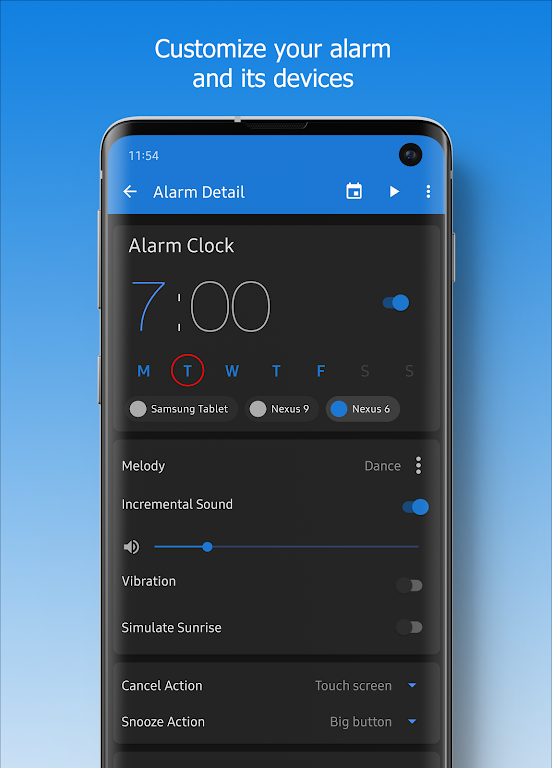
Setting up an alarm is straightforward: pick a time, select days, and attach any desired actions. Alarms can trigger playlists, system sounds, or custom ringtones. You can also schedule gradual volume increase to wake up gently, or jump straight to maximum volume for crucial appointments.
Automation and integration
Turbo Alarm can integrate with calendar entries and location-based triggers. Use it to create a wake-up tied to a calendar event or set a reminder when arriving at a certain place. For users who use automation tools, the app provides hooks that play well with task automation apps.
Customization options
Design choices are extensive. Select from preset themes, customize the display layout, and reorder alarms with drag-and-drop. Each alarm can have its own sound, vibration pattern, and snooze behavior. Advanced users can create templates to apply identical settings across multiple alarms quickly.
Interface and controls
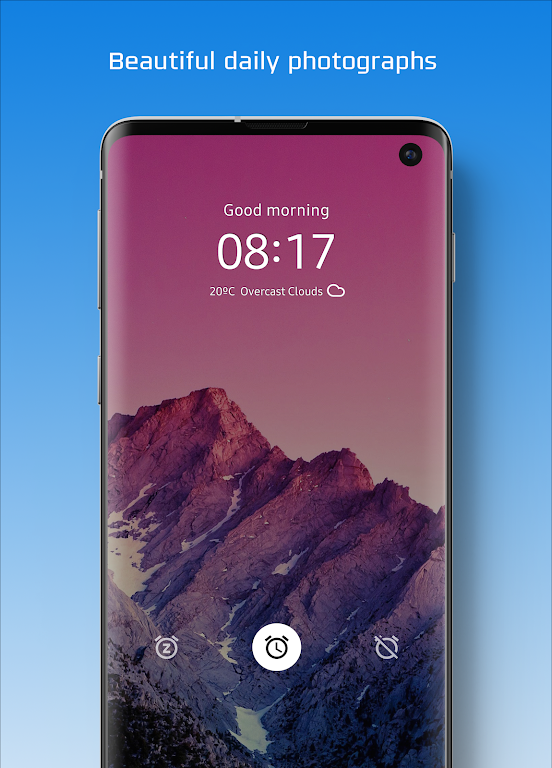
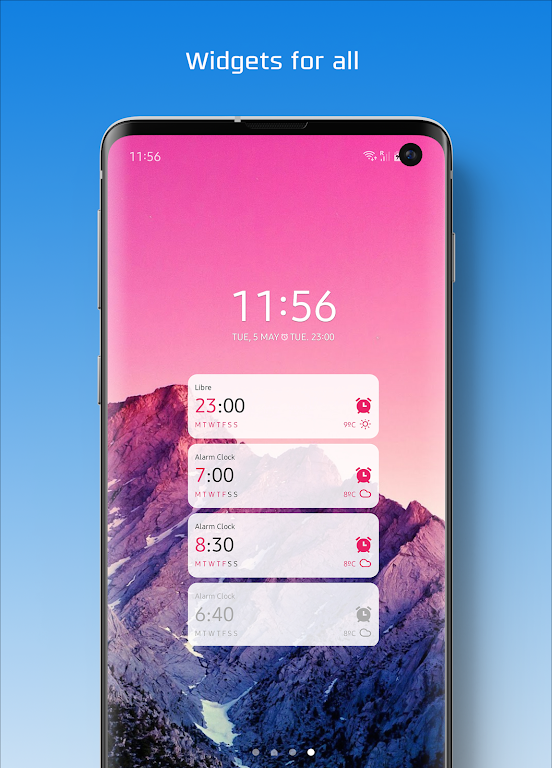
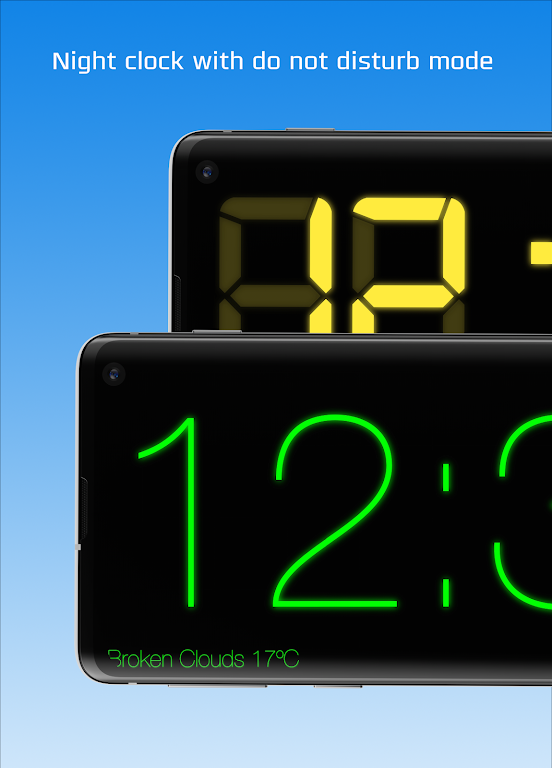
The interface balances clean visuals with practical controls. Large, tappable buttons make setting alarms easy even when half-asleep. The timeline view displays upcoming alarms in chronological order, while a separate history section tracks past triggers and dismissals for review.
Performance and reliability
Performance is optimized to minimize battery impact while ensuring alarms fire accurately even under strict power-saving modes. The app requests only necessary permissions and offers guidance to whitelist it from aggressive battery optimizers. Notifications are prioritized so you don’t miss critical alerts.
Stability notes
Updates focus on compatibility with Android power management changes and sound behavior across devices. If an alarm fails to sound due to system settings, the app provides step-by-step troubleshooting tips to restore normal operation.
Tips for new users
- Enable the gradual volume option for gentler wakes.
- Create distinct tones for work, exercise, and medication reminders to avoid confusion.
- Use smart dismissal only for alarms you must not ignore; otherwise keep quick dismiss options enabled.
- Test an alarm after initial setup to confirm volume and notification permissions are correct.
Why people adopt Turbo Alarm
Users choose Turbo Alarm for its blend of power and usability. It’s flexible enough for complex scheduling while remaining easy to pick up. Parents, professionals, and students appreciate the reliability and the extra measures that reduce oversleeping or missed tasks.
Getting started
Installation is the same as any Android app: download and grant the usual permissions for notifications and sounds. Upon first launch, the setup wizard walks you through creating your first alarm and explains battery optimization settings that may affect reliability. Regular updates bring new quality-of-life improvements and expanded integration options.
For anyone looking to move beyond a basic clock, Turbo Alarm delivers a dependable, feature-rich solution that adapts to different routines and priorities. With customizable profiles, clear controls, and robust notification handling, it aims to be the go-to alarm app for daily time management.
Show More
Information
Screenshots
Latest Update










Latest News
-
![Revealing the Launch Playlists and Cross-Progression for COD Warzone Mobile News]()
-
![March 2024 Free Redemption Codes for Honkai: Star Rail News]()
-
PUBG Mobile Teams Up with Bentley Motors: Luxury Cars, Exclusive Collectibles, and Beyond 2024-04-18
![PUBG Mobile Teams Up with Bentley Motors: Luxury Cars, Exclusive Collectibles, and Beyond News]()
-
![Monster Never Cry is now accessible on both Android and iOS mobile devices. News]()
-
V2.2 of the Farlight 84 update introduces an overhauled Season structure, fresh in-game currency, an 2024-04-16
![V2.2 of the Farlight 84 update introduces an overhauled Season structure, fresh in-game currency, an News]()
-
![Arrival of Genshin Impact 4.6 Update: 'Embers of Two Realms, Twilight of Crimson' News]()
-
April 2024 Clash of Clans Update: Unveiling a Fresh Companion, Enhanced Levels, Chat Tagging, and Be 2024-04-16
![April 2024 Clash of Clans Update: Unveiling a Fresh Companion, Enhanced Levels, Chat Tagging, and Be News]()






