

Soundbrenner
Version:1.29.4
Published:2026-11-06
Introduction
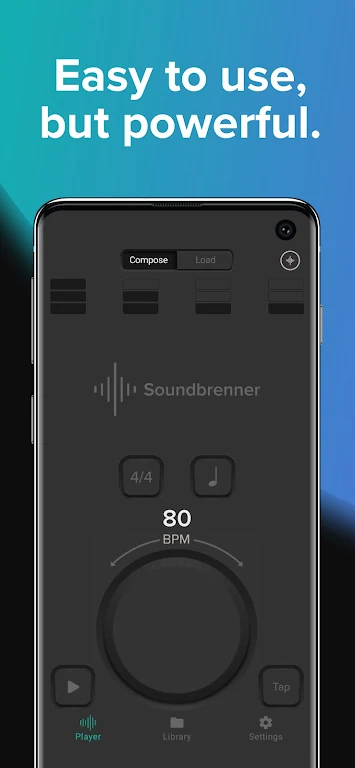
If you're the kind of musician who likes to measure progress and keep practice time organized, Soundbrenner puts rhythm tools and a practice tracker on your phone. This app combines a metronome with a practice log so you can manage sessions, set goals, and review how you spend rehearsal time. Soundbrenner works for casual learners and gigging players alike: it offers adjustable rhythms, tap tempo options, and connectivity with external gear, while presenting session summaries and weekly overviews to help you stay accountable.
Getting Started with Soundbrenner
Install and set up: Download the app, allow basic permissions, and create a simple profile to begin logging sessions. The initial setup walks you through selecting instruments and preferred tempo display.
Create your first session: Tap to start a timed practice, choose a rhythm or metronome preset, and add tags such as 'scales' or 'repertoire' so later reports are easier to filter.
Connect gear if needed: If you have Bluetooth MIDI, USB MIDI, or an Ableton Link setup, pair the hardware from the settings menu to sync tempo and signals for tighter integration.
Review weekly reports: Open the practice history to see totals per instrument, comparisons across days, and simple charts that highlight progress over time.
Features of Soundbrenner:
Practice tracking: The core tracker logs session length and tags so you can evaluate where your time goes rather than guessing from memory.
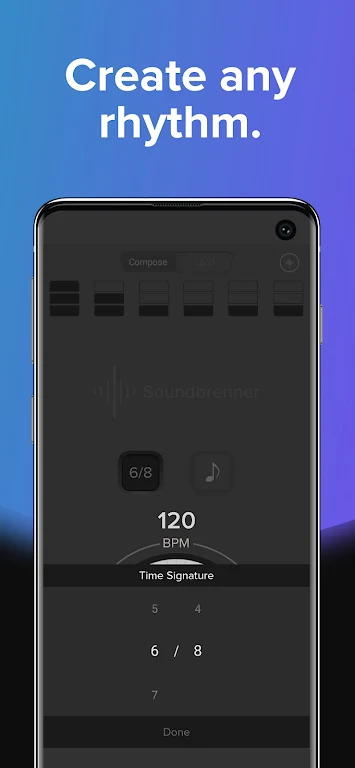
Customizable metronome: Create and save rhythms with accents, time signatures, and subdivisions to match exercises or pieces you’re working on.
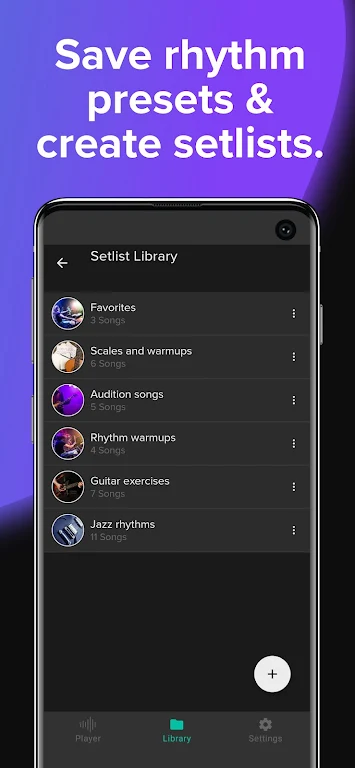
Tap tempo and playlists: Tap to set a tempo quickly and assemble practice playlists that move you from warmups to technical studies and repertoire without manual adjustments.
Pro-level compatibility: Soundbrenner supports common studio and stage workflows by integrating with USB MIDI, Bluetooth MIDI, and Ableton Link for consistent timing across devices.
Pros & Cons:
- Good overview of practice time and weekly summaries.
- Flexible metronome with playlists and tap tempo.
- Connectivity for musicians who use MIDI hardware or link-enabled apps.
- Some advanced features may require a short learning curve to customise fully.
- Visual reports are useful but users seeking deep statistical analysis might want extra export options.
Final Words:
Soundbrenner is a practical companion whether you’re tracking practice for progress or keeping tempo during rehearsals. Try it during a short warmup before a lesson or for timing a run-through before a gig; it handles simple sessions and more involved synced setups. Give Soundbrenner a spin to see how a combined metronome and tracker can shape your practice routine, and explore the MIDI and Link options if you work with external gear.
Show More
Information
Screenshots

Latest Update








Hot Tags
Latest News
-
![Revealing the Launch Playlists and Cross-Progression for COD Warzone Mobile News]()
-
![March 2024 Free Redemption Codes for Honkai: Star Rail News]()
-
PUBG Mobile Teams Up with Bentley Motors: Luxury Cars, Exclusive Collectibles, and Beyond 2024-04-18
![PUBG Mobile Teams Up with Bentley Motors: Luxury Cars, Exclusive Collectibles, and Beyond News]()
-
![Monster Never Cry is now accessible on both Android and iOS mobile devices. News]()
-
V2.2 of the Farlight 84 update introduces an overhauled Season structure, fresh in-game currency, an 2024-04-16
![V2.2 of the Farlight 84 update introduces an overhauled Season structure, fresh in-game currency, an News]()
-
![Arrival of Genshin Impact 4.6 Update: 'Embers of Two Realms, Twilight of Crimson' News]()
-
April 2024 Clash of Clans Update: Unveiling a Fresh Companion, Enhanced Levels, Chat Tagging, and Be 2024-04-16
![April 2024 Clash of Clans Update: Unveiling a Fresh Companion, Enhanced Levels, Chat Tagging, and Be News]()






