
Diarium
Version:3.0.88
Published:2026-11-07
Introduction
Too often digital journals feel bland and end up buried under photos and half-written notes. Diarium aims to change that by offering a polished personal journal that combines freeform text, photo attachments and simple organization so you actually revisit the moments you record. This overview explains how Diarium organizes entries, secures them and keeps them available across devices while still feeling like an approachable, everyday tool for memories and practical record keeping.
Categories:
Personal diary: A place for daily reflections, mood tracking and quick jotting that reads like a private timeline.
Travel and event log: Use Diarium to stitch photos, location tags and notes into trip entries that recreate a journey.
Work notebook: Save meeting notes, ideas and project milestones in dated entries that are searchable later.
Features:
Rich entries: Diarium supports long-form text plus short notes so you can switch between a quick bullet and a full write-up.
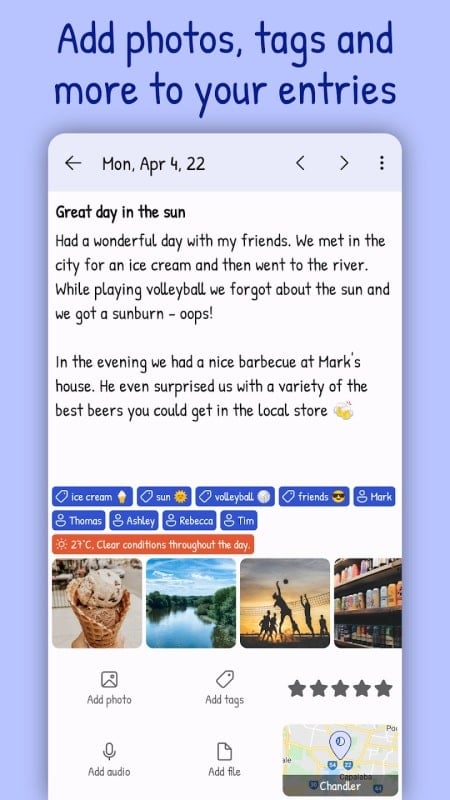
Attach photos and tags: Add images to any entry and tag people or topics to make retrieval intuitive when you look back.
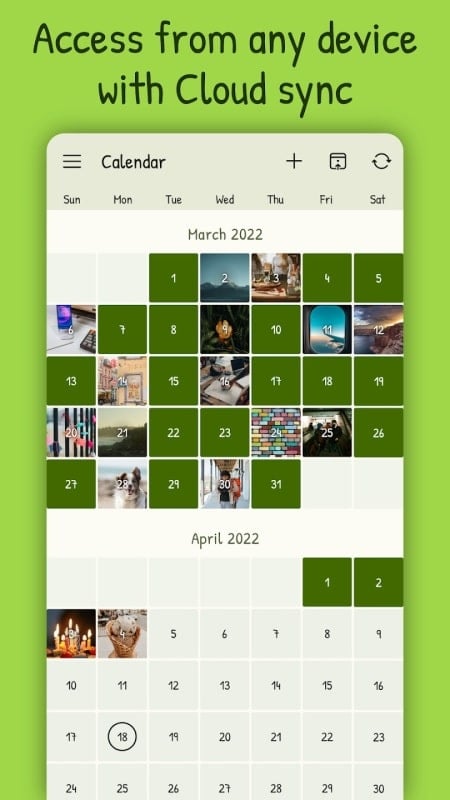
Cloud sync and backup: Link an account to keep entries safe in the cloud, so records stay intact if you change phones or need cross-device access.
Lock and privacy options: Set a passcode or pattern to protect your diary; Diarium keeps the app private from casual access on shared devices.
Tips and Tricks:
Keep a short daily habit: Even a single line per day builds a readable timeline; Diarium makes it easy to pick up where you left off.
Use tags consistently: Create a small set of tags for recurring topics like travel, health or work so entries are easy to filter later.
Leverage photos for context: Attach an image after an event or meeting — visual cues help your future self recall details more quickly in Diarium.
FAQs:
Is Diarium free to use?
There is a free version with core writing and photo features; advanced options such as extended export or premium themes may require an upgrade.
Can I access my entries on more than one device?
Yes. By connecting Diarium to an account and enabling cloud sync you can read and edit your journal from other devices that use the same login.
How does Diarium protect my private notes?
Diarium offers app-level security like passcodes or patterns to prevent casual access, and storing data in your cloud account reduces the risk of losing entries if a device is wiped.
Conclusion:
If you want a tidy, flexible journaling app that combines photos, timestamps and basic security, Diarium is worth trying — try a few entries and see if it helps you keep a habit while offering safe, synced storage for your memories.
Show More
Information
Screenshots

Latest Update












Hot Tags
Latest News
-
![Revealing the Launch Playlists and Cross-Progression for COD Warzone Mobile News]()
-
![March 2024 Free Redemption Codes for Honkai: Star Rail News]()
-
PUBG Mobile Teams Up with Bentley Motors: Luxury Cars, Exclusive Collectibles, and Beyond 2024-04-18
![PUBG Mobile Teams Up with Bentley Motors: Luxury Cars, Exclusive Collectibles, and Beyond News]()
-
![Monster Never Cry is now accessible on both Android and iOS mobile devices. News]()
-
V2.2 of the Farlight 84 update introduces an overhauled Season structure, fresh in-game currency, an 2024-04-16
![V2.2 of the Farlight 84 update introduces an overhauled Season structure, fresh in-game currency, an News]()
-
![Arrival of Genshin Impact 4.6 Update: 'Embers of Two Realms, Twilight of Crimson' News]()
-
April 2024 Clash of Clans Update: Unveiling a Fresh Companion, Enhanced Levels, Chat Tagging, and Be 2024-04-16
![April 2024 Clash of Clans Update: Unveiling a Fresh Companion, Enhanced Levels, Chat Tagging, and Be News]()






