

Groovebox 4
Version:3.12.21-groovebox-fr
Published:2026-11-07
Introduction
Groovebox 4 is a compact music-production studio for Android that blends pattern-based sequencing with modern synths and drum machines. Designed for quick sketching and deep sound design, it gives musicians instant access to presets, hands-on controls, and export tools to take ideas from concept to shareable tracks within minutes.
What this app does
At its core, Groovebox 4 is a creative playground for producers who want to compose on the go. It focuses on loop- and pattern-based composition, letting you arrange ideas into full tracks without complicated routing. The main workflow centers on selecting instruments, programming patterns, and layering sections to build dynamic arrangements.
Key features and tools
The app includes a set of virtual instruments and utilities aimed at fast production:
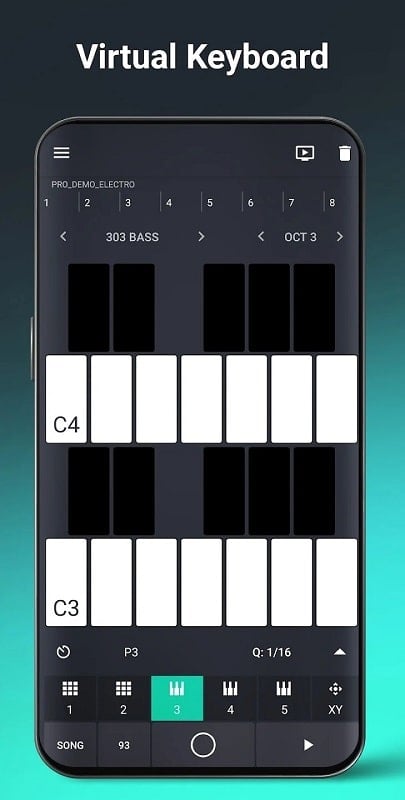
- Synth engines with multiple oscillators, filters, and modulation sources.
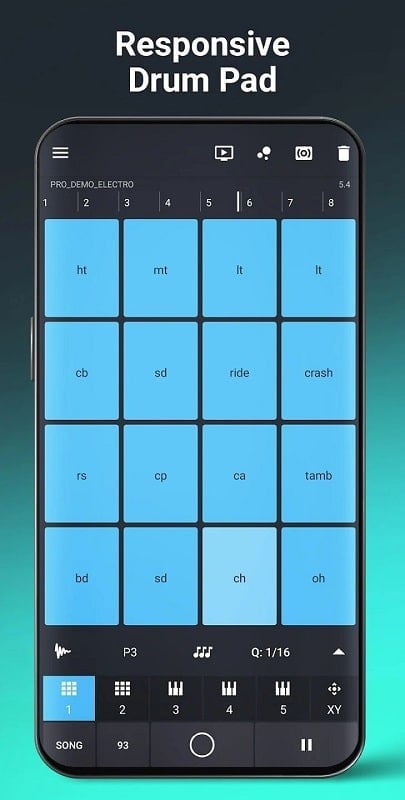
- Drum machines featuring editable kits and velocity-sensitive pads.
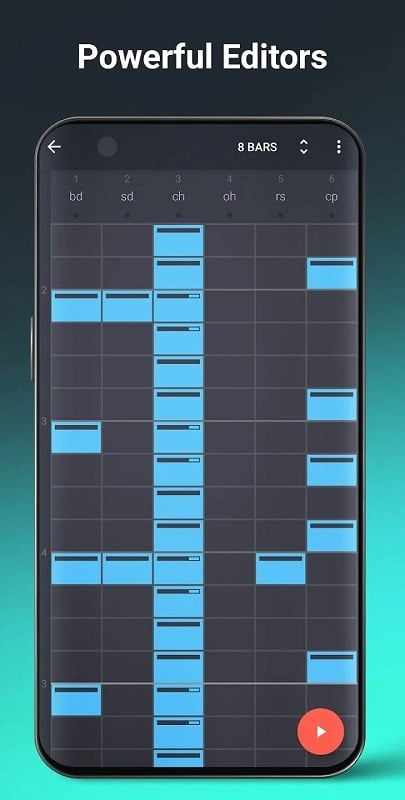
- Pattern sequencer that supports step editing and real-time recording.
- Preset library for instant inspiration and rapid prototyping.
- Export options to WAV or stems for finishing projects on other platforms.
How the workflow feels
Groovebox 4 streamlines the creative process by minimizing menus and maximizing tactile control. Patterns can be chained into sections, and scenes can be rearranged to experiment with song structure quickly. The app encourages improvisation: tap pads to record, nudge parameters with touch controls, and capture a performance as a loop or a full take.
Sound design and customization
If you like to sculpt tones, the synth modules deliver a surprising amount of depth for a mobile app. Filters, envelopes, and built-in modulation let you create evolving textures. Drum kits are editable at the sample level, so you can swap hits, tune percussion, and apply envelopes to shape each sound. Save your edits as custom presets to reuse across projects.
Interface and performance
The interface balances clarity with functionality. Controls are large enough for finger interaction yet organized so you rarely lose context. CPU management is sensible: the app scales polyphony and background processing to keep latency low on mid-range devices. When heavy effects are used, a visual indicator helps you identify bottlenecks and adjust settings accordingly.
Collaboration and export
Groovebox 4 supports straightforward exporting for collaborators and DAW integration. Export options usually include full mixes and separate stems, making it easy to hand off tracks for further mixing or mastering. Project sharing and preset export keep your sound consistent across devices or team members.
Tips for new users
Begin by exploring presets to understand how instrument patches are constructed. Experiment with short loops and focus on groove first; melodic content can follow once the rhythm feels right. Use the pattern sequencer to lock in a solid foundation, then duplicate and tweak patterns to create variations without losing the original idea.
- Start with a basic drum loop, then add bass and a lead.
- Use automation sparingly to highlight drops and transitions.
- Export early demos to evaluate arrangements outside the app.
Why many producers choose it
Users appreciate Groovebox 4 for its balance between immediacy and depth. It’s well suited to sketching song ideas during commutes, rehearsals, or short studio sessions. The low learning curve combined with advanced editing tools makes it attractive to both beginners and experienced producers who need a compact sketchpad.
Getting started
To begin, install the app and run the tutorial or demo projects included with the download. Load a preset kit, record a simple pattern, and familiarize yourself with chaining scenes. As you gain confidence, dive into sound design and export options to integrate mobile sketches into larger productions.
Groovebox 4 keeps the emphasis on creativity without overwhelming users with technical detail. Whether you want quick beats or polished loops to develop later, the app provides a practical, responsive environment for modern music-making on Android devices.
Show More
Information
Screenshots
Latest Update











Hot Tags
Latest News
-
![Revealing the Launch Playlists and Cross-Progression for COD Warzone Mobile News]()
-
![March 2024 Free Redemption Codes for Honkai: Star Rail News]()
-
PUBG Mobile Teams Up with Bentley Motors: Luxury Cars, Exclusive Collectibles, and Beyond 2024-04-18
![PUBG Mobile Teams Up with Bentley Motors: Luxury Cars, Exclusive Collectibles, and Beyond News]()
-
![Monster Never Cry is now accessible on both Android and iOS mobile devices. News]()
-
V2.2 of the Farlight 84 update introduces an overhauled Season structure, fresh in-game currency, an 2024-04-16
![V2.2 of the Farlight 84 update introduces an overhauled Season structure, fresh in-game currency, an News]()
-
![Arrival of Genshin Impact 4.6 Update: 'Embers of Two Realms, Twilight of Crimson' News]()
-
April 2024 Clash of Clans Update: Unveiling a Fresh Companion, Enhanced Levels, Chat Tagging, and Be 2024-04-16
![April 2024 Clash of Clans Update: Unveiling a Fresh Companion, Enhanced Levels, Chat Tagging, and Be News]()






