

Comic Book Reader
Version:1.0.70
Published:2026-11-07
Introduction
Comic Book Reader is a polished Android application designed for organizing and reading digital comics with speed and flexibility. It supports a wide range of file formats, offers intuitive navigation controls, and provides customization options for a comfortable, distraction-free reading experience on phones and tablets.
What it Does
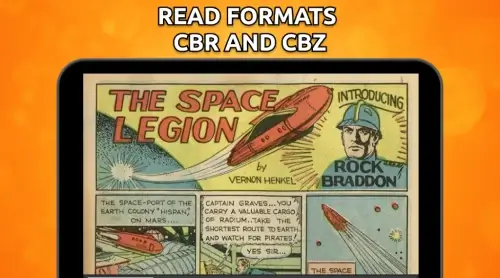
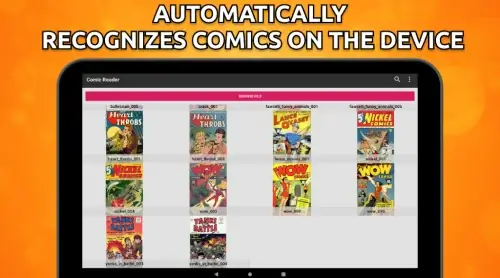
Comic Book Reader turns your device into a portable comic shelf and reading studio. The app handles archives like CBZ and CBR, as well as PDFs and loose image folders, automatically detects new files, and extracts cover art and metadata to populate a searchable library.
Key Features
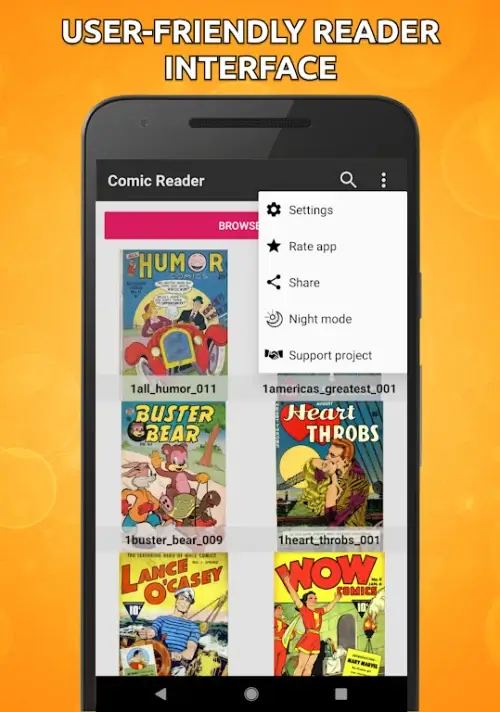
- Multi-format support: Open CBZ, CBR, ZIP, RAR, PDF, and common image formats without extra converters.
- Library management: Sort by title, author, series, or recently read; create collections and tag entries for quick filtering.
- Cloud and local access: Load comics from device storage, SD card, or cloud services using integrated or third-party storage access.
- Reading modes: Switch between single-page, double-page spread, and continuous scroll views to match your preference.
- Panel-by-panel navigation: Use guided view or automatic cropping to zoom into panels for easier reading on small screens.
- Bookmarks & history: Save reading positions, set bookmarks, and jump back to recent reads.
User Interface and Controls
The interface is minimalist and responsive so that controls stay out of the way while you read. A simple tap reveals navigation bars for page jumps, brightness, and a slider for quick scrubbing. Gesture support includes swipe to turn pages, two-finger pinch to zoom, and long-press to access context menus for file operations.
Library Organization and File Handling
Comic Book Reader automatically scans selected folders and presents comics with cover thumbnails and metadata. Batch operations let you rename, move, or delete multiple files. You can edit metadata like title, series, and issue number directly in the app to keep collections tidy and searchable.
Reading Customization
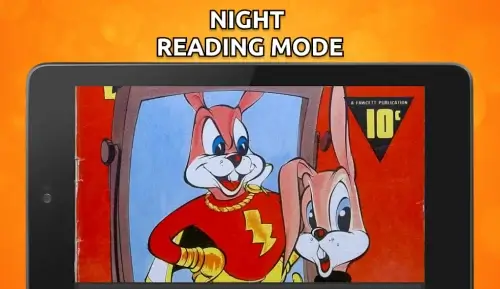
Adjust text scaling, set background colors, and toggle reading direction for Western and manga-style layouts. The app offers smooth page transition animations and several display options for gutters and margins. For readers who prefer low-light reading, a night mode and adjustable contrast maintain comfort without altering original artwork.
Performance and Compatibility
Designed for low memory usage, Comic Book Reader caches pages intelligently to reduce load times while conserving battery. It supports a broad range of Android versions and adapts performance settings for older devices. Tablet users benefit from multi-column layouts and improved landscape rendering for larger screens.
Advanced Tools for Power Users
Advanced features include auto-rotation locks per title, split-view support for multitasking on large displays, and support for external media like SD cards and OTG drives. The app also provides options for compression-friendly thumbnails and custom extraction rules for archives with unconventional folder structures.
Security and Privacy
All file handling is performed locally unless you choose to link external cloud accounts. There are no forced uploads or unsolicited syncing. You control where your comics are stored and which folders the app can access, keeping your library private and under your control.
How to Start Using It
Begin by granting access to storage folders when prompted and pointing the app to the directories that contain your comics. Comic Book Reader will scan and build your library; from there, use the search and filter tools to organize titles, or open any file to start reading immediately. Bookmarks and reading history sync across local devices when you enable optional backup.
Why Choose This Reader
Comic Book Reader combines robust file support, flexible presentation options, and efficient performance to provide a reliable reading experience on a wide range of Android devices. Whether you maintain a large archive or casually read single issues, its balance of automation and manual control helps keep your collection accessible and enjoyable.
Show More
Information
Screenshots


Latest Update












Hot Tags
Latest News
-
![Revealing the Launch Playlists and Cross-Progression for COD Warzone Mobile News]()
-
![March 2024 Free Redemption Codes for Honkai: Star Rail News]()
-
PUBG Mobile Teams Up with Bentley Motors: Luxury Cars, Exclusive Collectibles, and Beyond 2024-04-18
![PUBG Mobile Teams Up with Bentley Motors: Luxury Cars, Exclusive Collectibles, and Beyond News]()
-
![Monster Never Cry is now accessible on both Android and iOS mobile devices. News]()
-
V2.2 of the Farlight 84 update introduces an overhauled Season structure, fresh in-game currency, an 2024-04-16
![V2.2 of the Farlight 84 update introduces an overhauled Season structure, fresh in-game currency, an News]()
-
![Arrival of Genshin Impact 4.6 Update: 'Embers of Two Realms, Twilight of Crimson' News]()
-
April 2024 Clash of Clans Update: Unveiling a Fresh Companion, Enhanced Levels, Chat Tagging, and Be 2024-04-16
![April 2024 Clash of Clans Update: Unveiling a Fresh Companion, Enhanced Levels, Chat Tagging, and Be News]()






