
OBD Mary OBD2
Version:1.242
Published:2026-11-07
Introduction
If you're the kind of driver who wants a single app to inspect faults, shape a digital cockpit and keep trip logs, OBD Mary OBD2 offers an all-in-one toolkit for vehicle monitoring. This Android utility pairs with a standard ELM327 Bluetooth or WiFi adapter and turns raw OBD2 data into readable fault descriptions, live gauges and a running trip record. The opening section below explains how to get started, then we break down the main features, pros and cons and finish with a quick call to action.
Getting Started with OBD Mary OBD2
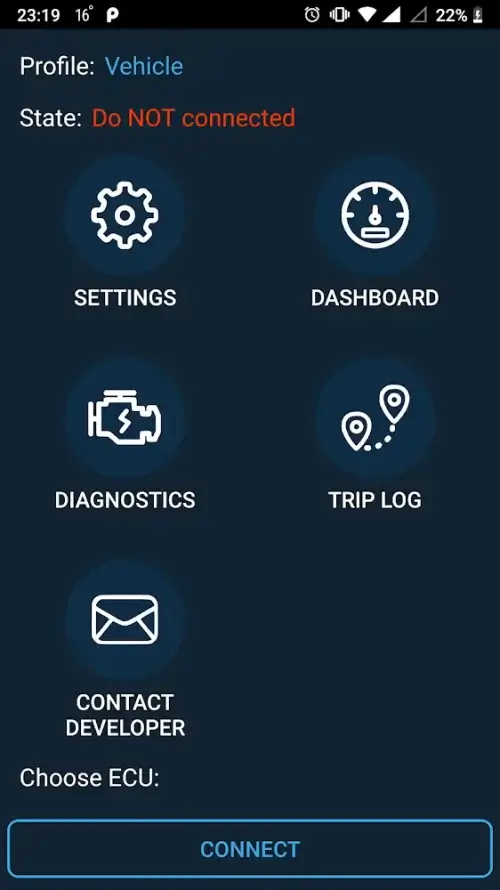
Install and pair: Download the app, enable Bluetooth or WiFi on your phone and pair with an ELM327 adapter. The pairing process is similar to other OBD2 tools and typically requires only one-time setup.
Select vehicle protocol: Choose the correct OBD2 protocol if the app does not auto-detect it. This helps ensure stable live data and reliable fault reads.
Set up dashboards: Create a default gauge layout before you drive so critical values are visible at a glance. OBD Mary OBD2 saves layouts so you can switch presets for city, highway or towing.
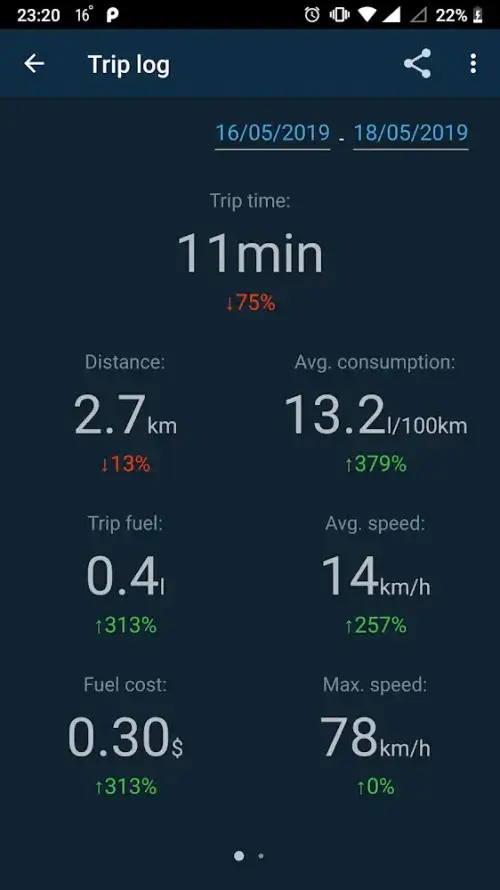
Start logging: Enable trip recording and let the app collect speed, distance and fuel-use metrics while you drive. Logs can be reviewed after trips to spot trends.
Features of OBD Mary OBD2
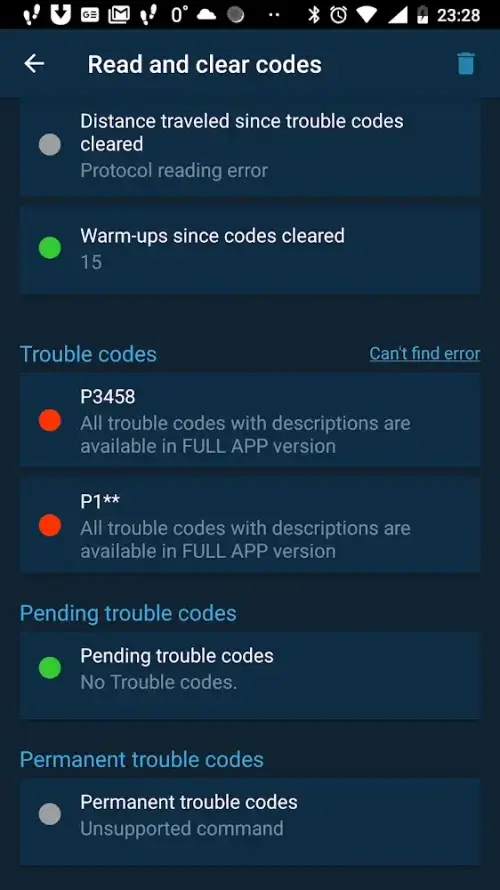
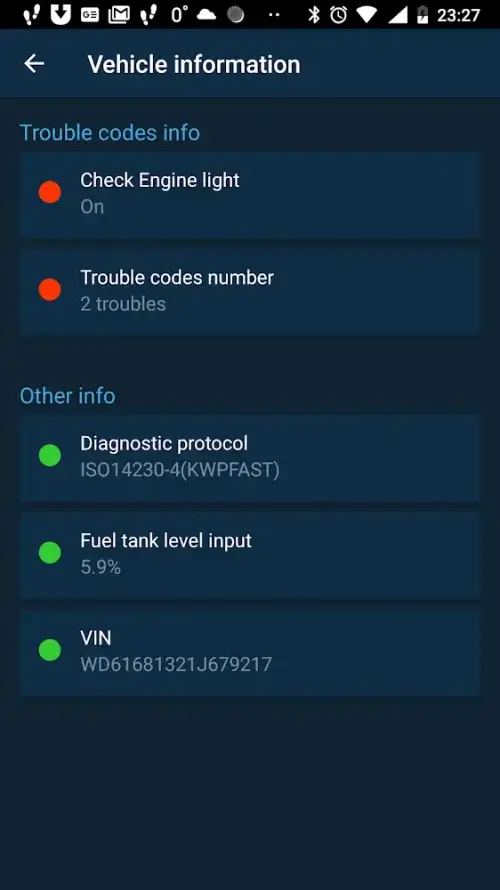
Fault code reading and clearing: Read generic and manufacturer DTCs, view short descriptions and erase codes after repairs to verify fixes.
Freeze-frame data: When a diagnostic trouble code appears, captured snapshot data helps you see the circumstances that triggered the fault.
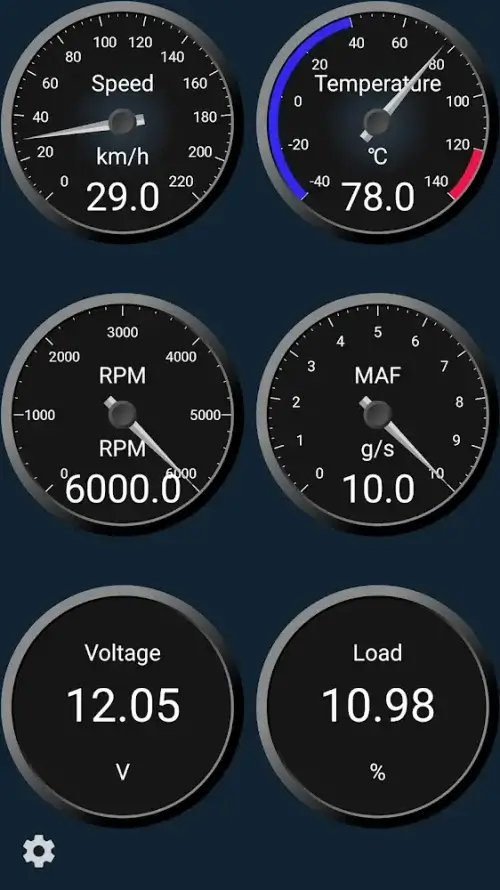
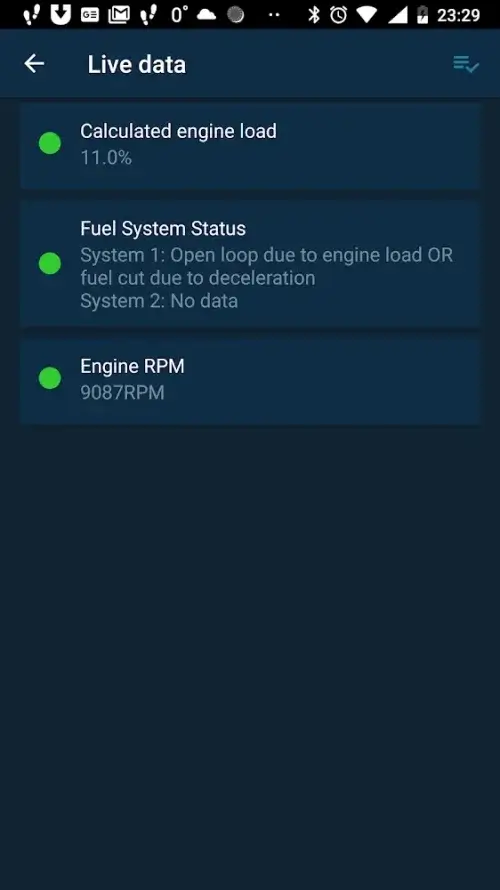
Real-time telemetry: Monitor parameters such as engine RPM, vehicle speed, coolant temperature and airflow sensors in real time to spot abnormal behavior early.
Customizable gauges: Build and resize analog or digital meters, tweak colors, labels and needle placement so the dashboard matches your priorities.
Trip computer: Automatic logging of distance, speed averages and estimated fuel used gives a continuous overview of your journeys without manual entry.
Premium option: Upgrade for an ad-free experience and faster access to advanced tools if you prefer an uninterrupted workflow with active developer support.
Pros & Cons:
- Comprehensive diagnostics and live data in one app
- Highly customizable display panels for personal workflows
- Automatic trip logging saves manual bookkeeping
- Relies on an external ELM327 adapter to access vehicle data
- Some advanced features require the paid upgrade
- User interface can have a learning curve for first-time OBD users
Final Words:
OBD Mary OBD2 is a practical companion if you want to peek under the hood with your phone and shape a dashboard that matches how you drive. It works well for routine maintenance checks, tracking fuel economy across commutes or longer trips and for troubleshooting intermittent faults when a warning light appears. Try the free version to confirm compatibility with your adapter and vehicle, and consider the premium upgrade if you prefer an ad-free, feature-rich setup. Download OBD Mary OBD2 to start turning raw OBD2 data into useful driving insight.
Show More
Information
Screenshots
Latest Update











Hot Tags
Latest News
-
![Revealing the Launch Playlists and Cross-Progression for COD Warzone Mobile News]()
-
![March 2024 Free Redemption Codes for Honkai: Star Rail News]()
-
PUBG Mobile Teams Up with Bentley Motors: Luxury Cars, Exclusive Collectibles, and Beyond 2024-04-18
![PUBG Mobile Teams Up with Bentley Motors: Luxury Cars, Exclusive Collectibles, and Beyond News]()
-
![Monster Never Cry is now accessible on both Android and iOS mobile devices. News]()
-
V2.2 of the Farlight 84 update introduces an overhauled Season structure, fresh in-game currency, an 2024-04-16
![V2.2 of the Farlight 84 update introduces an overhauled Season structure, fresh in-game currency, an News]()
-
![Arrival of Genshin Impact 4.6 Update: 'Embers of Two Realms, Twilight of Crimson' News]()
-
April 2024 Clash of Clans Update: Unveiling a Fresh Companion, Enhanced Levels, Chat Tagging, and Be 2024-04-16
![April 2024 Clash of Clans Update: Unveiling a Fresh Companion, Enhanced Levels, Chat Tagging, and Be News]()






