

RedReader
Version:1.27
Published:2026-11-19
Introduction
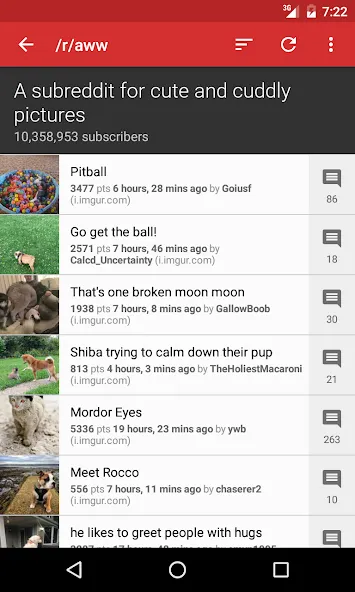
While waiting for a delayed train, you might want a tidy, no-nonsense way to catch up on Reddit without ads or clutter; RedReader fits that need by offering a lightweight, open-source client with a focus on speed and customization. The app keeps the reading experience simple: color themes you can tweak, swipe gestures to act on posts and comments, and sensible caching so images and replies load quickly. If you prefer minimalism or want an alternate Reddit front-end, RedReader delivers a focused toolbox for browsing, saving, and managing multiple accounts.
Getting Started with RedReader
Installation and launch: Download and open the app; initial setup is straightforward and you can browse without signing in if you prefer anonymous viewing.
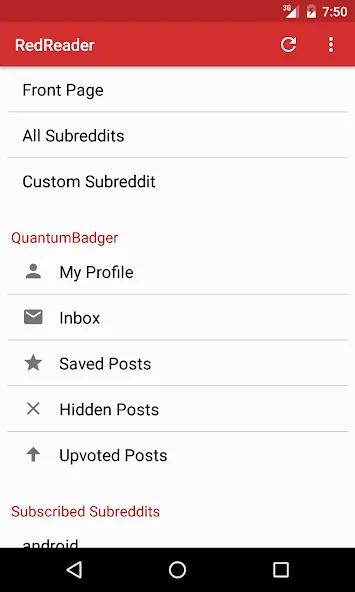
Sign-in options: Adding your Reddit account unlocks posting, voting, and subscribing features, while the app still works fine in read-only mode.
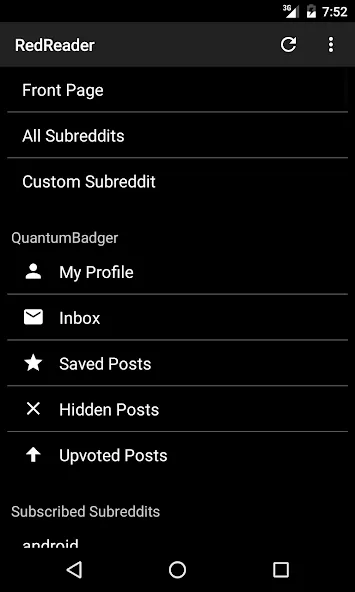
Customizing the layout: Visit the appearance settings to pick a theme, toggle night mode or ultra-black, and adjust column mode for tablets or large phones.
Managing accounts: You can add multiple Reddit accounts and switch between them quickly for different subscriptions or moderation duties.
Features of RedReader
Open-source and ad-free: RedReader is free software with no tracking, so you get an uncluttered feed and access to the source code if you want to inspect or contribute.
Swipe actions: Assign left and right swipes on posts and comments to perform tasks like upvote, downvote, save, or hide for fast interaction.
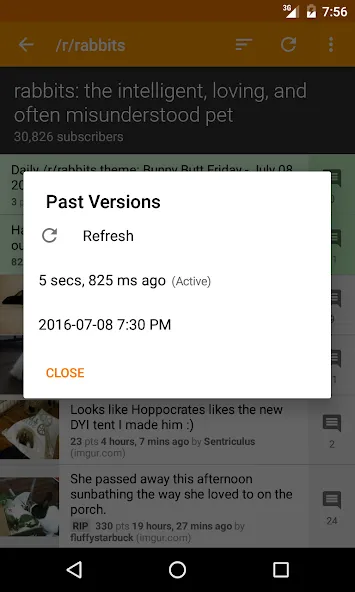
Advanced caching: The app stores past versions of posts and comments and offers precaching options for images and comments either always, never, or on Wi-Fi only.
Built-in media viewer: View images, deep-zoom into high-resolution photos, and play GIFs or videos without leaving the app.
Accessibility and translations: Screen reader optimizations and community translations make the app usable for a wider audience.
Tablet and layout modes: Use two-column mode on tablets or larger phones to keep a list and content side by side for quicker navigation.
Tips and Tricks
Personalize gestures: Change swipe actions to match your workflow so a single flick does the task you use most.
Manage cache smartly: Set image precaching to Wi-Fi only if you want faster loading without using mobile data.
Customize subreddit behavior: Tweak settings per subreddit to hide certain types of posts or apply different sorting automatically.
Use deep-zoom for images: When you encounter detailed photos or screenshots, use the built-in viewer's zoom to inspect small text or fine detail.
Suitable for RedReader
- Users who prefer an ad-free Reddit browsing experience.
- People who value quick scrolling and lightweight performance on older devices.
- Anyone who likes to personalize themes and gesture controls.
- Readers who want offline-friendly caching and image precaching options.
Final Verdict
RedReader is a straightforward, user-focused Reddit client that makes browsing fast and customizable while keeping privacy front of mind; it's ideal for readers who want a lean interface and solid media handling, though those seeking extensive organizational tools like nested folders or advanced tagging may miss some power-user features.
Show More
Information
Screenshots
Latest Update










Hot Tags
Latest News
-
![Revealing the Launch Playlists and Cross-Progression for COD Warzone Mobile News]()
-
![March 2024 Free Redemption Codes for Honkai: Star Rail News]()
-
PUBG Mobile Teams Up with Bentley Motors: Luxury Cars, Exclusive Collectibles, and Beyond 2024-04-18
![PUBG Mobile Teams Up with Bentley Motors: Luxury Cars, Exclusive Collectibles, and Beyond News]()
-
![Monster Never Cry is now accessible on both Android and iOS mobile devices. News]()
-
V2.2 of the Farlight 84 update introduces an overhauled Season structure, fresh in-game currency, an 2024-04-16
![V2.2 of the Farlight 84 update introduces an overhauled Season structure, fresh in-game currency, an News]()
-
![Arrival of Genshin Impact 4.6 Update: 'Embers of Two Realms, Twilight of Crimson' News]()
-
April 2024 Clash of Clans Update: Unveiling a Fresh Companion, Enhanced Levels, Chat Tagging, and Be 2024-04-16
![April 2024 Clash of Clans Update: Unveiling a Fresh Companion, Enhanced Levels, Chat Tagging, and Be News]()






