
LazyBoard - Phrase Keyboard
Version:2.6.14
Published:2026-11-06
Introduction
LazyBoard - Phrase Keyboard is a customizable Android keyboard designed to speed up typing by letting you store and insert frequently used phrases, signatures and replies directly from a lightweight input surface. LazyBoard - Phrase Keyboard places shortcuts, inline suggestions and a phrase library where you already type, so professionals, students and anyone who sends repetitive text can reduce repetition without switching apps. The keyboard is built to be responsive on a wide range of devices and to keep sensitive phrase data local unless you choose cloud backup.
Core features and interaction model
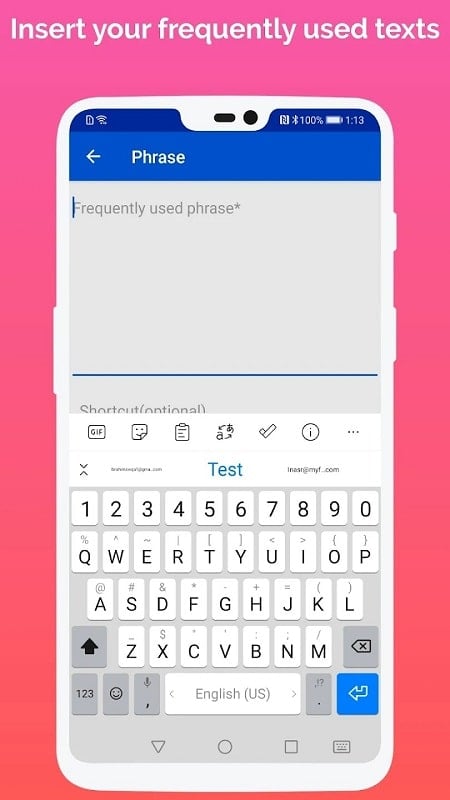
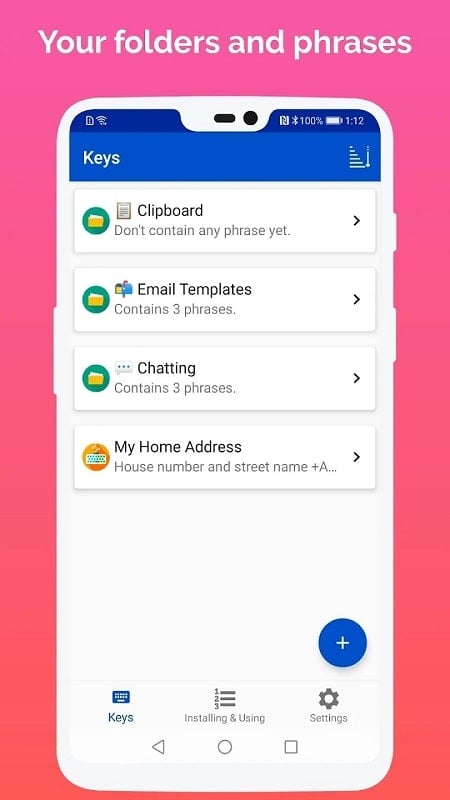
The app organizes text snippets into categories and folders for fast retrieval, and it supports multi-word phrases, email templates and emoji sequences that can be triggered with short mnemonic triggers. Instead of a separate app, LazyBoard operates as a full replacement or companion keyboard: inline suggestions appear as you type, a floating toolbar offers one-tap insertion, and a searchable phrase library lets you find items by tag, title or content. A dedicated phrase editor makes it easy to create, edit and test templates on the spot so the interaction model stays immediate and intuitive.
Controls and input mechanics
Controls are focused on minimal taps and quick edits. Assign short text triggers such as "addr" for address blocks and type the trigger to reveal suggestions, or open the floating toolbar to browse pinned folders. After insertion you can use the built-in cursor controls and placeholder fields to fill variable data like names or dates. Predictive suggestions adapt to repeated inserts so the most relevant phrases surface first; auto-correct is independent of snippet suggestions and can be tuned for sensitivity to match your typing style.
Progression and library growth
Progression in LazyBoard is the natural expansion of your phrase library and personal efficiency. As you add folders and phrases, the suggestion engine learns frequency and context, improving the relevance of inline recommendations. Power users benefit from bulk import and export tools for migrating large libraries, while casual users can start with a few everyday phrases and build up a personal catalog over time. Regular use reduces repetitive writing, and small changes to triggers and tags help the keyboard evolve alongside your workflow.
Customization, visual style and accessibility
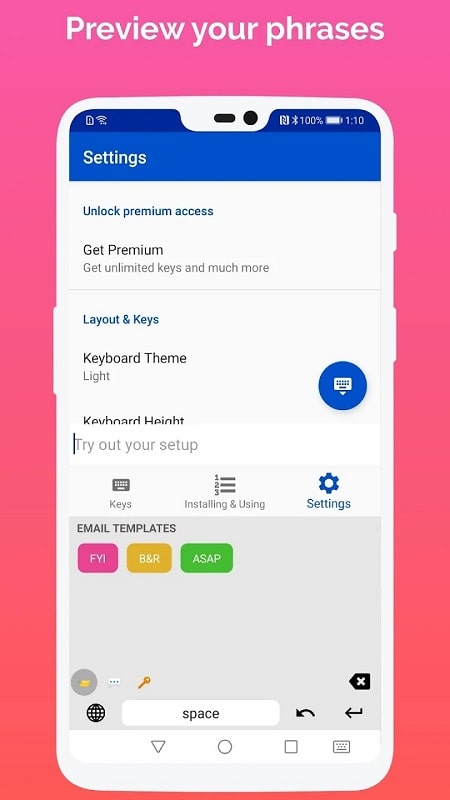
Customization covers both visual appearance and organizational layout. Themes and key layouts let you match the keyboard to your visual preferences, choosing contrast and font size for readability. Snippets can include simple formatting and placeholders, and you can pin high-priority phrases for immediate access. Accessibility considerations include adjustable key sizes and clear contrast themes so users with different needs can configure the keyboard for comfortable typing without losing functionality.
Structure, use cases and level-like organization
Think of your phrase library like a level structure: folders represent topics or apps and tags act like filters so you can quickly navigate to the right set of responses. This structure supports many practical uses: customer support agents can create canned replies, social media managers save hashtags and captions, students store citations or formulas, and freelancers keep contract clauses or invoice text at hand. The organization model encourages reuse and consistency without adding complexity to everyday typing tasks.
Performance, privacy and offline play
LazyBoard is designed to be lightweight and energy-efficient so it performs well on resource-constrained phones and during prolonged use. Phrase data is stored locally by default for privacy, and cloud backup is optional if you want to sync across devices. The keyboard operates fully offline for core features such as phrase insertion and suggestion learning, so you can rely on it without a network connection and still keep sensitive templates private.
Improving accuracy and challenge handling
The suggestion engine balances static snippets with contextual predictions to reduce errors: the most frequently used matches are prioritized, and auto-correct can be toggled or calibrated to your preference. If you work with many similar templates, use explicit triggers and tags to avoid ambiguous matches. Built-in feedback and quick-edit options make correcting an inserted phrase easy, lowering the learning curve and keeping the experience forgiving for new users.
Setup, first steps and advanced tips
Getting started with LazyBoard - Phrase Keyboard takes only a few minutes: grant keyboard permissions, create your first folder and add essential phrases you use daily. Turn on the suggestion toolbar, test insertions in your messaging app and use the phrase editor to add placeholders for names or dates. For advanced organization, create topic-based folders, pin frequently used items and backup your library before bulk edits to prevent accidental loss. Over time, small adjustments to triggers and tags will make the keyboard more efficient and tailored to your routine.
LazyBoard - Phrase Keyboard combines organized snippet management, fast inline suggestions and privacy-focused settings to streamline repetitive typing on Android. With customization for appearance and accessibility, offline core functionality and tools for library growth, it is a practical productivity tool that adapts as your needs evolve and helps keep your messaging consistent and efficient.
Show More
Information
Screenshots
Latest Update









Hot Tags
Latest News
-
![Revealing the Launch Playlists and Cross-Progression for COD Warzone Mobile News]()
-
![March 2024 Free Redemption Codes for Honkai: Star Rail News]()
-
PUBG Mobile Teams Up with Bentley Motors: Luxury Cars, Exclusive Collectibles, and Beyond 2024-04-18
![PUBG Mobile Teams Up with Bentley Motors: Luxury Cars, Exclusive Collectibles, and Beyond News]()
-
![Monster Never Cry is now accessible on both Android and iOS mobile devices. News]()
-
V2.2 of the Farlight 84 update introduces an overhauled Season structure, fresh in-game currency, an 2024-04-16
![V2.2 of the Farlight 84 update introduces an overhauled Season structure, fresh in-game currency, an News]()
-
![Arrival of Genshin Impact 4.6 Update: 'Embers of Two Realms, Twilight of Crimson' News]()
-
April 2024 Clash of Clans Update: Unveiling a Fresh Companion, Enhanced Levels, Chat Tagging, and Be 2024-04-16
![April 2024 Clash of Clans Update: Unveiling a Fresh Companion, Enhanced Levels, Chat Tagging, and Be News]()






